
Ein Foto. Beim Auslösen fragt ritrovo nichts.
One photo. ritrovo asks nothing when you press the shutter.
Ein Urteil. Gold, Silber, Bronze oder Niete. Keine Sterne, keine Punkte.
One verdict. Gold, silver, bronze or dud. No stars, no points.
Eine Erinnerung, die dir gehört. Kein Konto, kein Feed, keine fremden Meinungen.
A memory that’s yours. No account, no feed, no one else’s opinions.
ritrovo auf einen Blick
ritrovo at a glance
- Wofür
- ritrovo merkt sich, was gut war: Wein, Gericht, Abend. Ein Foto und ein eigenes Urteil (Gold, Silber, Bronze oder Niete) genügen. Keine fremden Bewertungen, kein Feed.
- Stand
- ritrovo ist noch nicht veröffentlicht, weder im App Store noch bei Google Play.
- Geplant
- iPhone ab iOS 17 und Android-Telefone ab Android 8.0, auf Deutsch und Englisch. Die Android-Fassung kann weniger als die fürs iPhone.
- Konto
- ritrovo braucht kein Konto, keinen Server und kein Abo.
- Daten
- Aufnahmen, Namen und Notizen liegen auf dem Gerät. Hinaus gehen nur Koordinaten, Kartenausschnitte oder ein getippter Stadtname, nie ein Bild oder eine Notiz.
- Purpose
- ritrovo remembers what was good: wine, dish, evening. A photo and your own verdict (gold, silver, bronze or dud) are enough. No ratings from others, no feed.
- Status
- ritrovo has not been released yet, neither in the App Store nor on Google Play.
- Planned
- iPhone with iOS 17 or later and Android phones with Android 8.0 or later, in German and English. The Android version can do less than the iPhone version.
- Account
- ritrovo needs no account, no server and no subscription.
- Data
- Photos, names and notes stay on the device. Only coordinates, map sections or a typed city name leave it, never a picture or a note.
Fotografiere, was auf den Tisch kommt.
Photograph whatever lands on the table.
ritrovo bringt seinen eigenen Sucher mit. Du löst aus, und der Eintrag steht. Name, Ort und alles Weitere kannst du später ergänzen.
ritrovo brings its own viewfinder. You press the shutter and the entry is there. Name, place and everything else can follow later.
Ein Ziel im Sucher. Nach dem ersten Foto steht oben Neuer Eintrag, darunter je Eintrag ein Punkt mit der Zahl seiner Fotos. „Letzter“ und „Nur Galerie“ wie auf dem iPhone gibt es auf Android nicht.
One target in the viewfinder. After the first photo, New entry appears at the top, and below it one dot per entry with the number of its photos. “Last” and “Gallery only” as on iPhone do not exist on Android.
Drei Ziele im Sucher. Neuer Eintrag beginnt einen Eintrag. Letzter hängt das Foto an den jüngsten. Nur Galerie legt es nur in deine Fotomediathek.
Three targets in the viewfinder. New entry starts an entry. Last adds the photo to the most recent one. Gallery only just saves it to your photo library.
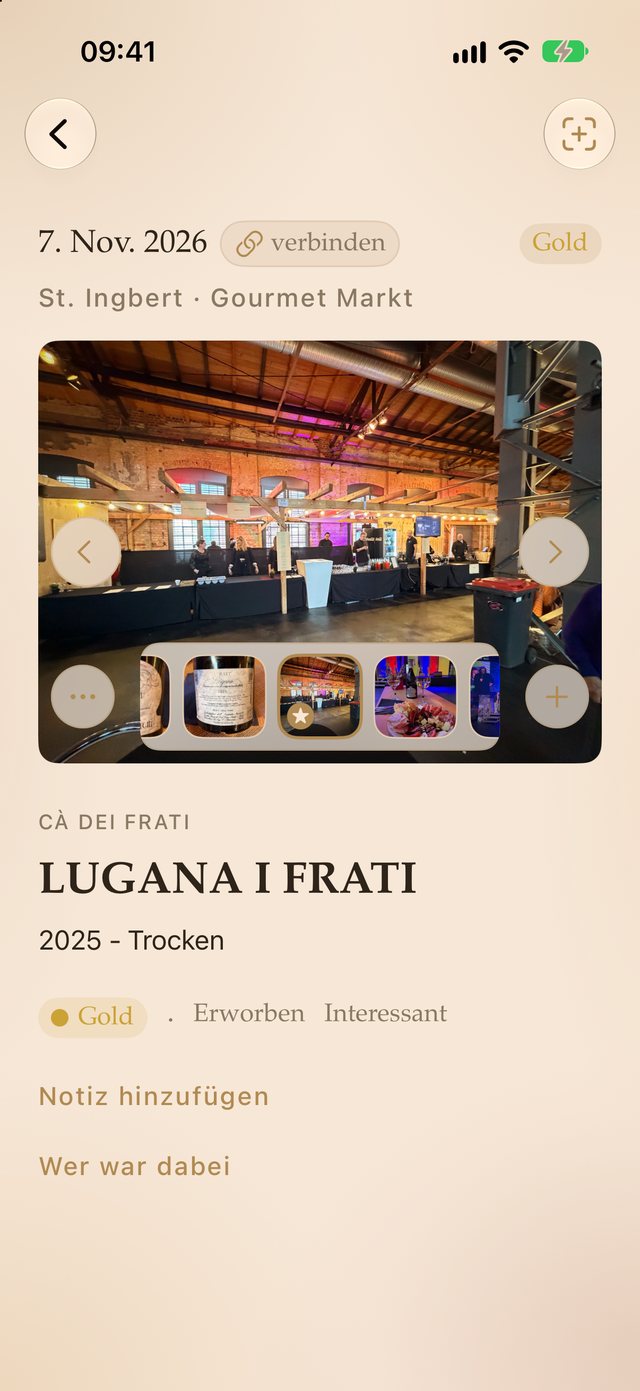
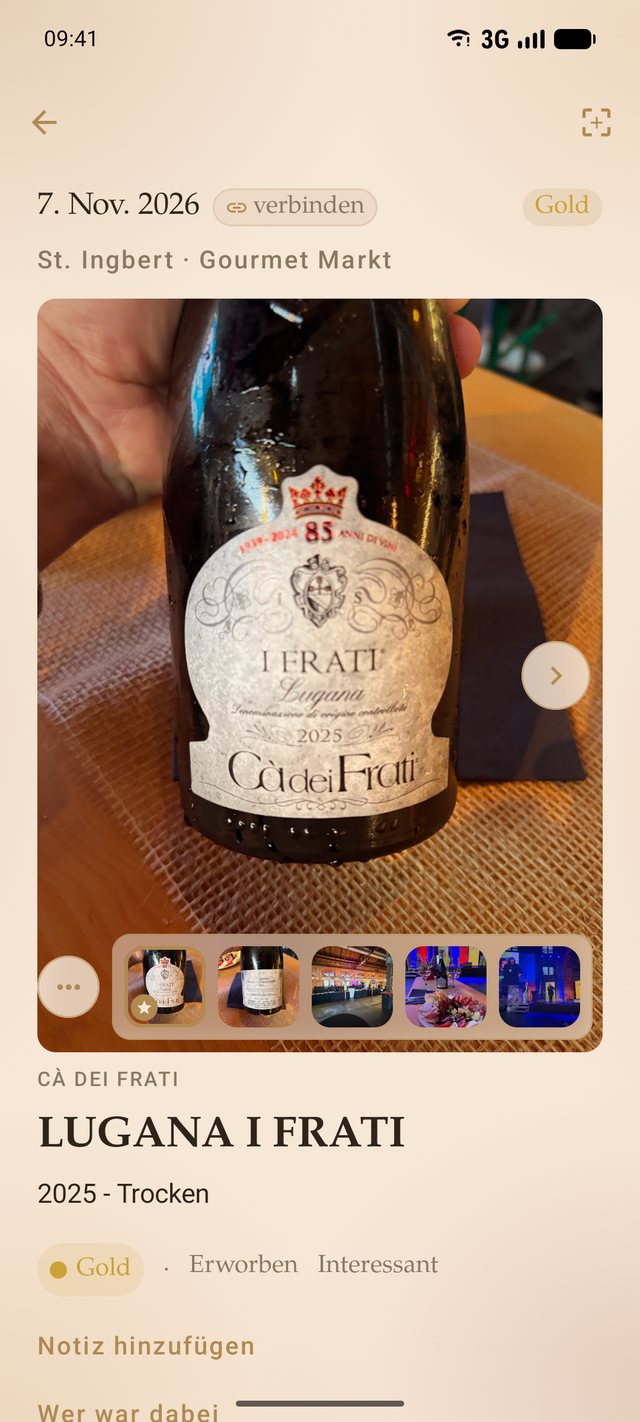
Was zusammengehört, wird ein Eintrag. Flasche, Rückseite, Glas, Teller: Mehrere Aufnahmen hintereinander ergeben einen Eintrag. Der Streifen unter dem Foto zeigt, was dazugehört.
What belongs together becomes one entry. Bottle, back label, glass, plate: several shots in a row make one entry. The strip below the photo shows what belongs to it.
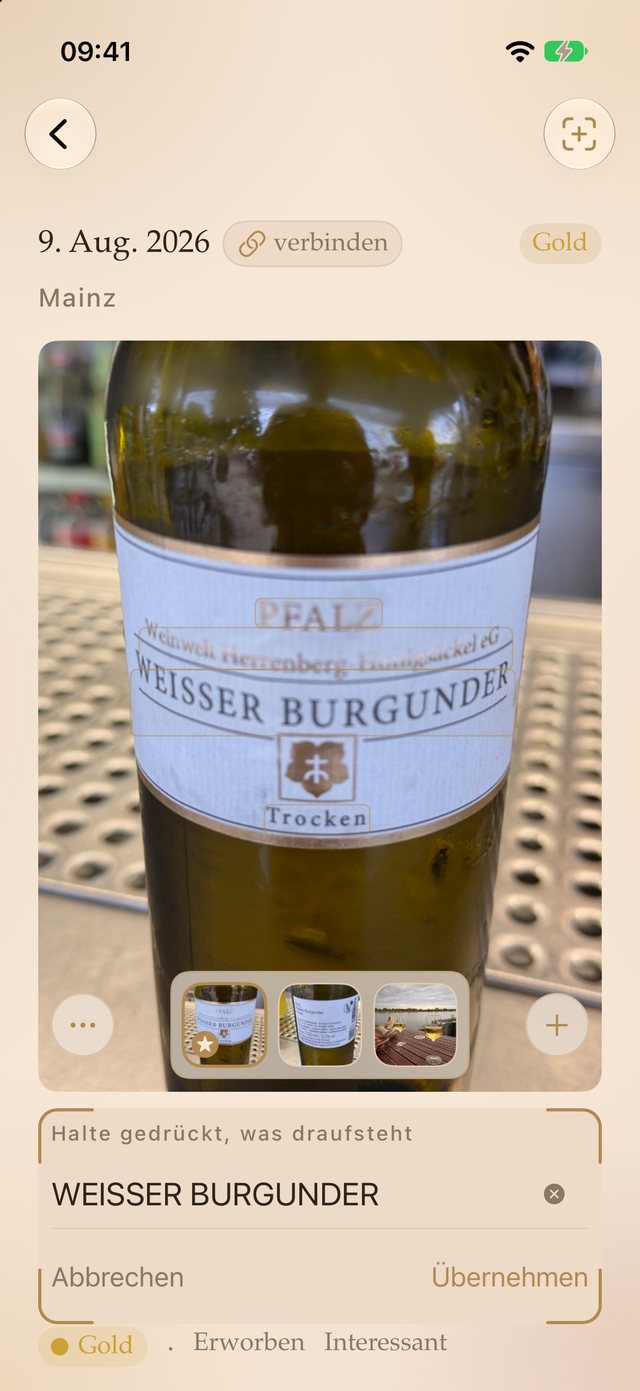
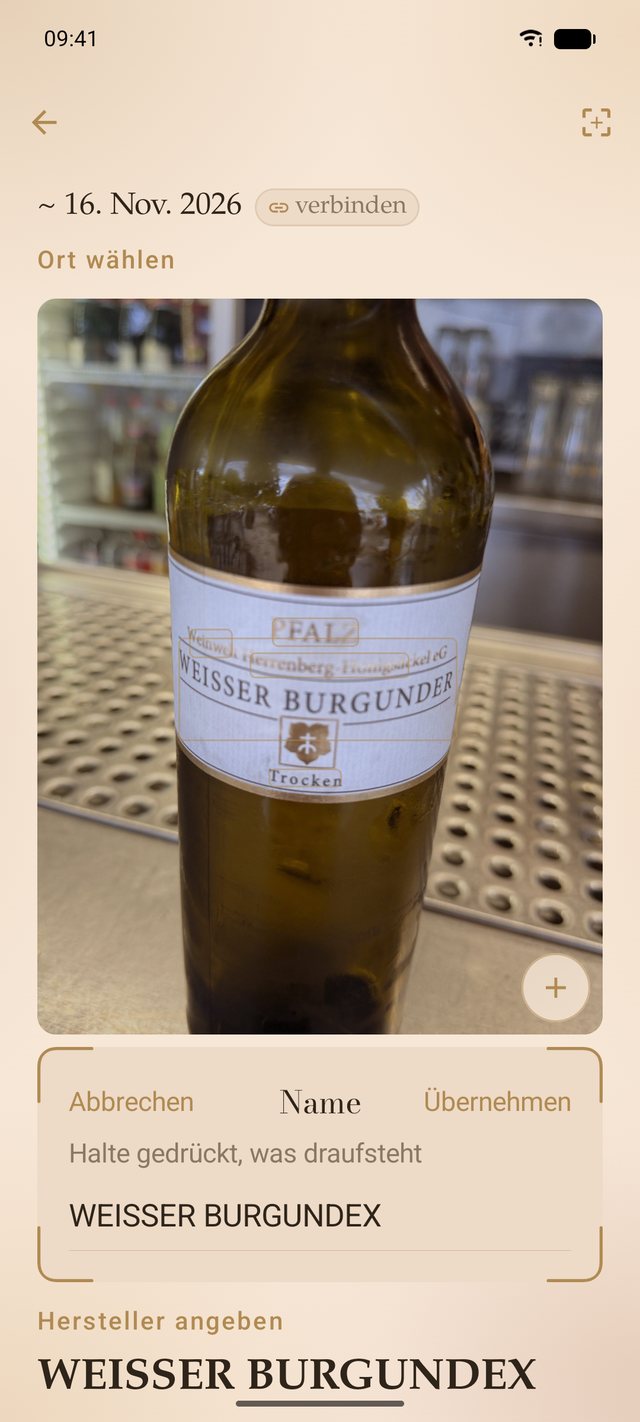
Der Name kommt vom Etikett. Steht ein klarer Namenszug drauf, setzt ritrovo ihn selbst. Sonst hältst du im Bild gedrückt, was draufsteht. ritrovo rahmt die Zeilen, die es gelesen hat.
The name comes from the label. If the lettering is clear, ritrovo sets the name itself. If not, touch and hold what it says in the picture. ritrovo frames the lines it has read.
Wenig Regler. Tippen stellt scharf, zwei Finger zoomen, der Blitz kommt von selbst.
Strichcode im Blick. Erkennt der Sucher einen, meldet er Strichcode erkannt. Online nachgeschlagen wird nichts.
Aus der Mediathek. Bis zu zehn vorhandene Fotos werden ein Eintrag.
Aus der Mediathek. Ein vorhandenes Foto je Vorgang wird ein Eintrag. Weitere Bilder hängst du im Eintrag an.
Vom Sperrbildschirm. Das Widget Aufnehmen öffnet den Sucher direkt.
Der Ort ist gleich dabei. Der Ortsschalter ist auf Android anfangs an. Nach dem Standort fragt Android, wenn du den Sucher zum ersten Mal öffnest.
Few controls. Tap to focus, two fingers to zoom, and the flash fires by itself.
Barcodes noticed. When the viewfinder spots one, it says Barcode detected. Nothing is looked up online.
From your library. Up to ten existing photos become one entry.
From your library. One existing photo at a time becomes an entry. You add more pictures in the entry.
From the Lock Screen. The Capture widget opens the viewfinder directly.
The place comes along. On Android the place switch is on at first. Android asks for your location the first time you open the viewfinder.
Gold, Silber, Bronze oder Niete.
Gold, silver, bronze or dud.
Was dir schmeckt, entscheidest nur du. ritrovo kennt keine Sterne, keine Punkte und keine fremden Bewertungen, nur deine Medaille.
What you like is yours alone to decide. ritrovo has no stars, no points and no one else’s ratings, just your medal.
Ein Chip, vier Medaillen.
One chip, four medals.
- Ein Tipp ergibt Gold. Jeder weitere geht eine Stufe weiter: Silber, Bronze, Niete, dann wieder unbewertet.
- Gedrückt halten wählt direkt. So kommst du ohne Durchtippen zur Niete.
- Daneben zwei Wörter. „Erworben“ oder „Interessant“. Ein zweiter Tipp nimmt es zurück.
- One tap gives gold. Each further tap moves one step on: silver, bronze, dud, then unrated again.
- Touch and hold to choose directly. That gets you to dud without tapping through.
- Two words beside it. “Acquired” or “Interesting”. A second tap takes it back.
Tippe auf den Chip.
Tap the chip.
Gedrückt halten zeigt in der App diese Auswahl:
In the app, touch and hold shows this choice:
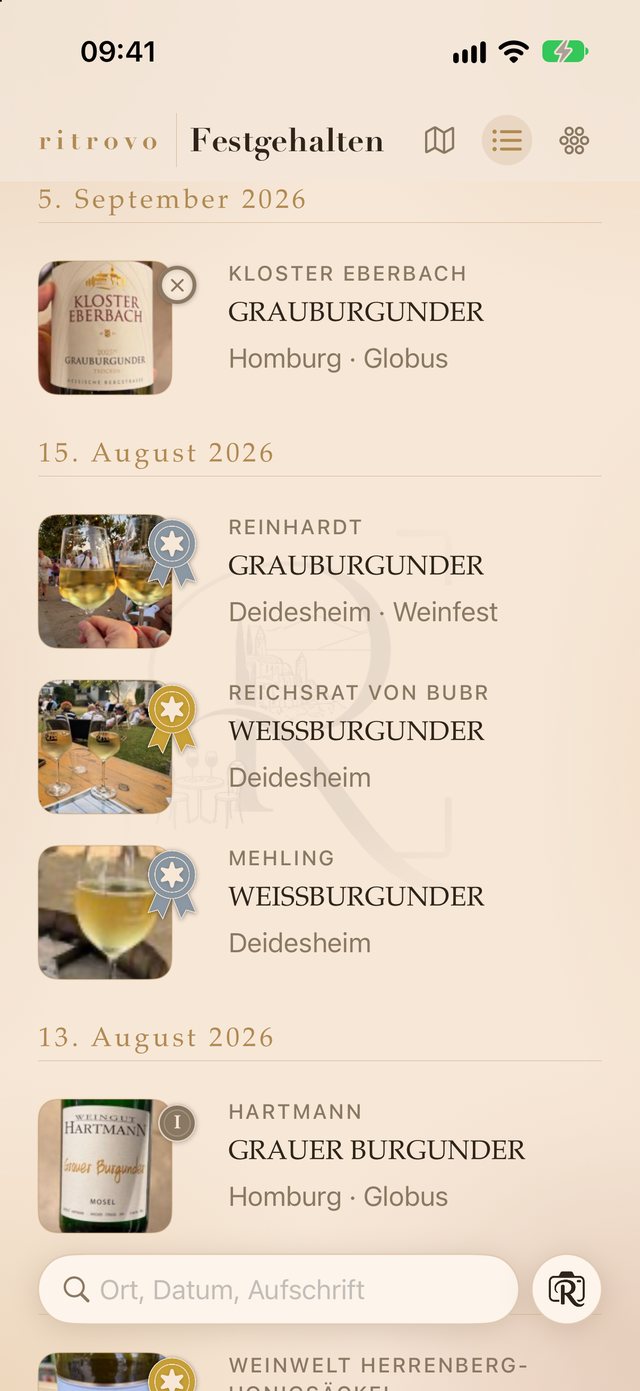
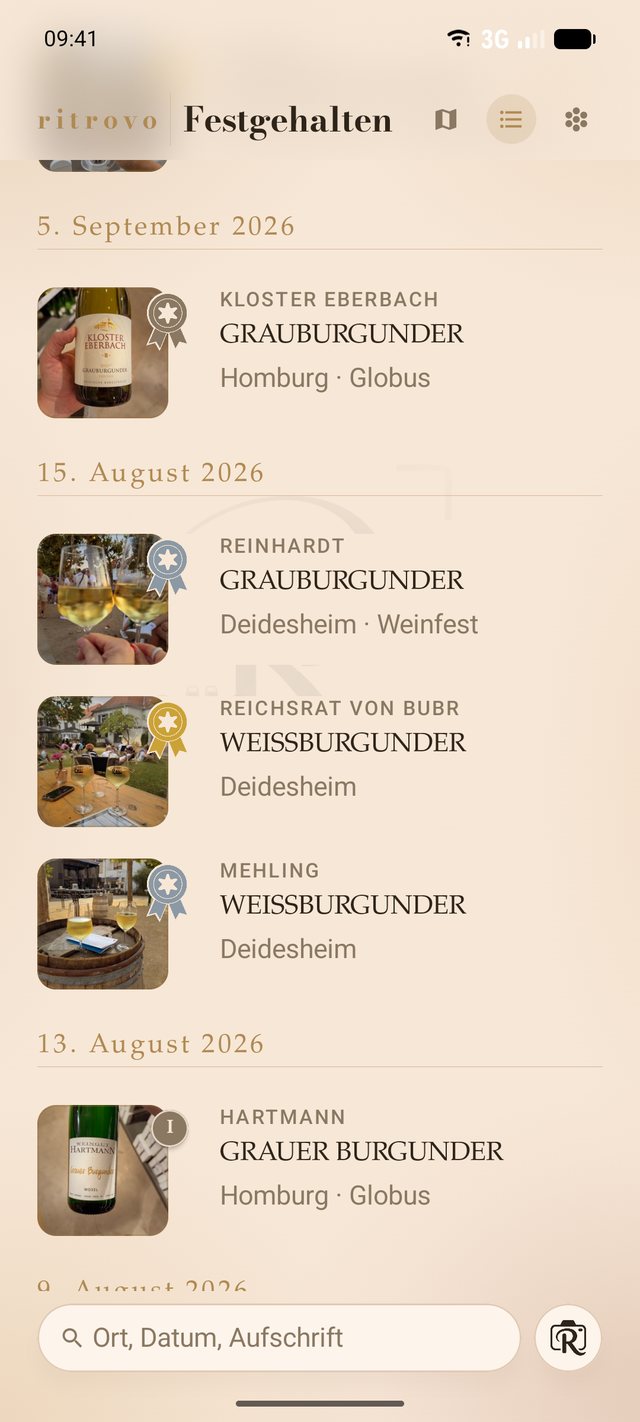
Nachgebaut nach dem Medaillen-Chip der App, in den Farben ihrer dunklen Erscheinung. In der App sitzt der Chip im Eintrag unter dem Namen, wie das Bildschirmfoto darunter zeigt. In der Liste trägt das Titelbild die Medaille als Siegel.
Modelled on the app’s medal chip, in the colours of its dark appearance. In the app the chip sits in the entry, below the name, as the screenshot below shows. In the list, the cover photo carries the medal as a seal.
Der Eintrag. Nichts darin ist Pflicht.
The entry. Nothing in it is required.
- NameHersteller, Name, Beischrift. Getippt oder direkt aus dem Bild: Halte gedrückt, was draufsteht.
- MarkierenAuf der Weinkarte. Halte auf dem Foto die Zeilen gedrückt, die du probiert hast.
- OrtWenn du willst. Ort am Eintrag festhalten ist anfangs ausauf Android anfangs an und lässt sich ausschalten. Den Ort nennst du so, wie du ihn nennst.
- DabeiWer war dabei. Die Namen tippst du selbst. Auf dein Adressbuch greift ritrovo nicht zu.
- NameProducer, name, caption. Typed, or straight from the picture: touch and hold what it says.
- TickOn the wine list. In the photo, touch and hold the lines you tried.
- PlaceIf you want it. Keep the place with the entry is off at firston at first on Android and can be switched off. You name the place the way you call it.
- WithWho was there. You type the names yourself. ritrovo does not access your contacts.
Dazu eine Notiz, wenn du magst.
Plus a note, if you like.
Wiederfinden statt sammeln.
Finding again, not collecting.
Stehst du im Laden, vor der Speisekarte oder am Tresen, findest du, was du schon einmal hattest: auf der Karte, in der Liste, in der Galerie oder über die Suche.
Standing in the shop, in front of the menu or at the bar, you find what you had before: on the map, in the list, in the gallery or through search.
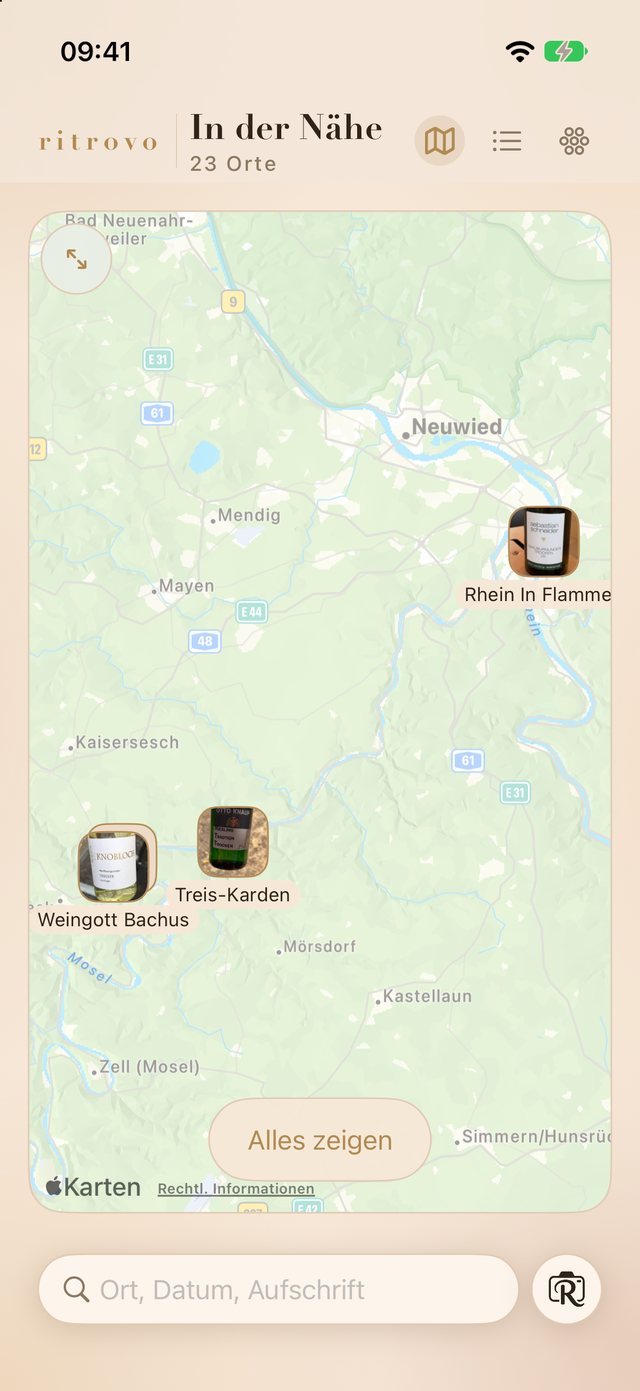
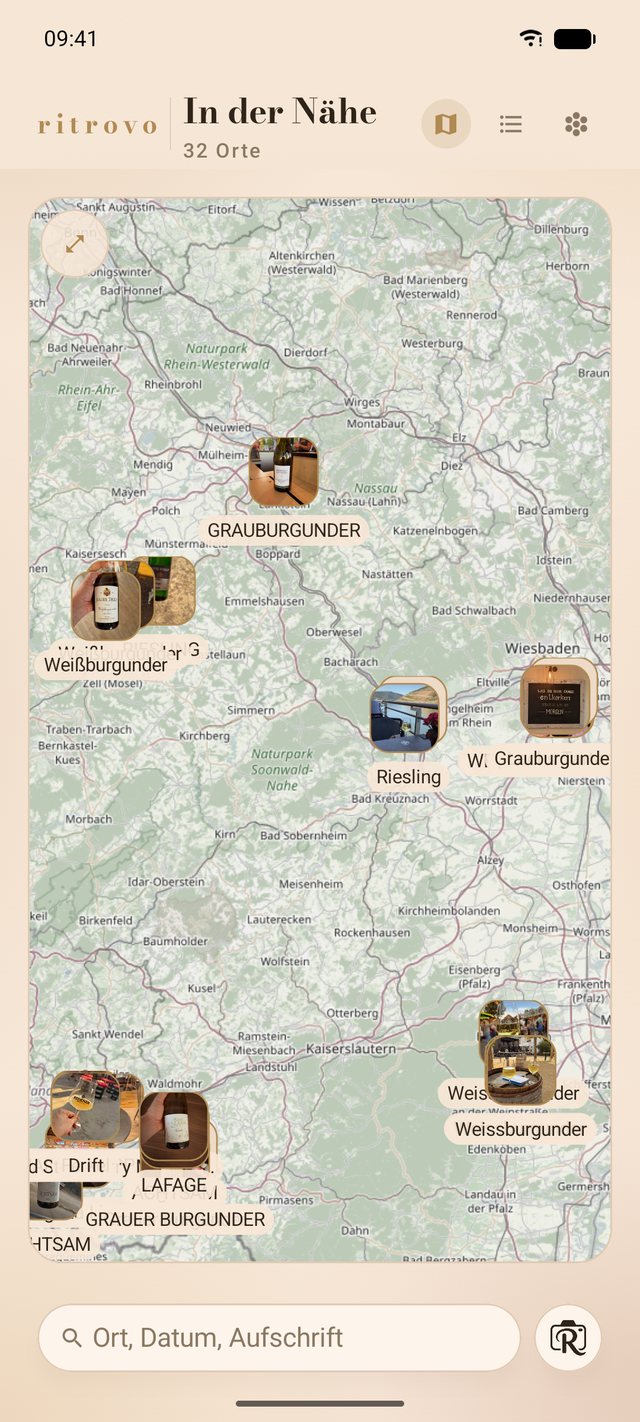
Deine Orte auf der Karte. Jeder Ort trägt eine Bild-Nadel. Ein Tipp öffnet den Eintrag oder die Liste dieses Orts. Die Karte kommt von OpenStreetMap.
Your places on the map. Each place has a picture pin. A tap opens the entry, or the list for that place. The map comes from OpenStreetMap.
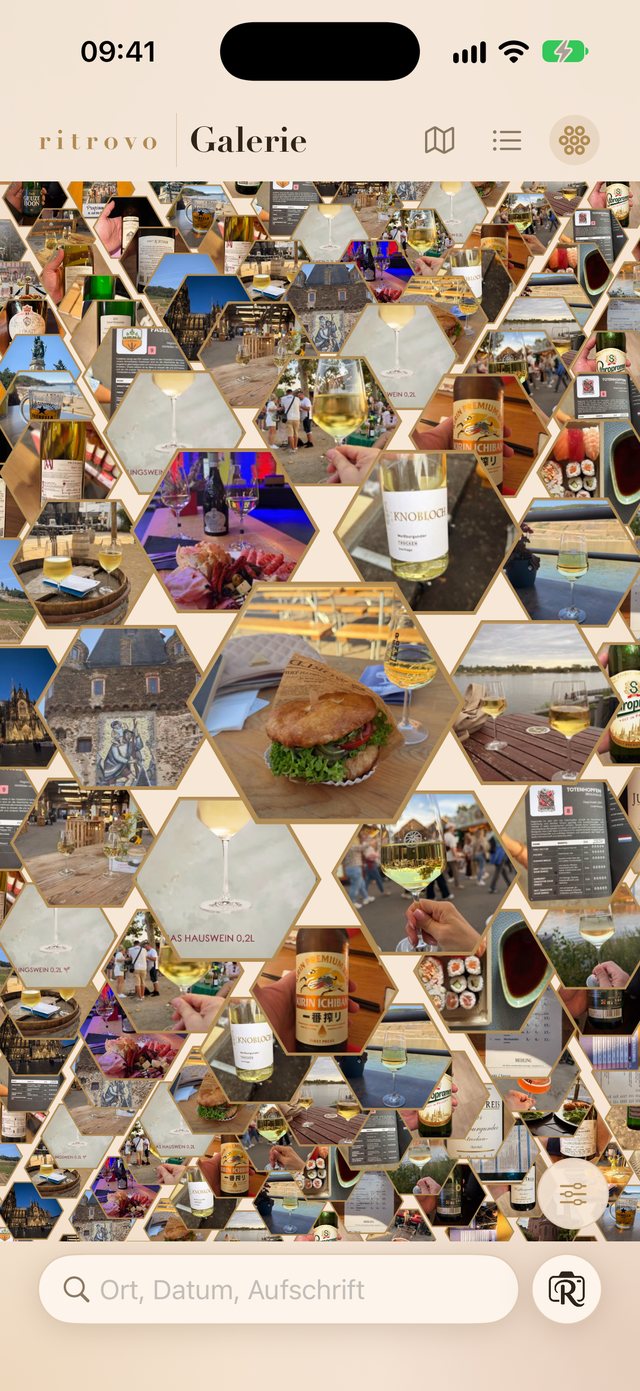
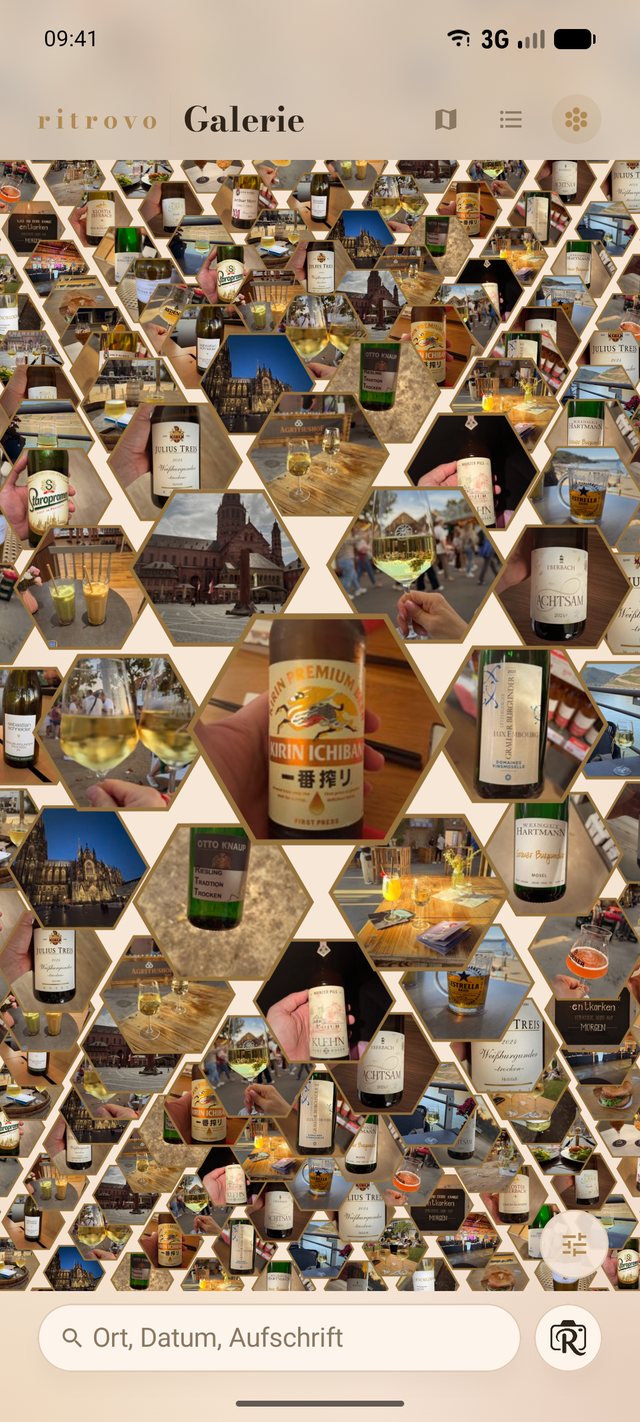
Die Galerie als Wand. Alle Bilder als Waben, in der Mitte eine Lupe. Ein Tipp auf das Bild in der Lupe öffnet den Eintrag.
The gallery as a wall. All pictures in a honeycomb, with a magnifier in the middle. Tap the picture in the magnifier to open the entry.
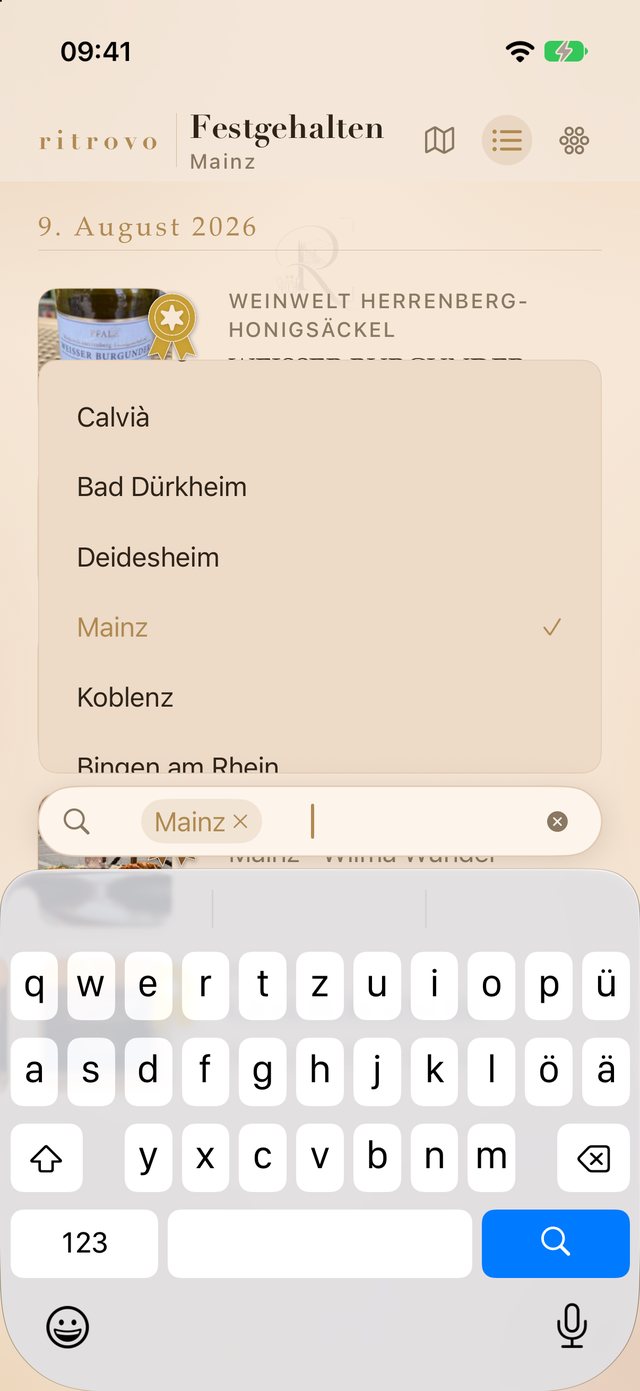
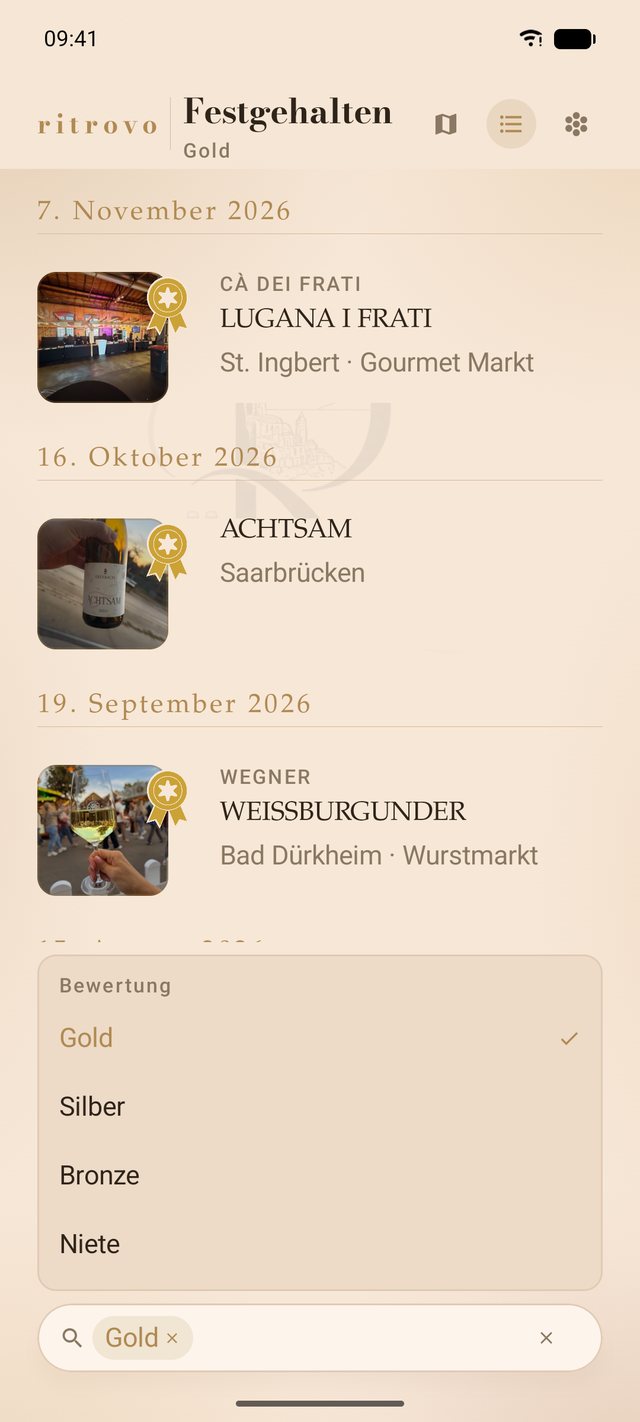
Suche nach Namen. Sie findet Namen, Hersteller und deine Ortsnamen, als Filter gibt es Bewertung. Datum und Etikettentext durchsucht die Android-Fassung noch nicht.
Search by name. It finds names, producers and your place names, with Rating as a filter. The Android version does not search dates or label text yet.
Suche, die Etiketten liest. Sie findet Namen, Notizen, Orte, ein Datum wie „Juli“ oder „2019“ und den erkannten Text vom Etikett. Dazu kommen vier Filter: Ort, Wo, Bewertung und Mit.
Search that reads labels. It finds names, notes, places, a date like “July” or “2019” and the text recognised on the label. Four filters go with it: Town, Where, Rating and With.
Die Suche wirkt auf Karte, Liste und Galerie. Ab fünf Zeichen verzeiht sie Tippfehler. Einträge ohne Ort stehen nicht auf der Karte.
Search applies to the map, the list and the gallery. From five characters on, it forgives typos. Entries without a place are not on the map.
Aufgeklappt: Liste links, Karte rechts.
Unfolded: list on the left, map on the right.
Auf dem aufgeklappten iPhone Duo stehen Liste und Karte nebeneinander. Im Eintrag liegt das Foto links, alles Weitere rechts. Zugeklappt zeigt ritrovo eine Spalte wie auf jedem iPhone.
On the unfolded iPhone Duo, the list and the map sit side by side. In an entry, the photo is on the left and everything else on the right. Folded, ritrovo shows one column, as on any iPhone.
Schon gehabt? ritrovo weiß es.
Had it before? ritrovo knows.
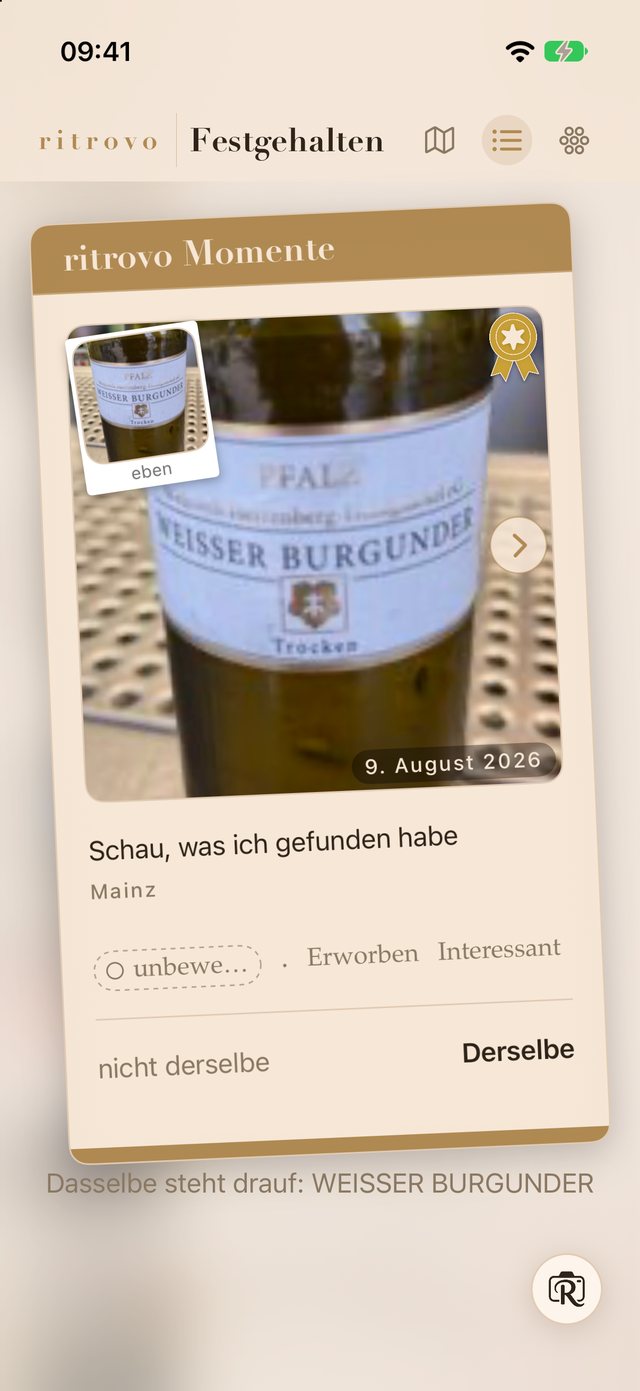
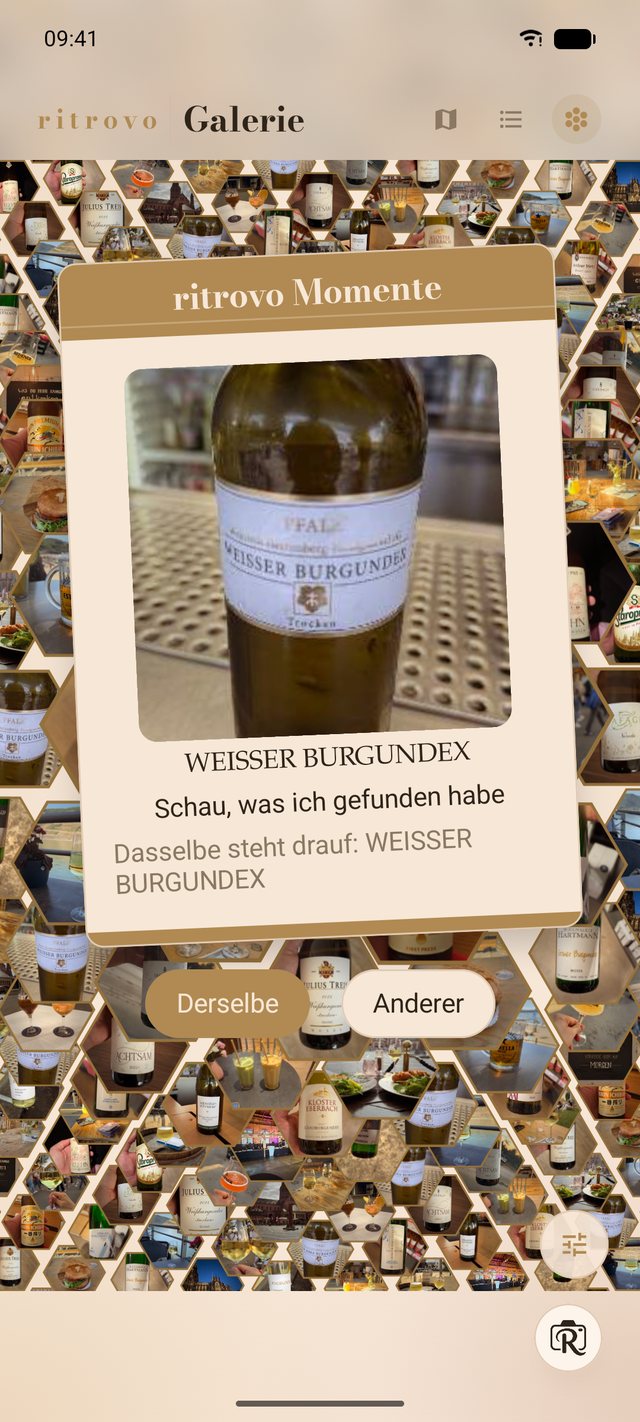
Nach einer Aufnahme vergleicht ritrovo sie mit dem, was du schon festgehalten hast. Steht dasselbe drauf, fragt es leise: derselbe?
After a shot, ritrovo compares it with what you have already kept. If the lettering matches, it quietly asks: the same one?
Ein stiller Wink, keine Mitteilung.
A quiet nudge, not a notification.
- HinweisEine Karte „ritrovo Momente“. Mit dem gemerkten Foto und dem Grund, etwa Dasselbe steht drauf: … Wer es leiser mag, stellt auf ein schmales Band um.
- AntwortDerselbe oder nicht derselbeAnderer. Wegwischen genügt auch. Du fotografierst einfach weiter.
- FadenNichts wird zusammengelegt. Beide Einträge bleiben und sind verbunden. Ein Chip wie 3. Mal zeigt die früheren Begegnungen.
- HintA “ritrovo moments” card. With the photo it remembered and the reason, such as Same lettering: … If you prefer it quieter, switch to a slim banner.
- AnswerThe same or not the sameDifferent. Swiping it away works too. You just keep shooting.
- ThreadNothing gets merged. Both entries stay and are linked. A chip like Seen 3× shows the earlier encounters.
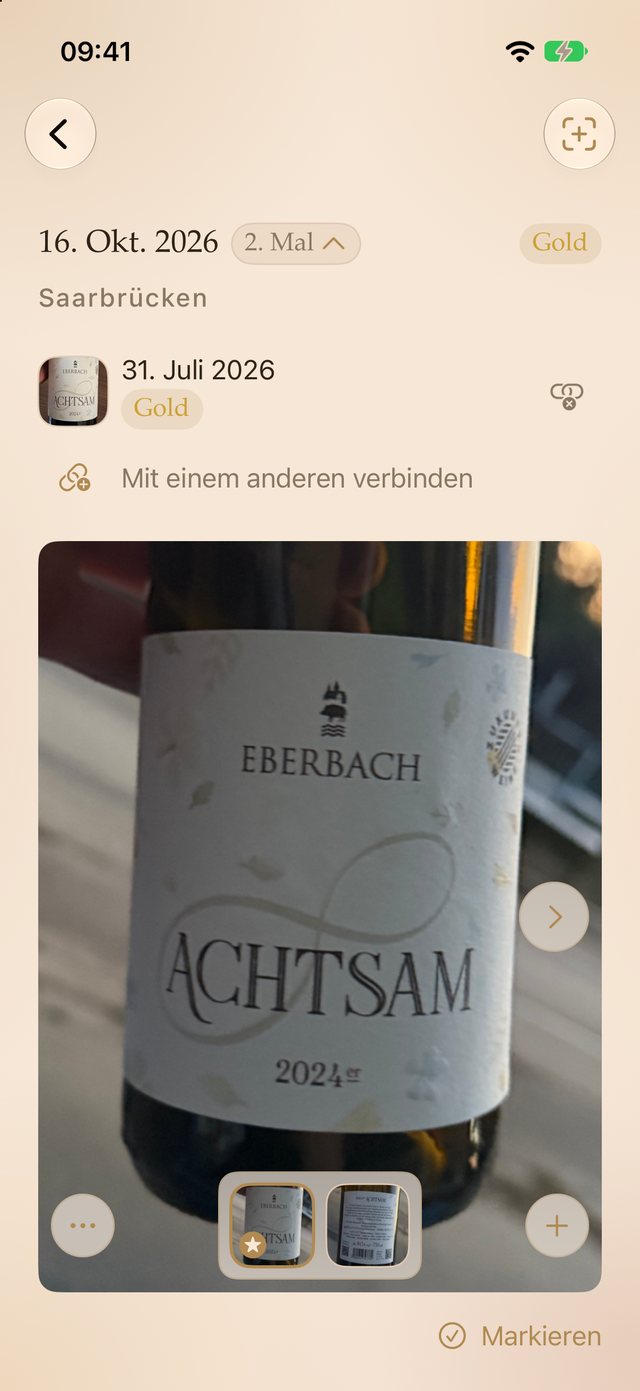
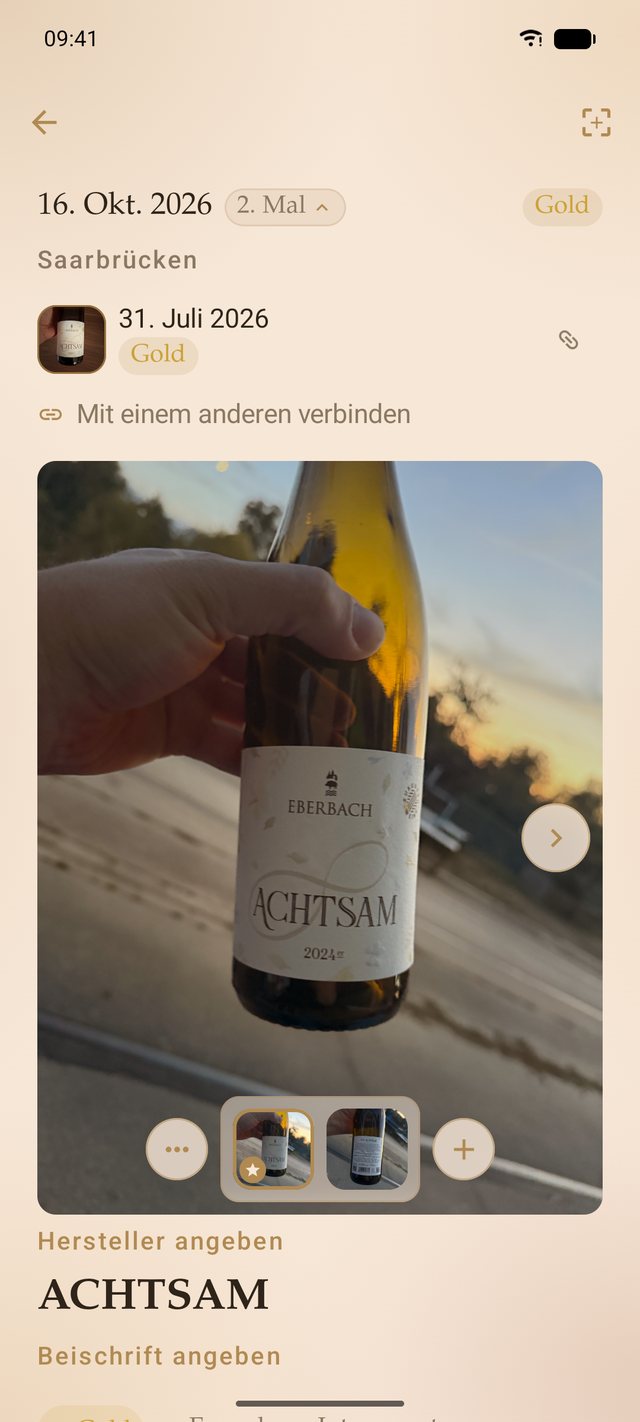
Der Faden. Ein Tipp auf den Chip zeigt die frühere Begegnung. Verbinden geht auch von Hand, mit dem Chip verbinden im Eintrag. Verknüpfung lösen trennt wieder.
The thread. Tap the chip to see the earlier encounter. You can also connect by hand, with the connect chip in the entry. Unlink separates them again.
Ehrlich gesagt. ritrovo kennt nur, was du selbst festgehalten hast. Am ersten Tag erkennt es deshalb nichts wieder. Und es legt nie von selbst etwas zusammen.
To be honest. ritrovo only knows what you have kept yourself. So on day one it recognises nothing. And it never merges anything on its own.
Deine Aufnahmen liegen auf deinem iPhoneTelefon.
Your photos are stored on your iPhonephone.
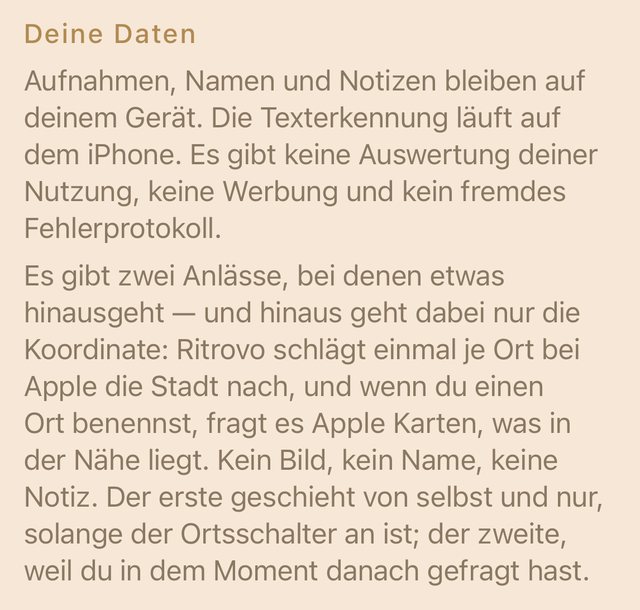
Aufnahmen, Namen und Notizen speichert ritrovo auf deinem Gerät. Die Texterkennung läuft auf dem iPhoneTelefon. Es gibt kein Konto, keine Werbung und keine Auswertung deiner Nutzung.
ritrovo saves photos, names and notes on your device. Text recognition runs on the iPhonephone. There is no account, no advertising and no analysis of how you use the app.
Was hinausgeht. Ist der Ortsschalter an, schlägt ritrovo einmal je Ort die Stadt nach, über den Ortsdienst deines Geräts. Dabei geht nur die Koordinate hinaus. Die Karte lädt ihre Kacheln von OpenStreetMap. Kein Bild, keine Notiz.
Mit Bildern in eine Datei. Sicherung erstellen legt deine Einträge mit Fotos, Namen, Urteilen und Orten in eine Datei, die du ablegst, wo du willst. Wiederherstellen ergänzt nur und löscht nie etwas.
Automatisch in einen Ordner. Wählst du einen Ordner, gern einen, der in deine Cloud synchronisiert, sichert ritrovo still nach, wenn du die App weglegst. Drei ältere Stände bleiben erhalten.
Google-Sicherung. Ist sie an deinem Gerät eingeschaltet, nimmt Android ritrovo dort mit (bis 25 MB je App).
What goes out. With the place switch on, ritrovo looks up the town once per place, through your device’s location service. Only the coordinate goes out. The map loads its tiles from OpenStreetMap. No picture, no note.
Into one file, pictures included. Create backup puts your entries with photos, names, verdicts and places into one file that you keep wherever you like. Restoring only adds and never deletes anything.
Automatically to a folder. Choose a folder, ideally one that syncs to your cloud, and ritrovo backs up quietly whenever you put the app away. Three older versions are kept.
Google backup. If it is on for your device, Android includes ritrovo there (up to 25 MB per app).
Was an Apple geht. Ist der Ortsschalter an, schlägt ritrovo einmal je Ort bei Apple die Stadt nach. Benennst du einen Ort oder suchst eine Stadt, fragt es Apple Karten. Auch die Karte kommt von Apple Karten. Dabei gehen nur Koordinaten, der Kartenausschnitt oder der getippte Stadtname hinaus. Kein Bild, keine Notiz.
iCloud nur, wenn du willst. In iCloud sichern ist anfangs aus. Eingeschaltet liegt eine Kopie deiner Einträge in deiner privaten iCloud: Namen, Orte, Urteile, Notizen und erkannte Texte. Die Bilder gehen nicht mit.
Mit Bildern in eine Datei. Sicherung erstellen legt deine Einträge mit Fotos, Namen, Urteilen und Orten in eine Datei, die du ablegst, wo du willst. Wiederherstellen ergänzt nur und löscht nie etwas.
Zweitschrift in Apple Fotos. Kameraaufnahmen legt ritrovo zusätzlich in deine Fotomediathek. Der Schalter ist anfangs an und lässt sich ausschalten. Nutzt du iCloud-Fotos, liegen sie auch dort.
What goes to Apple. With the place switch on, ritrovo looks up the town with Apple once per place. When you name a place or search for a town, it asks Apple Maps. The map comes from Apple Maps, too. Only coordinates, the map area or the town name you type go out. No picture, no note.
iCloud only if you want it. Back up to iCloud is off at first. Switched on, a copy of your entries goes to your private iCloud: names, places, verdicts, notes and recognised text. The pictures do not go along.
Into one file, pictures included. Create backup puts your entries with photos, names, verdicts and places into one file that you keep wherever you like. Restoring only adds and never deletes anything.
A second copy in Apple Photos. ritrovo also saves camera shots to your photo library. The switch is on at first and can be turned off. If you use iCloud Photos, they are stored there as well.

Wo Genuss und Golf sich treffen.
Where good taste and golf meet.
gaho ist die Schwester-App für die Golfrunde. Auf Android ist die Verbindung schmaler als auf dem iPhone: Die beiden Apps teilen nur die Liste der Personen. Einen Abschnitt „aus gaho“ in der Suche gibt es dort nicht.
gaho is the sister app for the round of golf. On Android the link is narrower than on iPhone: the two apps only share the list of people. There is no “aus gaho” (from gaho) section in search there.
gaho ist die Schwester-App für die Golfrunde. Sind beide auf deinem iPhone, teilen sie Personen und Orte. Suchst du in ritrovo nach jemandem, der auch auf einer Runde dabei war, erscheint oben in den Ergebnissen ein Abschnitt „aus gaho“. Ein weiteres Menü gibt es dafür nicht.
gaho is the sister app for the round of golf. With both on your iPhone, they share people and places. Search ritrovo for someone who also joined a round, and a section headed “aus gaho” (from gaho) appears at the top of the results. There is no extra menu for it.
gaho ansehen → Have a look at gaho →Das Beste am Genuss ist das Wiederfinden.
The best part of enjoyment is finding it again.
Es gibt genug Apps, die alles über dein Essen und Trinken wissen wollen und nichts über dich. Dazu gehören Punkte, Ranglisten, fremde Meinungen und ein Feed, der nie stillsteht. ritrovo ist das Gegenteil. „ritrovo“ ist italienisch für den Ort, an den man zurückkehrt, den Stammplatz. „ritrovare“ heißt wiederfinden. Ich habe den Mittelsmann und den Lärm weggelassen: den Server, das Konto, das Abo, die zwanzig Pflichtfelder. Übrig blieb genau das, worum es geht: du, ein Foto, ein Urteil und eine Erinnerung, die dir gehört.
There are plenty of apps that want to know everything about your food and drink and nothing about you. They come with points, rankings, other people’s opinions and a feed that never stops. ritrovo is the opposite. “ritrovo” is Italian for the place you return to, your regular spot. “ritrovare” means to find again. I left out the middleman and the noise: the server, the account, the subscription, the twenty required fields. What remained is exactly what matters: you, a photo, a verdict and a memory that’s yours.
Kurz beantwortet.
Answered briefly.
Wann kommt ritrovo, und was kostet es?When is ritrovo coming, and what does it cost?
ritrovo ist noch nicht veröffentlicht, weder im App Store noch bei Google Play. Sobald die App da ist, findest du sie hier. Den Preis siehst du dann im Store.
ritrovo is not released yet, neither on the App Store nor on Google Play. Once the app is out, you’ll find it here. You’ll see the price in the store then.
Auf welchen Geräten läuft ritrovo?Which devices does ritrovo run on?
Auf dem iPhone ab iOS 17, im Hochformat, und auf Android-Telefonen ab Android 8.0. Die Android-Fassung kann weniger, der Vergleich steht in der Hilfe. Die App gibt es auf Deutsch und Englisch, mit heller und dunkler Erscheinung.
On iPhone with iOS 17 or later, in portrait, and on Android phones with Android 8.0 or later. The Android version does less; the help has a comparison. The app comes in English and German, with a light and a dark appearance.
Was passiert, wenn ich etwas lösche?What happens when I delete something?
Es gibt keine Rückfrage und keinen Papierkorb. Ein Band meldet Eintrag gelöscht mit Rückgängig. Nach sechsfünf Sekunden ist die Löschung endgültig.
There is no confirmation and no trash. A banner says Entry deleted with Undo. After sixfive seconds the deletion is final.
Was ist bei einem neuen iPhoneTelefon?What about a new iPhonephone?
Mit der iCloud-Sicherung stehen deine Einträge wieder da, jeder ohne Bild. Mit der Sicherung als Datei kommen auch die Fotos zurück.Mit der Sicherung als Datei oder der Ordner-Sicherung kommt alles zurück, auch die Fotos. Die Datei ist auf iPhone und Android dieselbe. Mehr dazu
With the iCloud backup your entries are back, each without a picture. With the backup as a file, the photos come back too.With the backup as a file or the folder backup, everything comes back, photos included. The file is the same on iPhone and Android. Read more
Mehr Anleitungen und Antworten stehen in der Hilfe.
More guides and answers are in the help.