Starten, spüren, fertig. Kein Zählen, keine laute Anleitung, keine Fragen.
Start, feel, done. No counting, no loud instructions, no questions.
Jedes Mal neu gemischt. Sieben Übungen, fordernde und lockere im Wechsel.
Freshly shuffled every time. Seven exercises, demanding and easy ones in turn.
Ganz privat. Kein Konto, keine Werbung, kein Abo.
Entirely private. No account, no ads, no subscription.
VIVAL auf einen Blick
VIVAL at a glance
- Wofür
- VIVAL führt durch ein kurzes Beckenboden-Training mit einer Lichtwelle und einem feinen Takt als Vibration, ohne Ton und ohne Zählen. Sieben Übungen, 1 bis 10 Minuten.
- iPhone und Apple Watch
- Läuft ab iOS 17 und watchOS 10 und ist im App Store erhältlich. Die Watch-App ist in VIVAL fürs iPhone enthalten. Am iPhone läuft der Takt nur entsperrt; steckt es in der Tasche, übernimmt die Uhr. Der Abgleich zwischen iPhone und Watch läuft über die eigene iCloud und ist anfangs aus.
- Android und Wear OS
- Läuft auf Telefonen ab Android 8.0 und auf Uhren mit Wear OS und ist bei Google Play erhältlich. Die Wear-OS-App läuft auch ohne die Telefon-App. Telefon und Uhr gleichen Trainingstage direkt ab, ohne Cloud und Konto.
- Auf der Uhr
- Gemischtes Training per Tipp. Einzelübung, Kalender und Regler gibt es nur am Telefon.
- Kaufmodell
- Einmalkauf, kein Abo. Den Preis zeigt der jeweilige Store.
- Konto
- VIVAL braucht kein Konto.
- Internet
- Du kannst ohne Internetverbindung trainieren.
- Daten
- VIVAL speichert nur die trainierte Zeit je Tag und die Einstellungen, auf dem Gerät. Keine Körperdaten, kein Server, keine Werbung, kein Tracking.
- Purpose
- VIVAL guides you through a short pelvic floor workout with a wave of light and a subtle rhythm as vibration, without sound and without counting. Seven exercises, 1 to 10 minutes.
- iPhone and Apple Watch
- Runs on iOS 17 and later and watchOS 10 and is available in the App Store. The Watch app is included in VIVAL for iPhone. On the iPhone the rhythm runs only while it is unlocked; if it is in your pocket, the watch takes over. Syncing between iPhone and Watch goes through your own iCloud and is off at first.
- Android and Wear OS
- Runs on phones with Android 8.0 or later and on watches with Wear OS and is available on Google Play. The Wear OS app also works without the phone app. Phone and watch sync training days directly, with no cloud and no account.
- On the watch
- A mixed session with one tap. Single exercise, calendar and sliders are only on the phone.
- Pricing
- One-time purchase, no subscription. The respective store shows the price.
- Account
- VIVAL needs no account.
- Internet
- You can train without an internet connection.
- Data
- VIVAL stores only the time trained per day and your settings, on the device. No body data, no server, no ads, no tracking.
Spüren statt zählen.
Feel it, don’t count it.
Eine warme Lichtwelle zeigt jede Phase: Anspannen, Halten, Loslassen, Ruhe. Ein feiner Takt als Vibration begleitet dich dabei, am Telefon oder am Handgelenk.
A warm wave of light shows every phase: squeeze, hold, release, rest. A gentle rhythm of vibrations goes with it, on your phone or on your wrist.
Eine Runde zum Zuschauen.
One round to watch.
- Die Kurve zeigt, was kommt. Die Kugel läuft sie entlang. Darüber stehen die Phase und ihre Sekunden.
- Der Takt ist zum Spüren da. Am Telefon und am Handgelenk kommt er als Vibration. Diese Seite zeigt nur die Kurve.
- Jede Übung hat ihre Kurve. Der Knopf zeigt die nächste, mit ihren Sekunden für Anspannen, Halten, Loslassen und Ruhe.
- The curve shows what’s coming. The orb travels along it. Above it you see the phase and its seconds.
- The rhythm is meant to be felt. On your phone and on your wrist it comes as vibration. This page only shows the curve.
- Every exercise has its curve. The button shows the next one, with its seconds for squeeze, hold, release and rest.
Auf deinem Gerät ist Bewegung reduziert. Die Vorführung steht deshalb still.
Motion is reduced on your device, so the demo stands still.
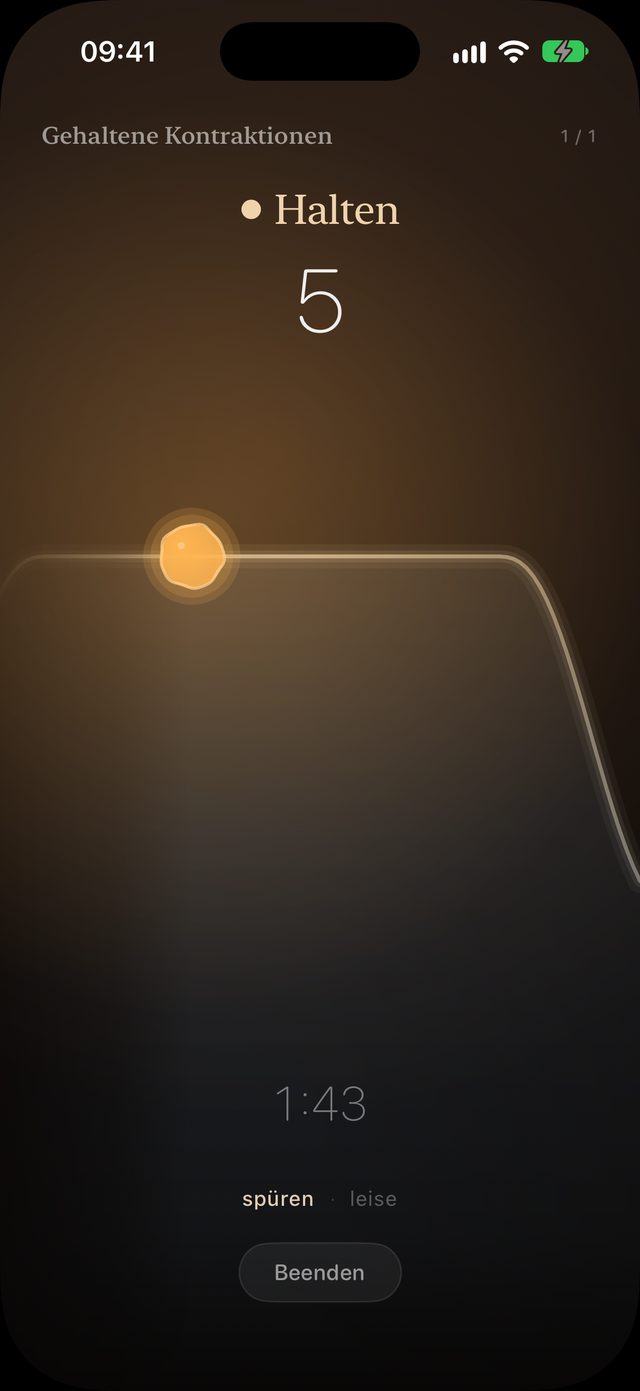
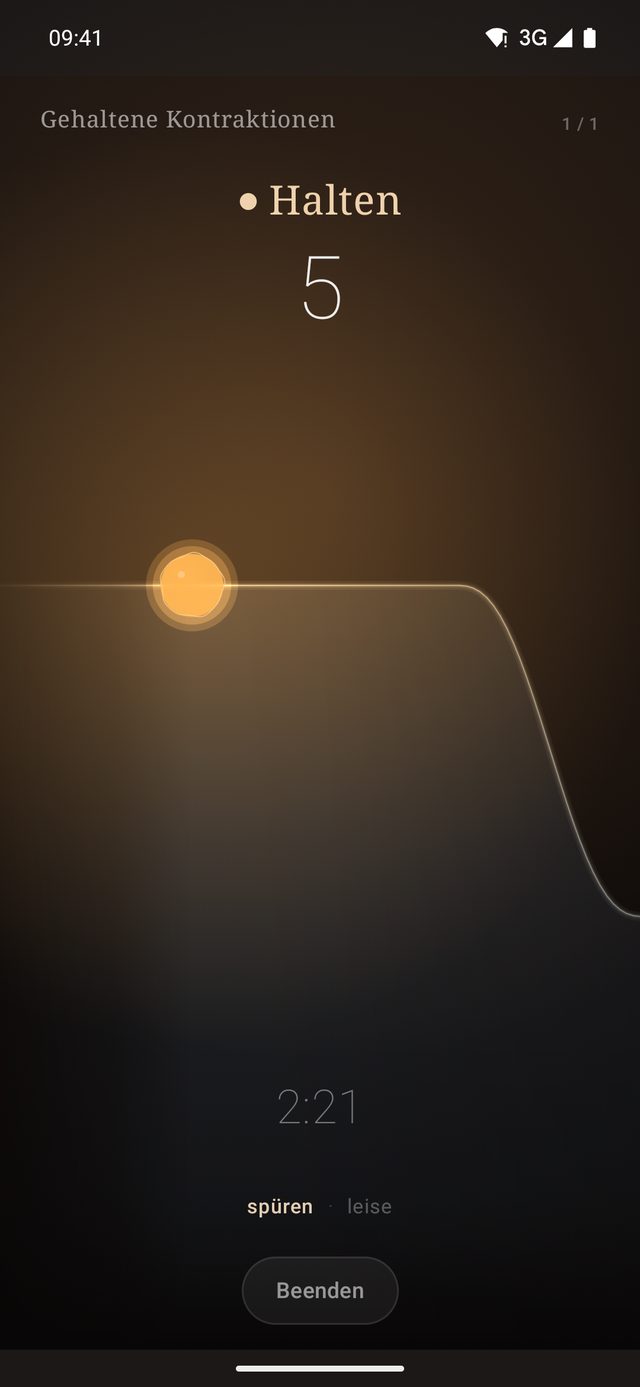
Vorführung nach den Grundwerten der Übungen in der App, ohne Ton und ohne Vibration. In der App verändert der Regler „Intensität“ die Haltezeit. Der Fahrstuhl spannt in Stufen an und fehlt hier.
Demo based on the exercises’ base values in the app, without sound or vibration. In the app, the “Intensity” slider changes the hold time. The Elevator squeezes in steps and is left out here.
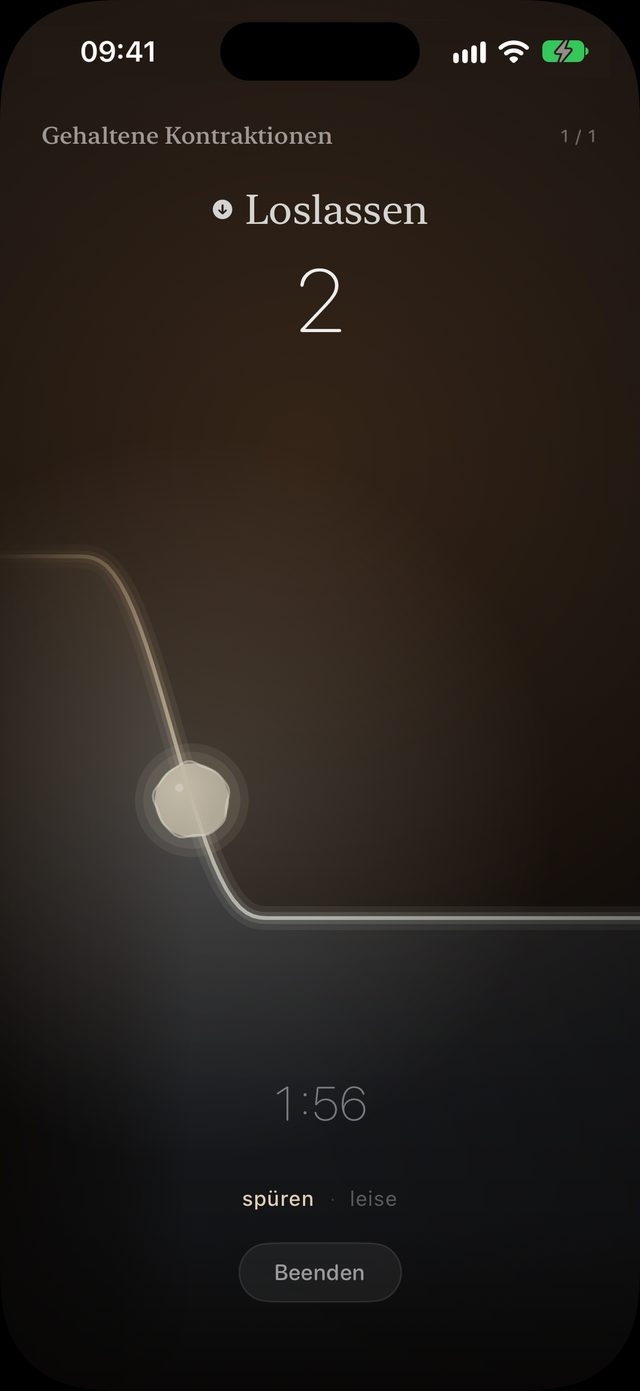
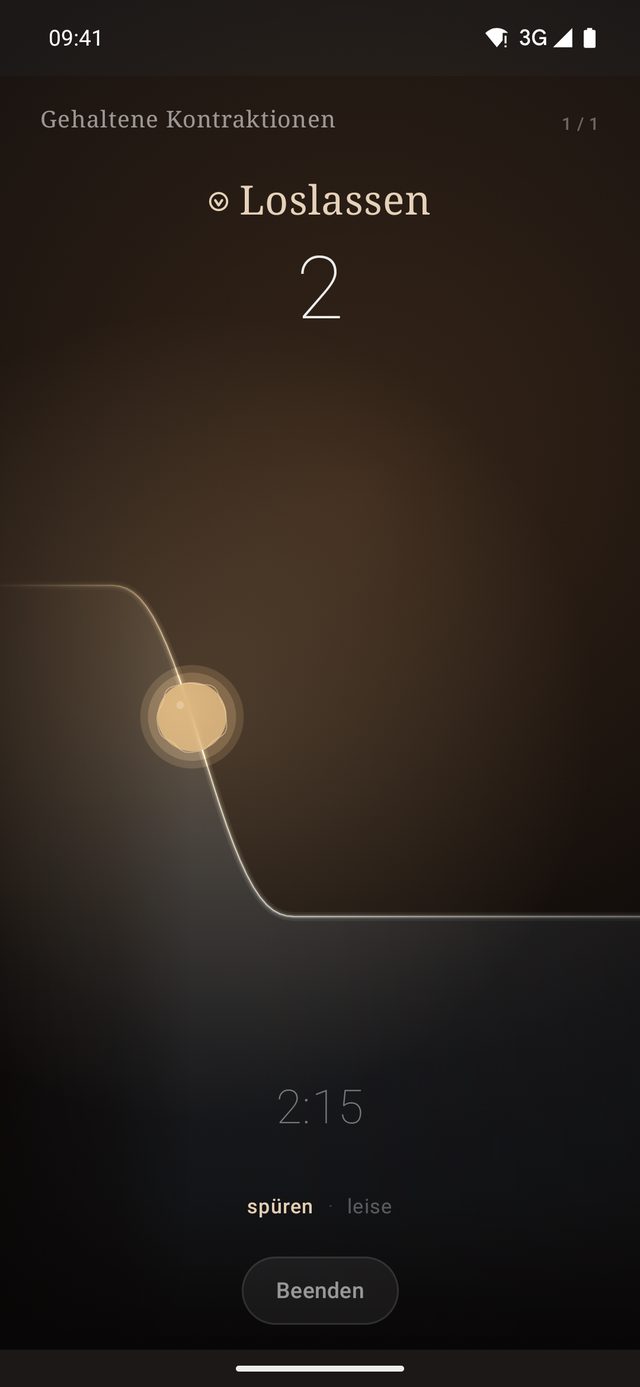
Bildschirmfüllend. Im Training siehst du die Kurve, die Phase mit ihren Sekunden und die Restzeit. Der Bildschirm bleibt dabei an.
Full screen. During a session you see the curve, the phase with its seconds and the time left. The screen stays on meanwhile.
Ein Tipp macht still. Auf „leise“ vibriert nichts, die Kurve führt dich weiter. Umschalten geht auch mitten im Training.
One tap for quiet. On “quiet” nothing vibrates, and the curve still guides you. You can switch in the middle of a session, too.
Antippen pausiert. Ein Tipp auf eine freie Stelle, und ein Wiedergabe-Zeichen erscheint. Noch ein Tipp, und es geht weiter.
Tap to pause. Tap any free spot and a play symbol appears. Tap again to continue.
Abwechslung, klug abgestimmt.
Variety, thoughtfully paced.
Sieben Übungen, von schnellen Kontraktionen bis zum Fahrstuhl. VIVAL würfelt daraus bei jedem Start ein neues Training: Fordernde Halte-Übungen wechseln sich mit kurzen, lockeren Sätzen ab.
Seven exercises, from quick contractions to the elevator. VIVAL shuffles them into a new session every time you start: demanding holds alternate with short, easy sets.
Zwei Regler, eine Kugel.
Two sliders, one orb.
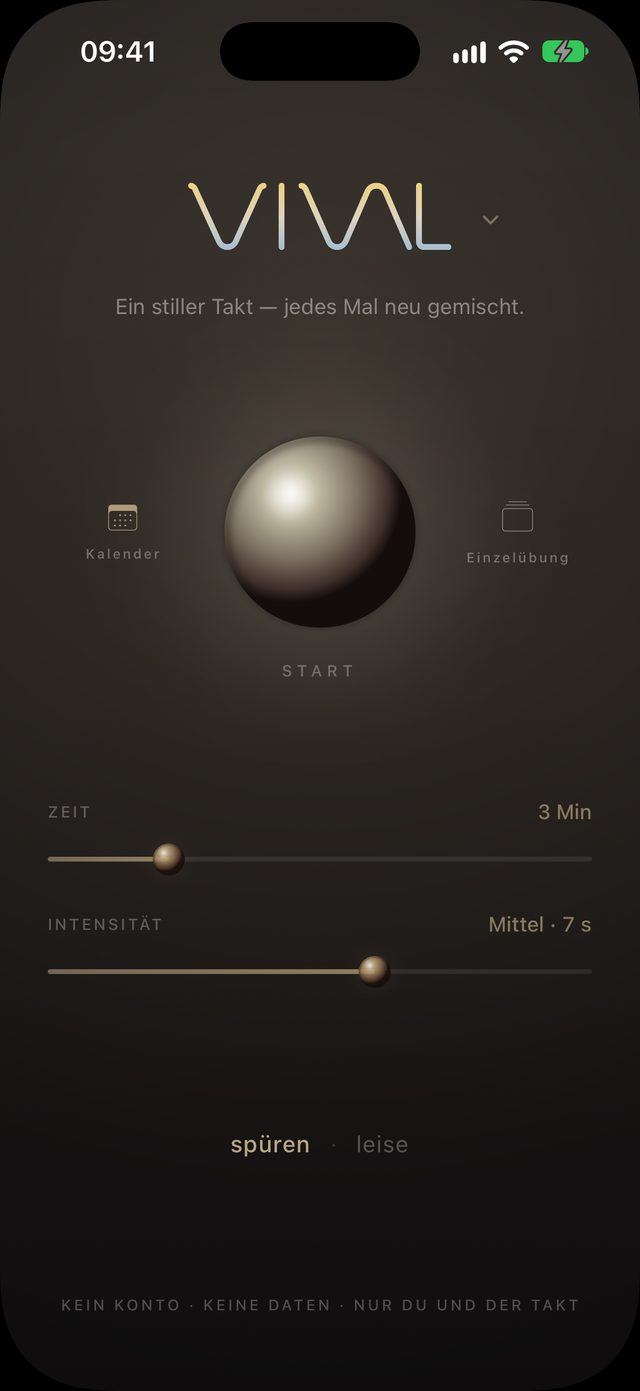
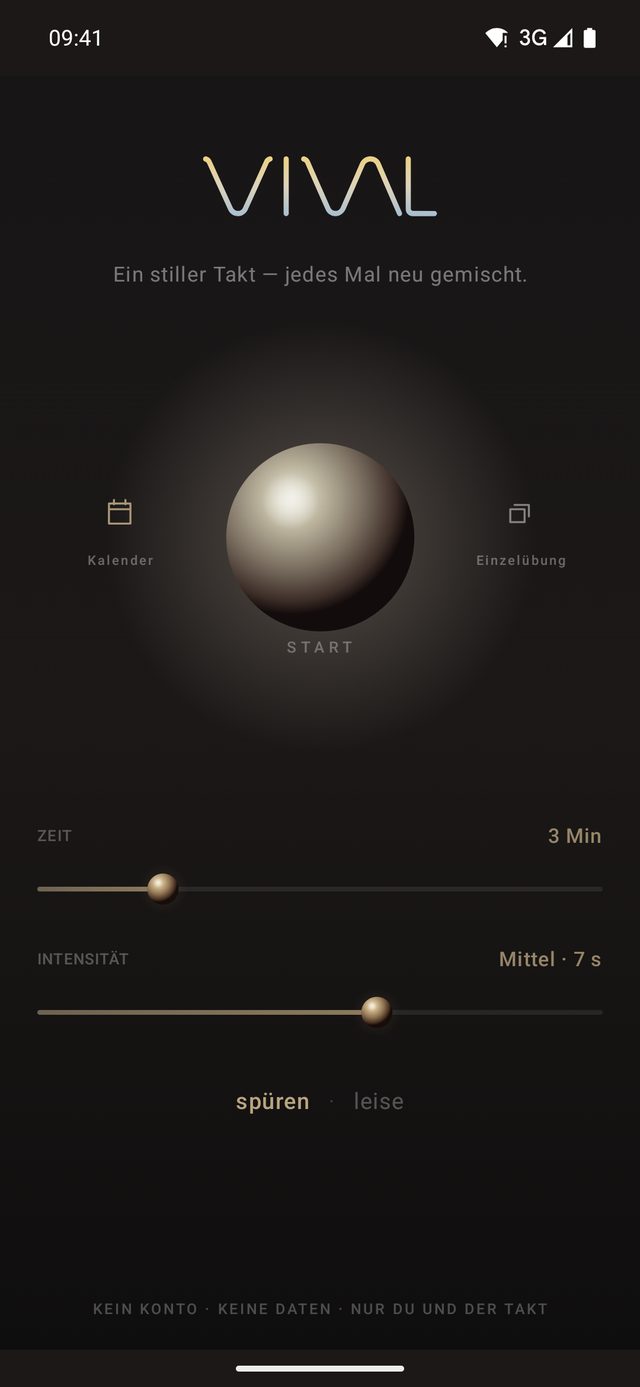
- Zeit1 bis 10 Minuten. So lang wird das gemischte Training, ungefähr.
- IntensitätSanft, Mittel oder Fordernd. Dahinter steht die Haltezeit, 2 bis 10 Sekunden.
- StartKugel antippen. Nach drei Sekunden Ruhe zum Ankommen geht es los.
- Time1 to 10 minutes. Roughly how long the mixed session runs.
- IntensityGentle, Medium or Challenging. Behind it is the hold time, 2 to 10 seconds.
- StartTap the orb. After three seconds of rest to settle in, it begins.
Dazu kommen nur noch der Modus „spüren · leise“ und im Hinweis je ein Schalter für den Abgleich und für Apple HealthHealth Connect. Einen Einstellungs-Schirm gibt es nicht.
The only other controls are the “feel · quiet” mode and, in the Note, a switch for sync and one for Apple HealthHealth Connect. There is no settings screen.
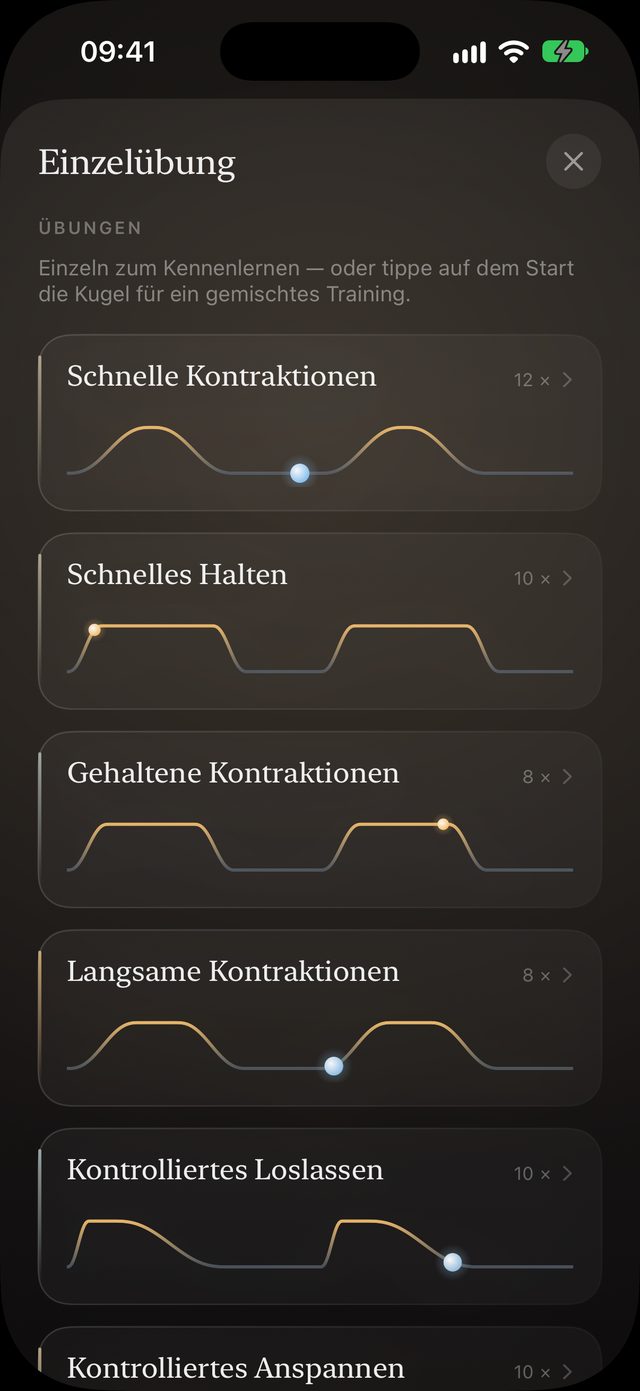
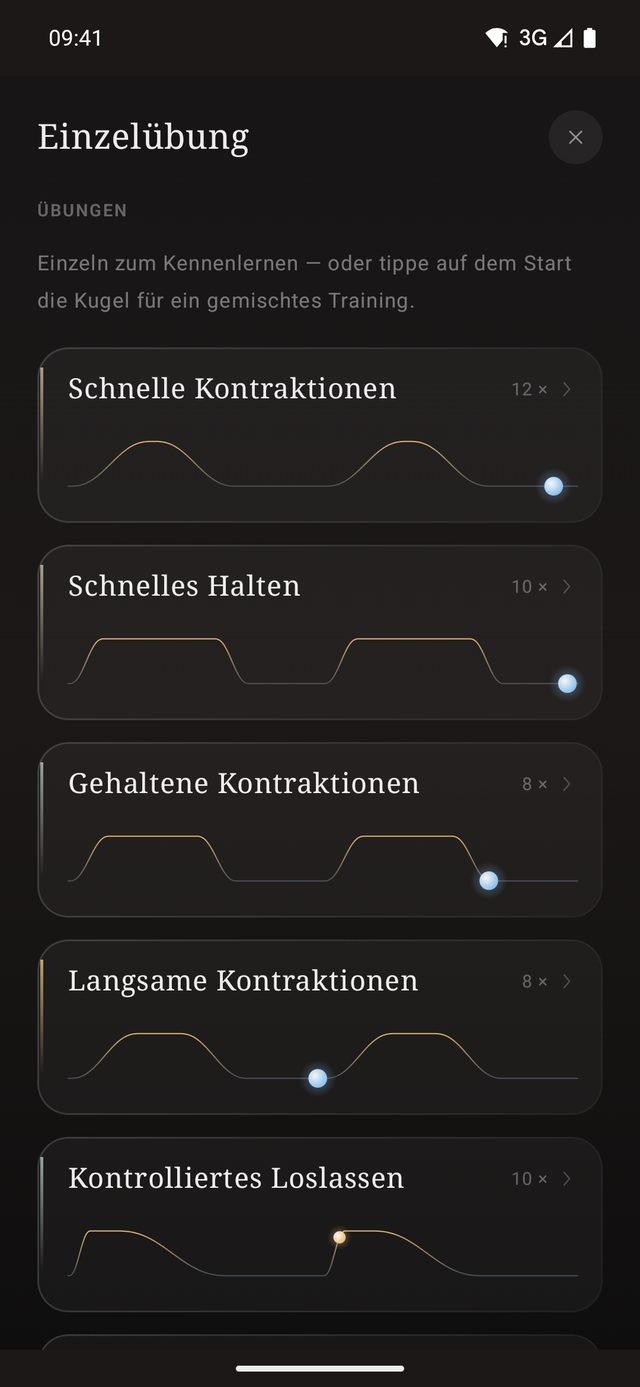
Einzeln zum Kennenlernen. Jede der sieben Übungen startest du auch allein, mit eigener Kurve und fester Rundenzahl.
One at a time to get to know them. You can start each of the seven exercises on its own, with its own curve and a fixed number of rounds.
Erst locker, dann im Wechsel. Ein Tipp auf die Kugel startet das gemischte Training. Nach einem lockeren Aufwärmer folgen fordernde und lockere Blöcke, bis die Zeit gefüllt ist.
Easy first, then alternating. One tap on the orb starts a mixed session. After an easy warm-up, demanding and easy blocks follow until the time is filled.
Ehrliche Zeit. In den Kalender kommt, was du wirklich trainiert hast. Das gilt auch, wenn du vorher auf „Beenden“ tippst.
Honest time. The calendar gets what you actually trained. That also applies when you tap “End” early.
Dein Rhythmus im Blick.
Your rhythm at a glance.
Jeder geübte Tag wird zu einer Kugel. Je mehr Zeit, desto größer. Lücken bleiben einfach leer.
Every day you practice becomes an orb. The more time, the bigger. Gaps simply stay empty.
Monat, Tag, Serie.
Month, day, streak.
- MonatMit Summe. Oben steht der Monat mit seinen Minuten. Der Pfeil blättert zurück.
- TagAntippen zeigt die Minuten. Mehrere Trainings am selben Tag werden addiert.
- SerieTage in Folge. Darunter stehen die Minuten der letzten 30 Tage und deine Serie.
- MonthWith a total. The month and its minutes are at the top. The arrow pages back.
- DayTap to see the minutes. Several sessions on the same day are added up.
- StreakDays in a row. Below are the minutes of the last 30 days and your streak.
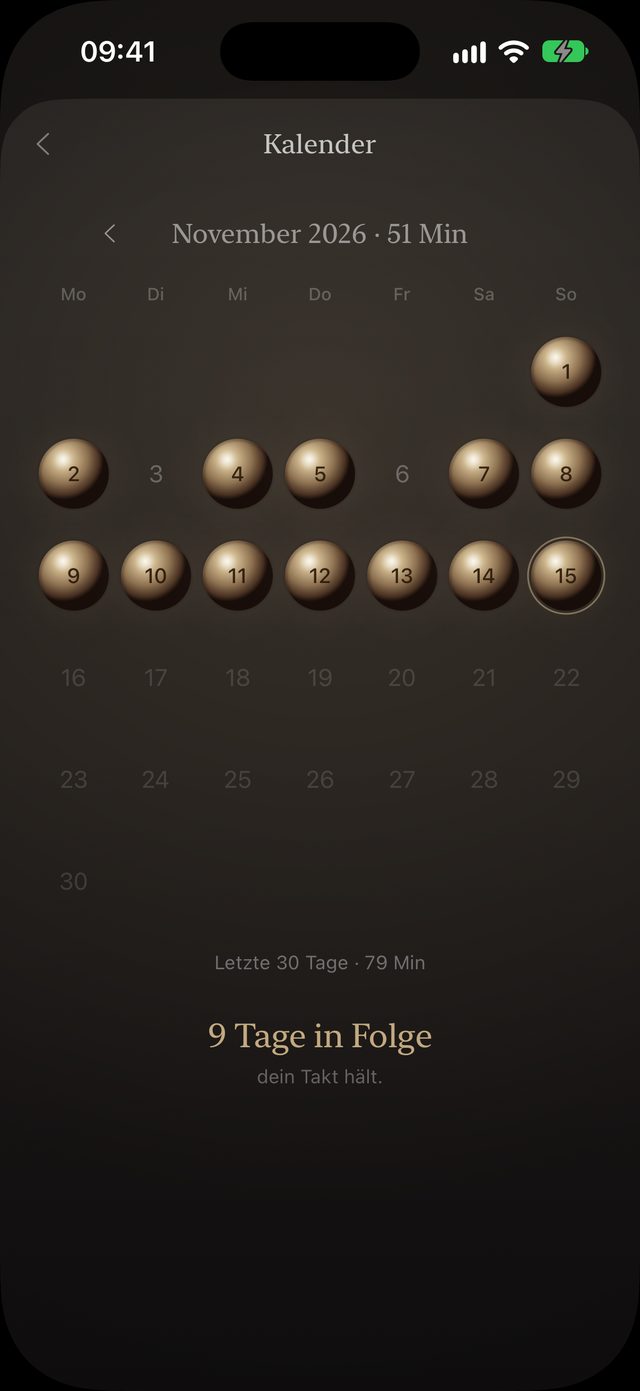
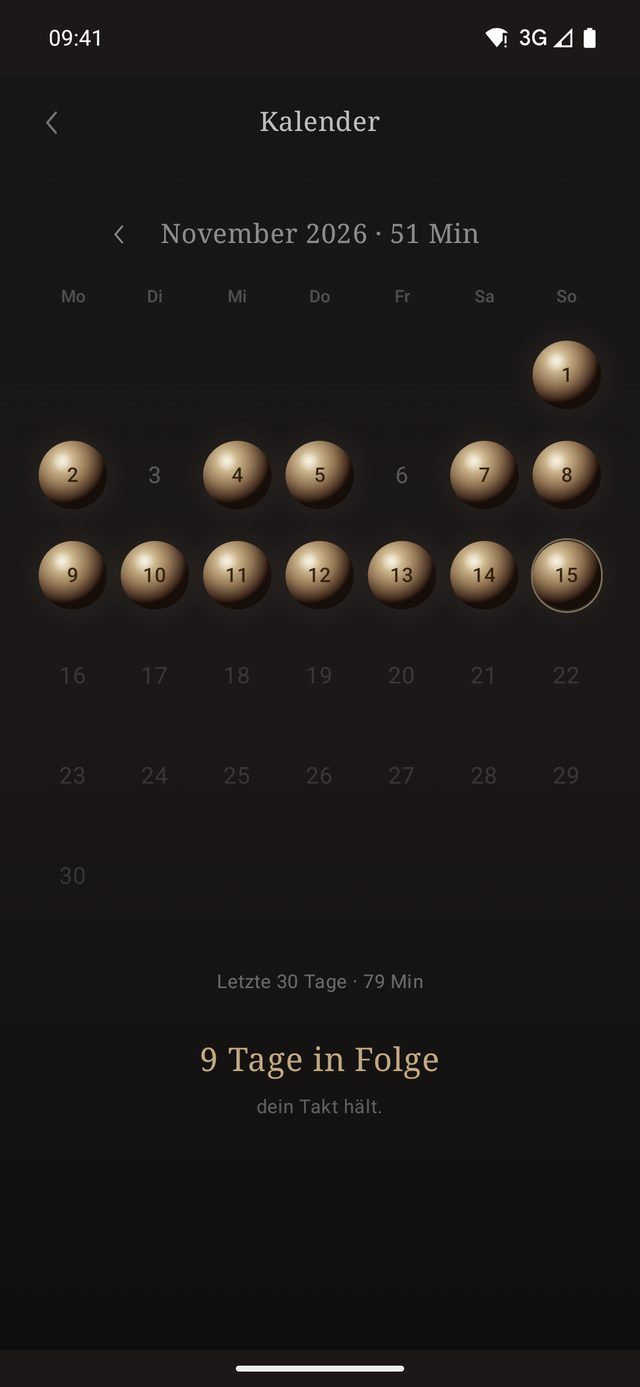
Mehr Zeit, größere Kugel. Ab drei Minuten ist sie voll. Der heutige Tag trägt einen dünnen Ring.
More time, bigger orb. From three minutes on it is full. Today has a thin ring.
Nichts mahnt. Keine Erinnerungen, keine Ziele, keine Statistik. Ohne Serie steht im Kalender dieser Satz.
Nothing nags. No reminders, no goals, no statistics. Without a streak, the calendar shows this sentence.
Der Takt auf der Apple Watch.
The beat on Apple Watch.
Am iPhone läuft der Takt nur, solange es entsperrt ist. Steckt es in der Tasche, übernimmt die Apple Watch. Die Watch-App ist in VIVAL fürs iPhone enthalten.
On iPhone the rhythm only runs while it is unlocked. When it is in your pocket, Apple Watch takes over. The watch app is included in VIVAL for iPhone.
Der Takt auf Wear OS.
The beat on Wear OS.
Steckt das Telefon gesperrt in der Tasche, trainierst du mit der Uhr. VIVAL für Wear OS ist eine eigene App und läuft auch ohne die Telefon-App.
When your phone is locked in your pocket, you train with the watch. VIVAL for Wear OS is an app of its own and also runs without the phone app.
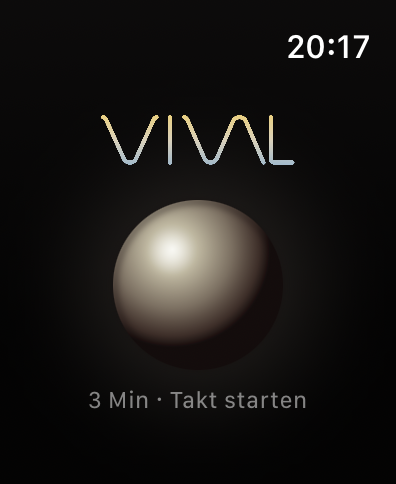
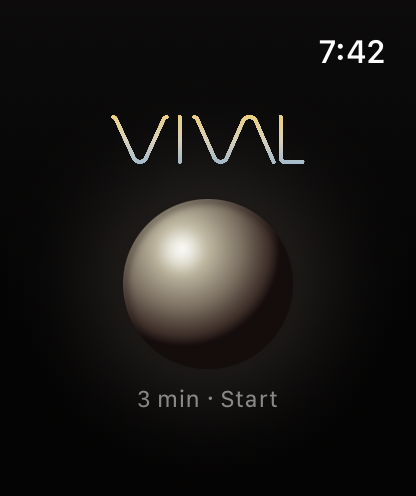
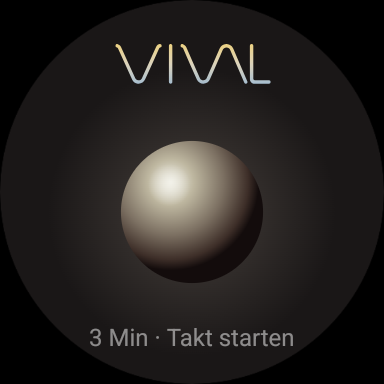
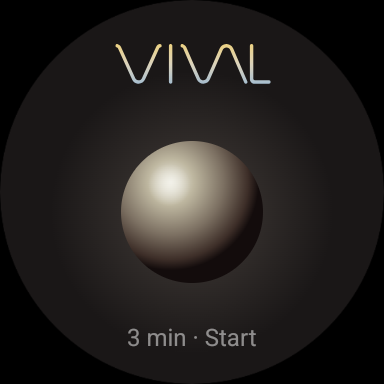
Kugel antippen. Ein gemischtes Training startet. Einzelübung, Kalender und Regler gibt es nur am iPhoneTelefon.
Tap the orb. A mixed session starts. Single exercise, calendar and sliders are on the iPhonephone only.
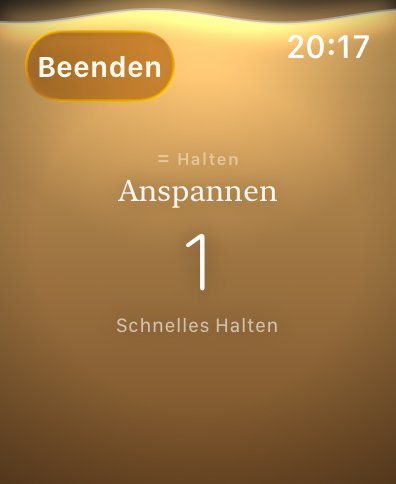
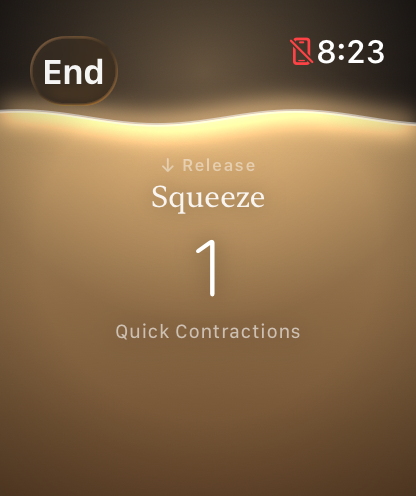
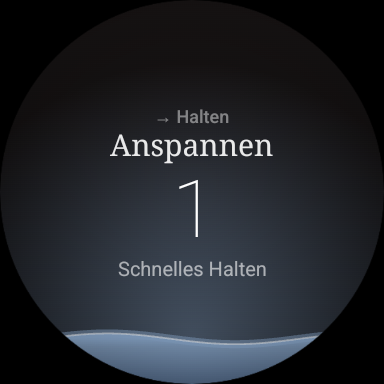
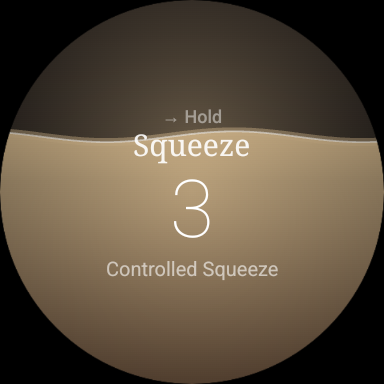
Licht statt Kurve. Die Anzeige füllt sich mit Licht. Du siehst die Phase, ihre Sekunden, den Namen der Übung und klein die nächste Phase.
Light instead of a curve. The display fills with light. You see the phase, its seconds, the name of the exercise and, in small type, the next phase.
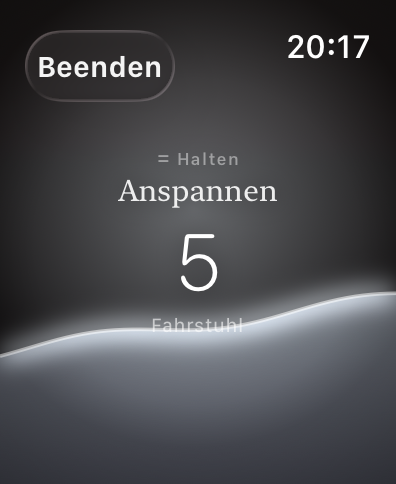
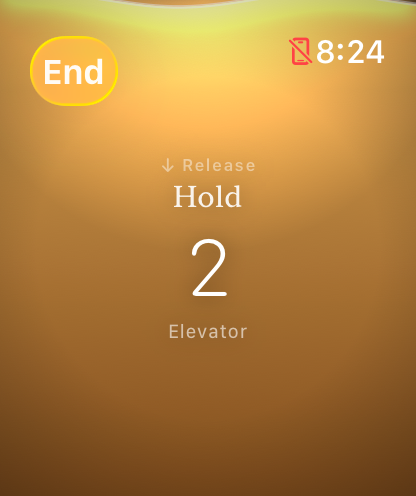
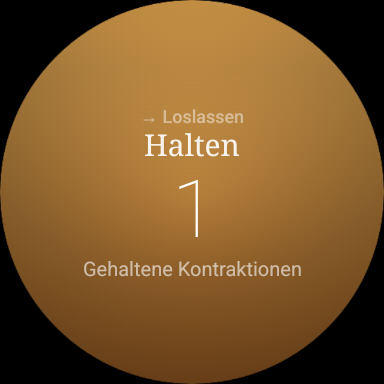
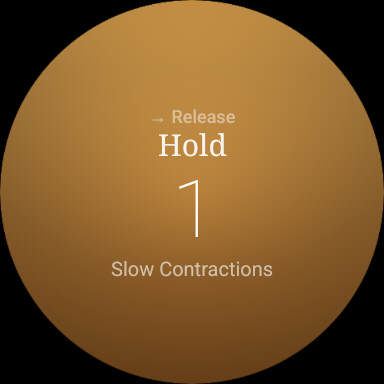
Tippen am Handgelenk. Schneller beim Anspannen, gleichmäßig beim Halten, langsamer beim Loslassen, still in der Ruhe. Antippen pausiert, „Beenden“ steht oben links.
Taps on your wrist. Faster while squeezing, steady while holding, slower while releasing, silent at rest. Tap to pause; “End” is at the top left.
Zurückwischen beendet. Antippen pausiert und setzt fort. Einen Beenden-Knopf gibt es nicht. Wischst du zurück, trägt VIVAL das Training ein.
Swipe back to end. Tap to pause and resume. There is no End button. When you swipe back, VIVAL logs the session.
Abgleich über deine iCloud. Schaltest du im Hinweis „Über iCloud synchronisieren“ ein, teilen iPhone und Watch Trainingstage und Einstellungen. Anfangs ist der Schalter aus.
Ohne Abgleich für sich. Dann trainiert die Watch mit 3 Minuten und mittlerer Intensität, und ihre Trainings stehen nicht im Kalender am iPhone.
Direkt zwischen deinen Geräten. Telefon und Uhr gleichen ihre Trainingstage ab, ohne Cloud und ohne Konto. Der Schalter „Zwischen deinen Geräten“ ist anfangs an.
Einstellungen wandern mit. Ihre Einstellungen gleichen Telefon und Uhr immer ab, auch wenn der Schalter aus ist.
Sync via your iCloud. If you switch on “Sync via iCloud” in the Note, iPhone and Watch share training days and settings. The switch is off at first.
On its own without sync. Then the Watch trains with 3 minutes and medium intensity, and its sessions do not show in the calendar on iPhone.
Directly between your devices. Phone and watch sync their training days, with no cloud and no account. The “Between your devices” switch is on at first.
Settings travel along. Phone and watch always sync their settings, even when the switch is off.
Aufgeklappt: Kalender links, Start rechts.
Unfolded: calendar on the left, Start on the right.
Auf dem aufgeklappten iPhone Duo bleibt der Kalender links stehen, rechts startest du. Zugeklappt sieht VIVAL aus wie auf jedem iPhone.
On the unfolded iPhone Duo the calendar stays on the left, and you start on the right. Folded, VIVAL looks like on any iPhone.
Wir sehen nichts.
We see nothing.
Kein Konto, kein Server, keine Werbung, kein Tracking. VIVAL speichert nur die trainierte Zeit je Tag und deine Einstellungen.
No account, no server, no ads, no tracking. VIVAL only stores the time you trained per day and your settings.
Auf deinem Gerät. Trainingstage und Einstellungen liegen auf deinem iPhoneTelefon.
iCloud nur, wenn du willst. Der Abgleich läuft über deine eigene iCloud und ist anfangs aus.
Abgleich ohne Cloud. Telefon und Uhr gleichen sich direkt ab. Der Schalter dafür lässt sich ausschalten.
Im Backup deines Geräts. Über das Geräte-Backup liegen die Daten in deinem eigenen Google-Konto.
Apple Health nur zum Eintragen. Auf Wunsch trägt VIVAL beendete Trainings in Apple Health ein. Gelesen wird dort nichts.
Health Connect nur zum Eintragen. Auf Wunsch trägt VIVAL beendete Trainings in Health Connect ein. Gelesen wird dort nichts.
Keine Fragen. Die App fragt beim Öffnen nichts ab und zeigt gleich den Start.
On your device. Training days and settings are stored on your iPhonephone.
iCloud only if you want it. Sync runs through your own iCloud and is off at first.
Sync without a cloud. Phone and watch sync directly. You can turn the switch off.
In your device backup. Through the device backup, the data is in your own Google account.
Apple Health for logging only. If you like, VIVAL logs finished sessions in Apple Health. It reads nothing from there.
Health Connect for logging only. If you like, VIVAL adds finished sessions to Health Connect. It reads nothing from there.
No questions. The app asks nothing at launch and opens straight to Start.
Für iPhone und Apple Watch. Den Preis siehst du im App Store.Für Android und Wear OS. Den Preis siehst du bei Google Play.
For iPhone and Apple Watch. You’ll find the price on the App Store.For Android and Wear OS. You’ll find the price on Google Play.




Für alle.
Everyone.
Der Beckenboden trägt uns durch den Alltag. VIVAL macht das Training dafür einfach, würdevoll und diskret.
The pelvic floor carries us through daily life. VIVAL makes training it simple, dignified and discreet.
Am Schreibtisch. Auf „leise“ vibriert nichts. Die Kurve führt dich lautlos.
Unterwegs. Der Takt kommt als Vibration am Handgelenk.
Zwischendurch. Ein Training dauert 1 bis 10 Minuten.
Ohne Vorbereitung. Du legst kein Konto an und richtest nichts ein. Nach dem Öffnen kannst du gleich anfangen.
At your desk. On “quiet” nothing vibrates. The curve guides you silently.
On the go. The rhythm comes as vibration on your wrist.
In between. A session takes 1 to 10 minutes.
No preparation. There’s no account to create and nothing to set up. You can start as soon as the app opens.
Kurz beantwortet.
Answered briefly.
Brauche ich ein Konto oder eine Internetverbindung?Do I need an account or an internet connection?
Nein. Es gibt kein Konto und keine Anmeldung, die App öffnet direkt den Start. Trainiert wird ohne Netz. Mehr dazu
No. There is no account and no sign-in; the app opens straight to Start. You train without a connection. Read more
Wie oft soll ich üben?How often should I practice?
Das entscheidest du. VIVAL gibt keine Häufigkeit vor und erinnert dich nicht. In der App steht dazu: „Weniger ist oft mehr.“ Mehr dazu · Ratgeber: Beckenbodentraining diskret
That is up to you. VIVAL sets no frequency and sends no reminders. The app puts it this way: “Less is often more.” Read more · Guide: discreet pelvic floor training
Ersetzt VIVAL eine ärztliche Beratung?Does VIVAL replace medical advice?
Nein. VIVAL ist kein Ersatz für ärztlichen Rat. Bei Beschwerden oder Unsicherheit sprich mit einer Ärztin, einem Arzt oder Physio. Beckenboden-Training soll nie wehtun. Wenn etwas schmerzt, halte inne. Mehr dazu
No. VIVAL is not a substitute for medical advice. If you have symptoms or feel unsure, talk to a doctor or a physio. Pelvic floor training should never hurt. If something hurts, pause. Read more
Brauche ich eine Uhr?Do I need a watch?
Nein. Am iPhoneTelefon hast du alles: gemischtes Training, Einzelübung und Kalender. Die Uhr ist für unterwegs, wenn das Telefon in der Tasche steckt. So arbeiten beide zusammen
No. The iPhonephone has everything: mixed session, single exercise and calendar. The watch is for when you’re out and the phone is in your pocket. How the two work together
Was passiert, wenn ich das Telefon wechsle?What happens when I change phones?
Mit eingeschaltetem iCloud-Abgleich kommen Trainingstage und Einstellungen auf dem neuen iPhone wieder.Trainingstage und Einstellungen sind im Android-Backup und im Geräteumzug enthalten. Zwischen iPhone und Android lassen sich die Daten nicht übertragen. Mehr dazu
With iCloud sync switched on, training days and settings come back on the new iPhone.Training days and settings are part of the Android backup and device transfer. The data cannot be moved between iPhone and Android. Read more
Hinweis
Note
VIVAL ersetzt keinen ärztlichen Rat. Bei Beschwerden oder Unsicherheit sprich mit einer Ärztin, einem Arzt oder Physio. Höre auf deinen Körper: Beckenboden-Training soll nie wehtun. Wenn etwas schmerzt, halte inne. Wie oft du übst, entscheidest du.
VIVAL is not a substitute for medical advice. If you have symptoms or feel unsure, talk to a doctor or a physio. Listen to your body: pelvic floor training should never hurt. If something hurts, pause. How often you practice is up to you.