
One tap, when something was still possible. On evenings when there was still energy for something you wanted to do, not had to.
The app never asks. No notifications, no pressure. The dot simply waits.
The empty days aren’t the gap. They are the result.
Übrig auf einen Blick
Übrig at a glance
- Wofür
- Übrig ist eine stille App zum Markieren von Abenden: ein Tipp an Abenden, an denen nach einem vollen Tag noch Kraft für etwas war, das du wolltest. Keine Mitteilungen, keine Serien, keine Wertung.
- iPhone
- Läuft ab iOS 17, im Hochformat. Markiert wird im Widget. Optional gibt es eine Schlaflinie aus Apple Health, freiwillig, anfangs aus, nur lesend und nur auf dem iPhone.
- Android
- Läuft auf Telefonen ab Android 8.0. Markiert wird über die Kachel in den Schnelleinstellungen oder das Widget.
- Uhr
- Es gibt keine App für die Uhr.
- Verfügbarkeit
- Übrig ist im App Store und bei Google Play erhältlich, auf Deutsch und Englisch.
- Kaufmodell
- Die Rückschau ist 90 Tage frei, danach ein einmaliger Kauf, kein Abo. Der Kauf wandert nicht zwischen Apple und Google.
- Konto
- Übrig braucht kein Konto.
- Internet
- Über das Netz laufen nur Dienste deines Systems: Preis und Kaufstand vom jeweiligen Store und, wenn du sie einschaltest, die Rücklage.
- Daten
- Gespeichert werden nur die markierten Abende, die Umstellungen und der Tag des Anfangs, auf dem Gerät. Ein Wechsel zwischen iPhone und Android geht nur über die Sicherungsdatei. Keine Werbung, kein Tracking.
- Purpose
- Übrig is a quiet app for marking evenings: one tap on evenings when, after a full day, there was still energy for something you wanted to do. No notifications, no streaks, no rating.
- iPhone
- Runs on iOS 17 and later, in portrait. You mark in the widget. Optionally there is a sleep line from Apple Health, voluntary, off at first, read only and only on iPhone.
- Android
- Runs on phones with Android 8.0 or later. You mark with the tile in Quick Settings or the widget.
- Watch
- There is no app for the watch.
- Availability
- Übrig is available in the App Store and on Google Play, in German and English.
- Pricing
- The look back is free for 90 days, then a one-time purchase, no subscription. The purchase does not move between Apple and Google.
- Account
- Übrig needs no account.
- Internet
- Only services of your system use the network: price and purchase status from the respective store and, if you switch it on, the reserve.
- Data
- Only the marked evenings, the changes and the starting day are stored, on the device. Switching between iPhone and Android works only via the backup file. No ads, no tracking.
The dot is within reach.
The dot sits on your lock screen or home screen as a widget. That is where you tap. You never need to open the app for it.The dot sits in Quick Settings as a tile, up top by Wi-Fi and the flashlight. That is where you tap. You don’t need to open the app for it.
Try it.
- Open until you tap. The ring means: not marked yet today. One tap fills it. The app does not open.
- A second tap changes nothing. You can only undo the mark in the app, on the same evening.
- Every tap is a dot in Looking back. Evenings without a tap stay empty. They are not rated.
Only evenings you marked yourself are counted. Days without an entry are not rated.
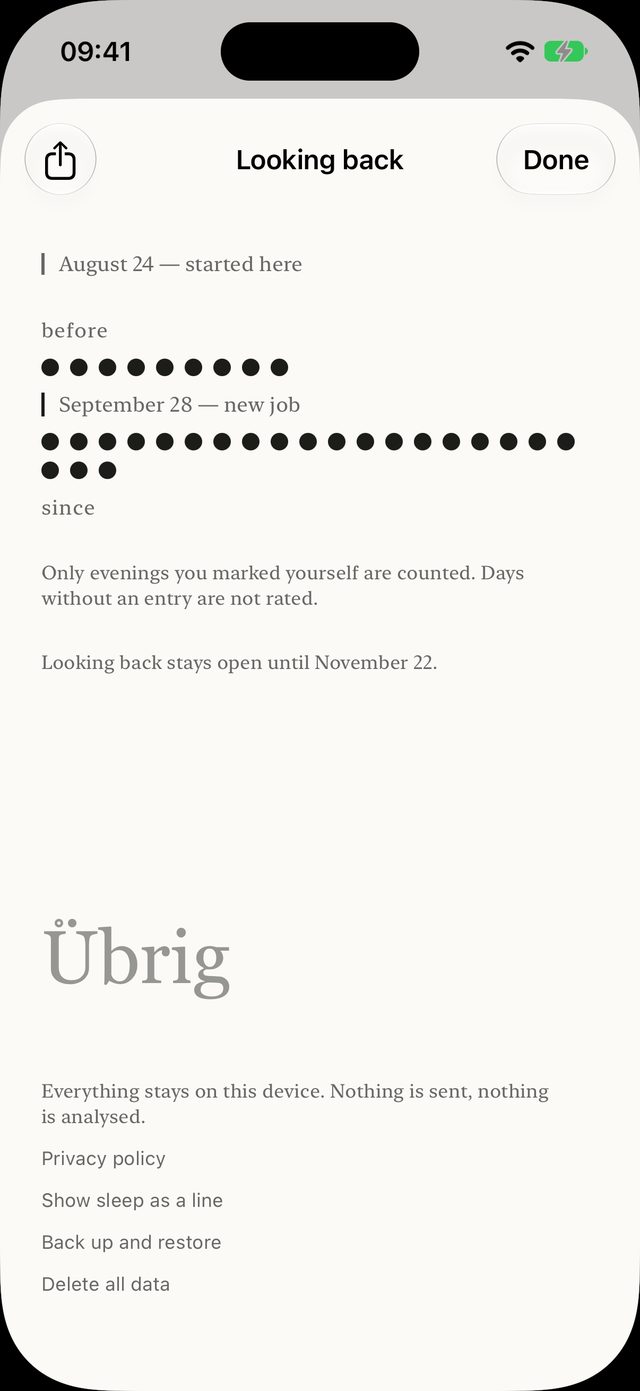
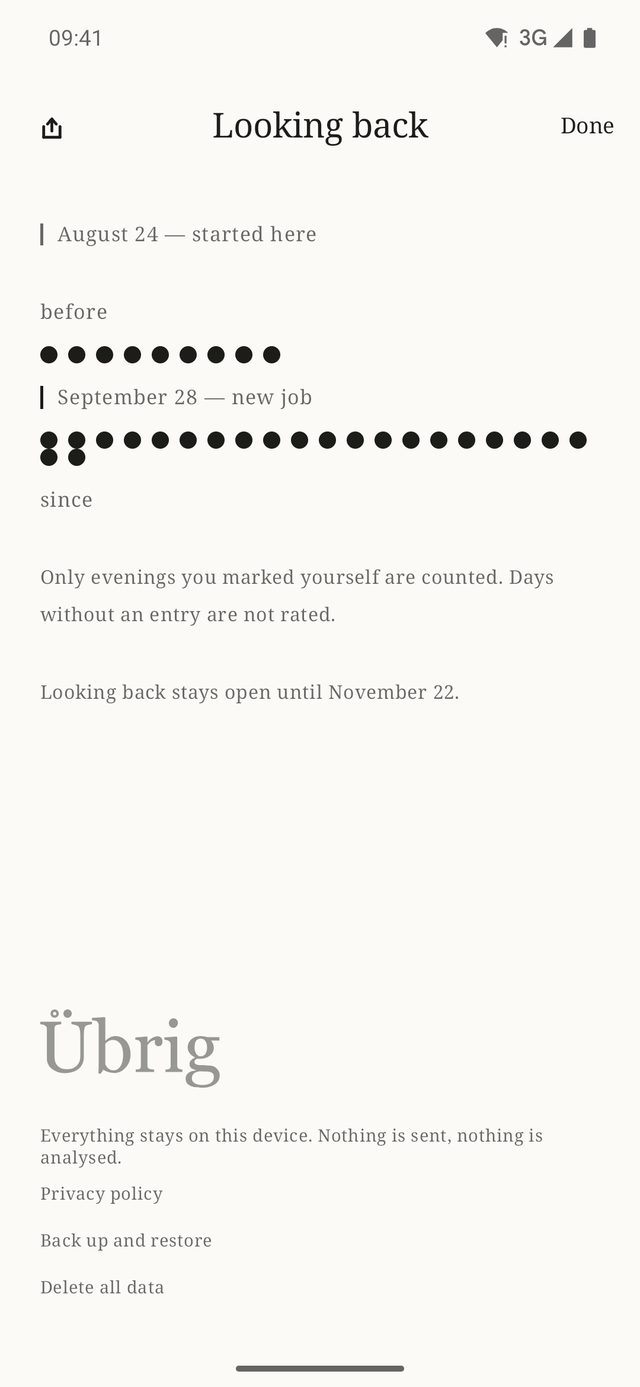
Demo. Dates and dots are an example, as in the picture next to it; the wording comes from the app. The pictures below show the real widgettile. Without a change, Looking back shows two months; with a change, the evenings before and since.
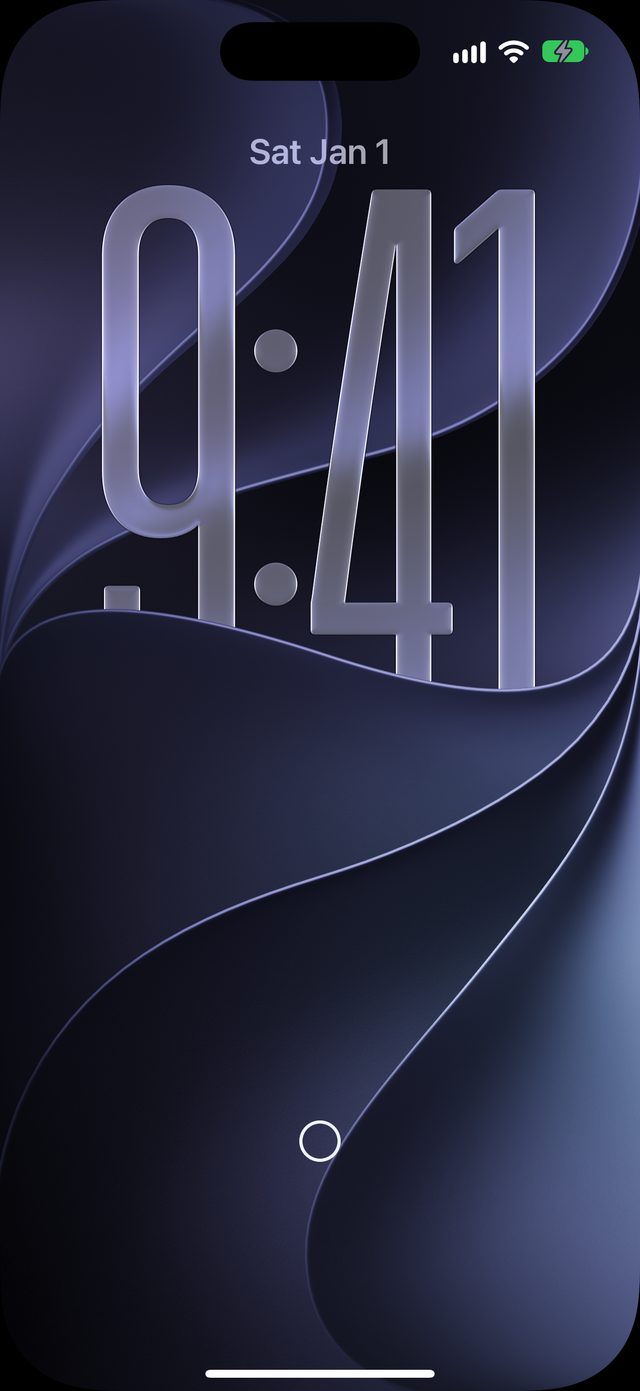
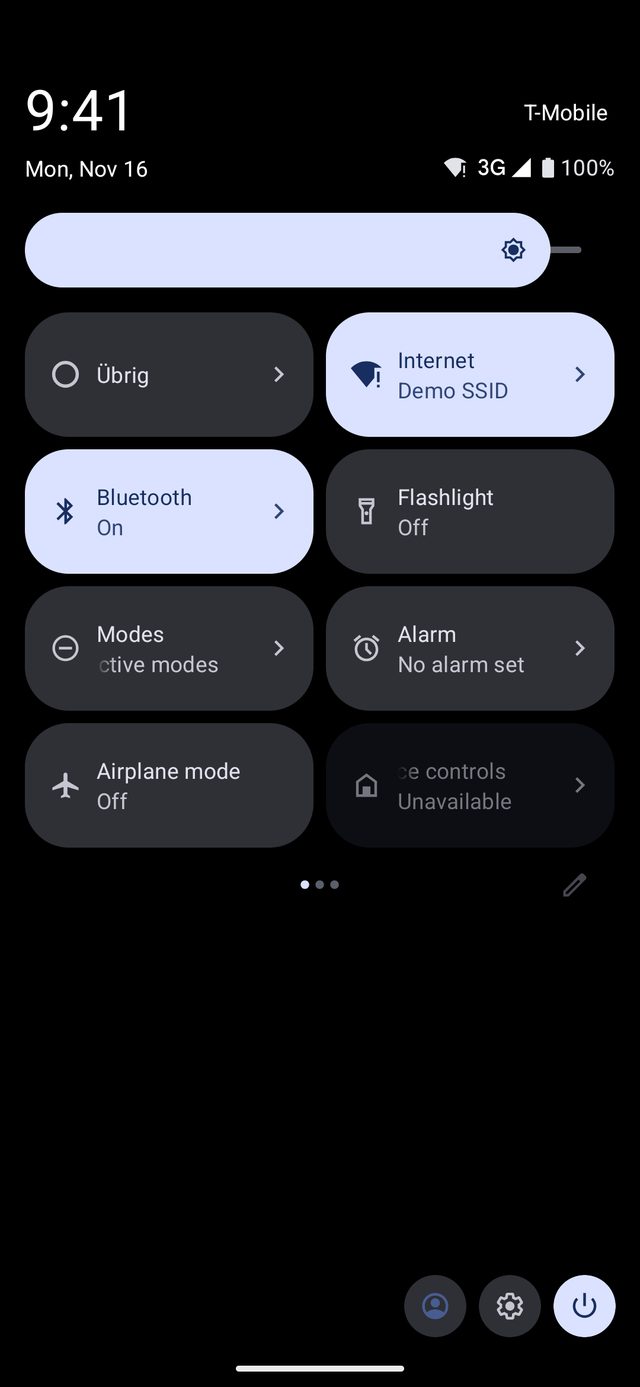
On the lock screen. The round widget shows the open ring. One tap fills it.In Quick Settings. The “Übrig” tile sits up top by Wi-Fi and the flashlight. One tap marks the evening.
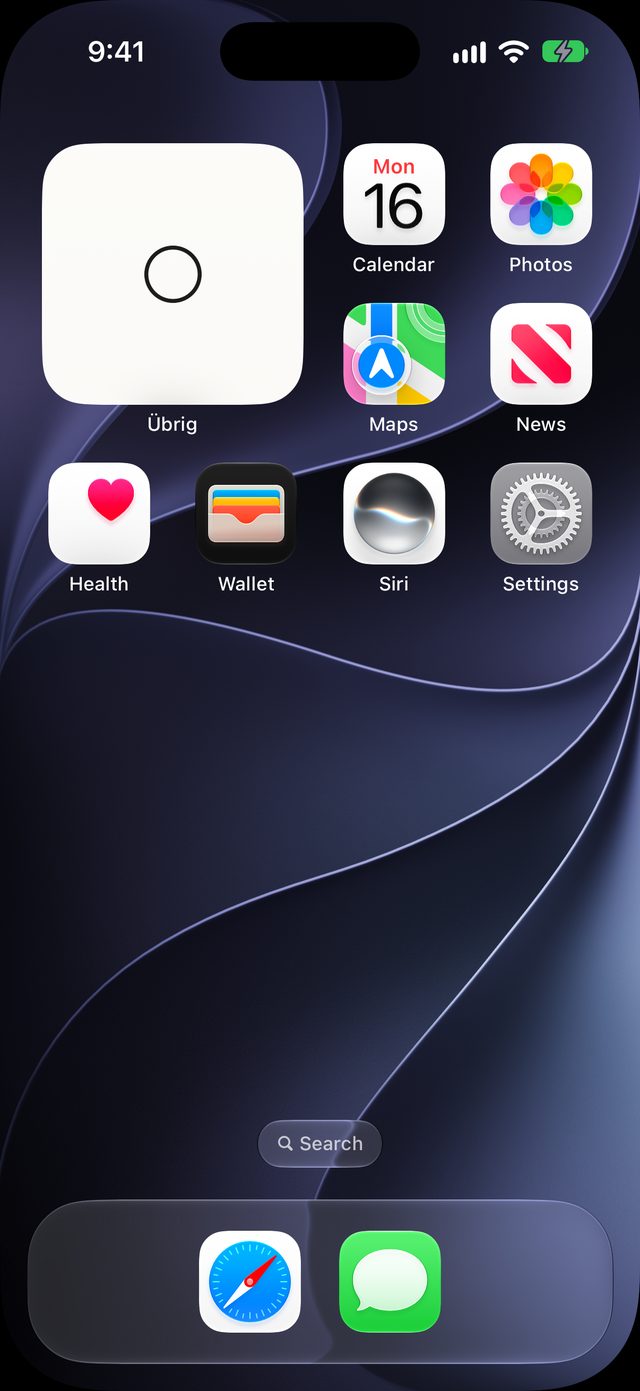
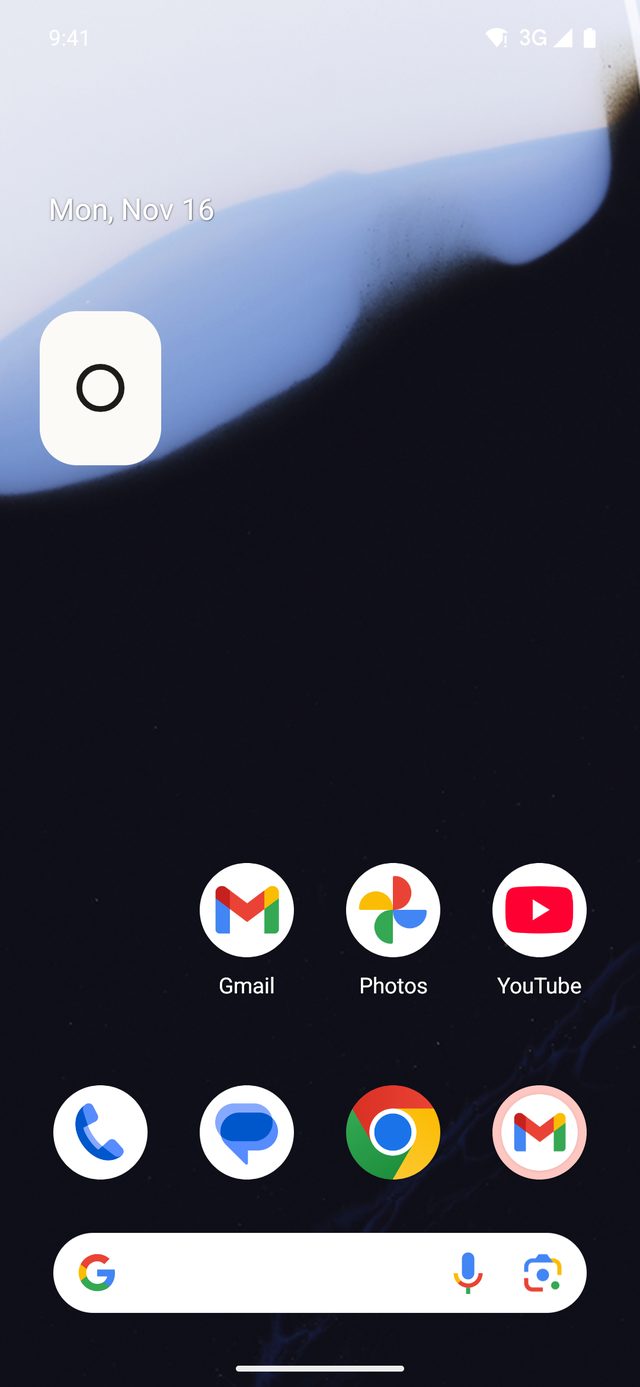
On the home screen. The small widget shows the same dot. Filled means: marked today.
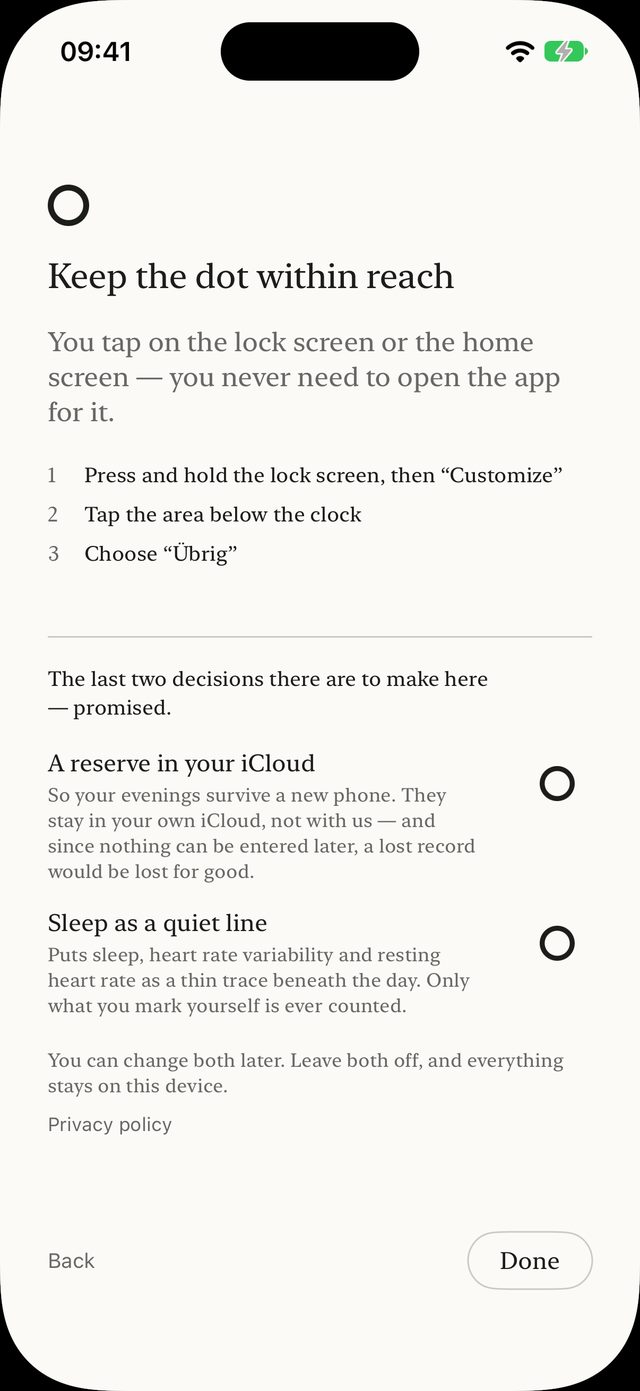
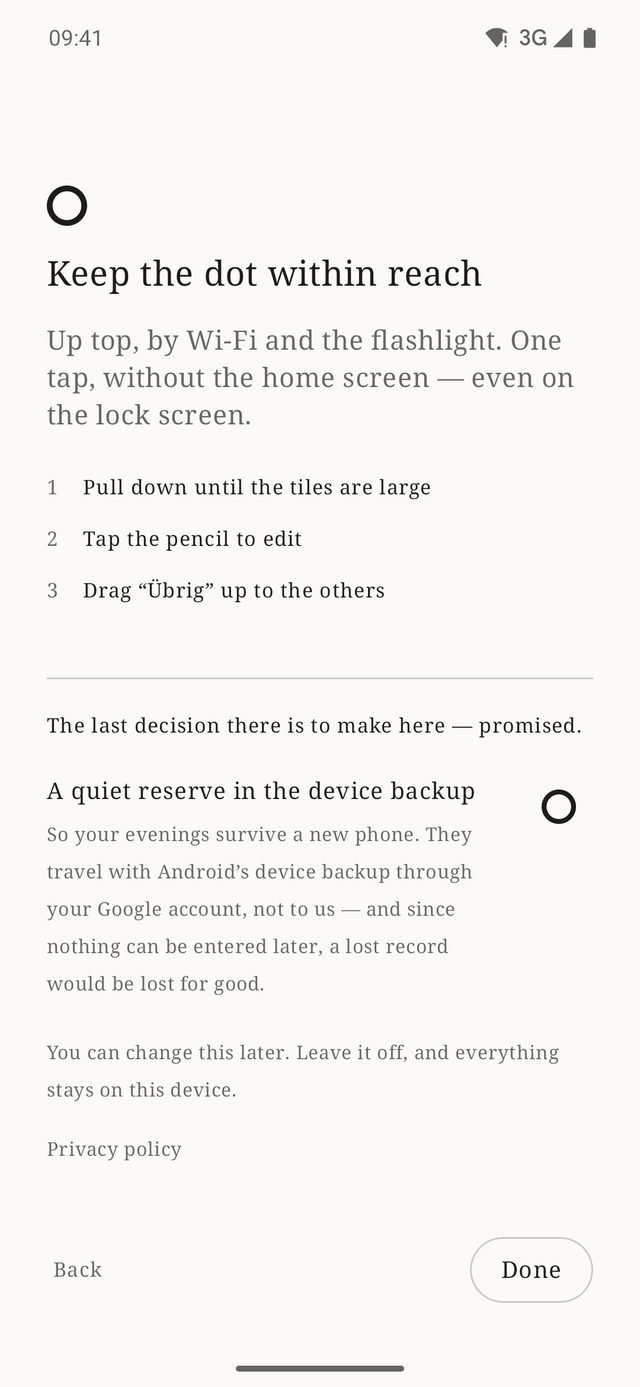
Set it up once. The app shows you these three steps when you first open it.
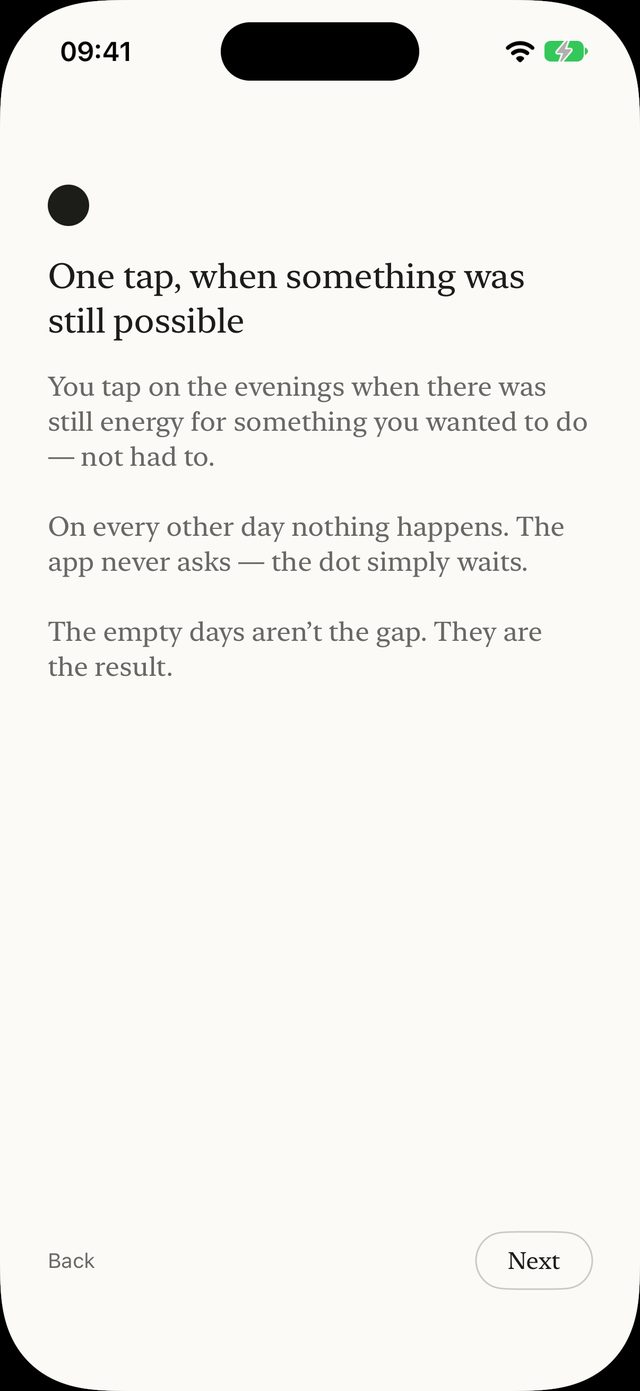
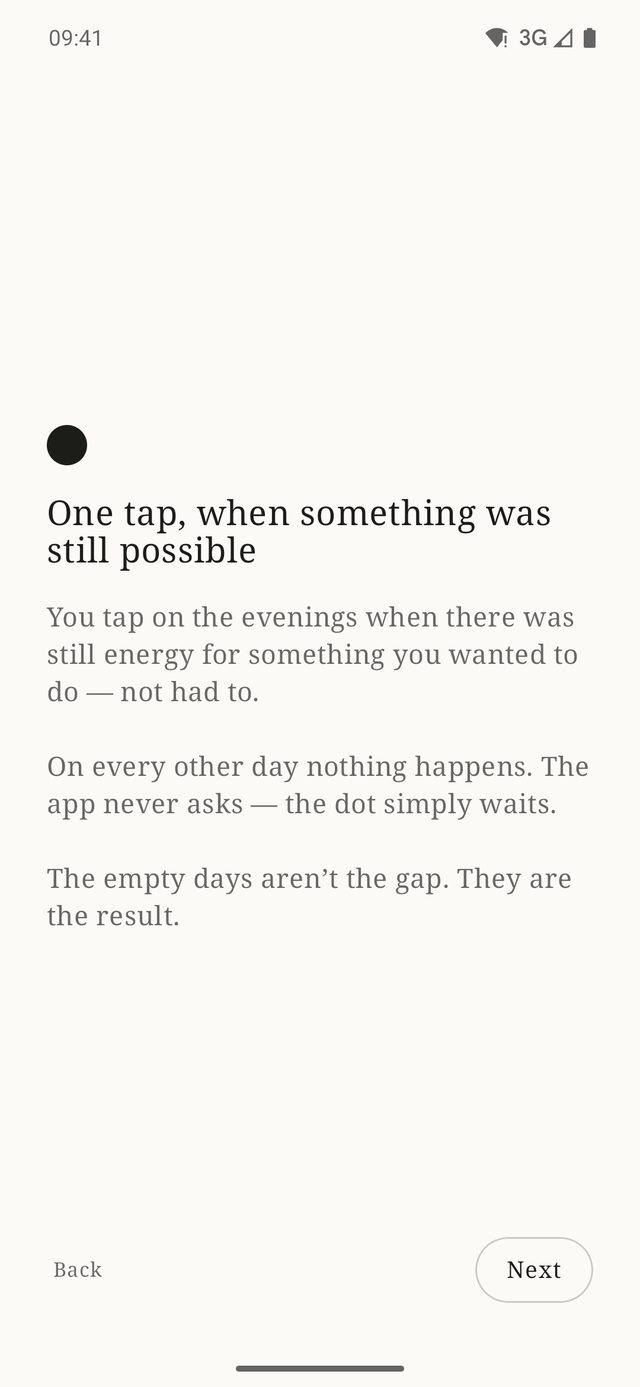
Only when something was still possible. You tap on evenings when there was still energy for something you wanted to do. On every other day nothing happens.
The evening lasts until 4 a.m. A tap half an hour after midnight counts for the evening before. Nothing can be entered later.
One sheet per day. That is all.
Open Übrig and you see the day sheet: weekday, day number, month and year. Looking back sits at the top right. There are no tabs, no menu and no settings.
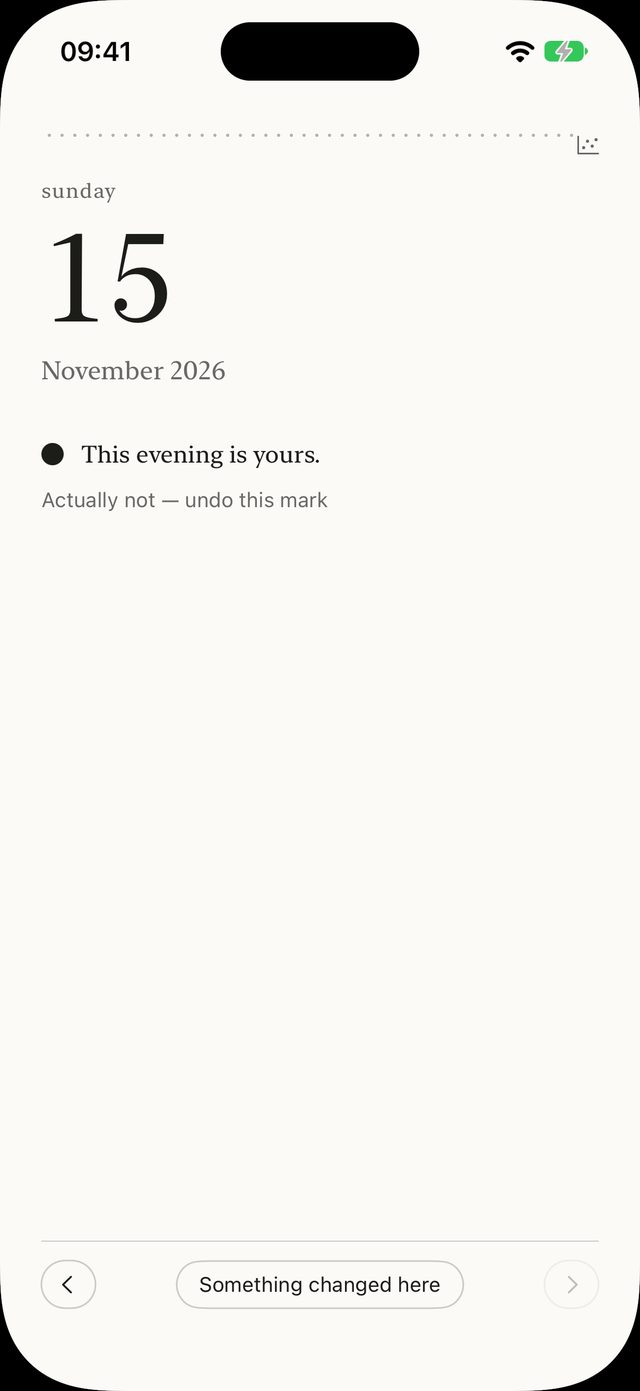
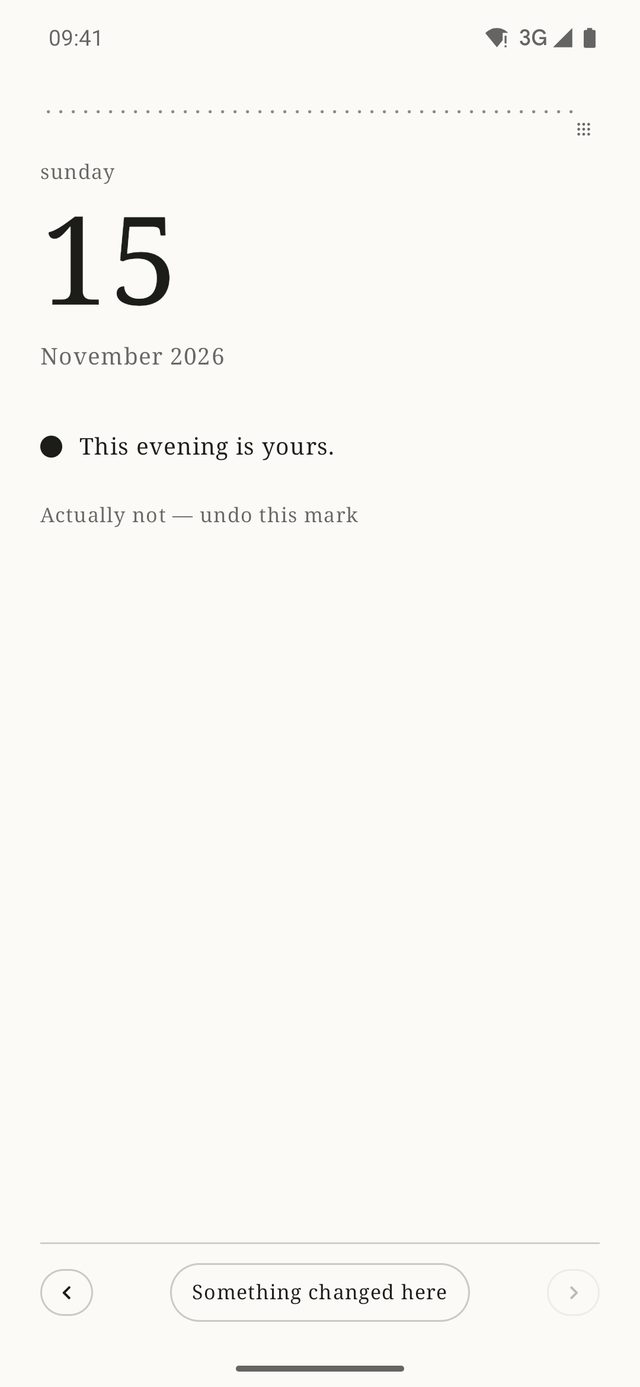
The day sheet only says whether the evening was yours. Use ‹ and › to page back to your first day. Undoing only works on the same evening.
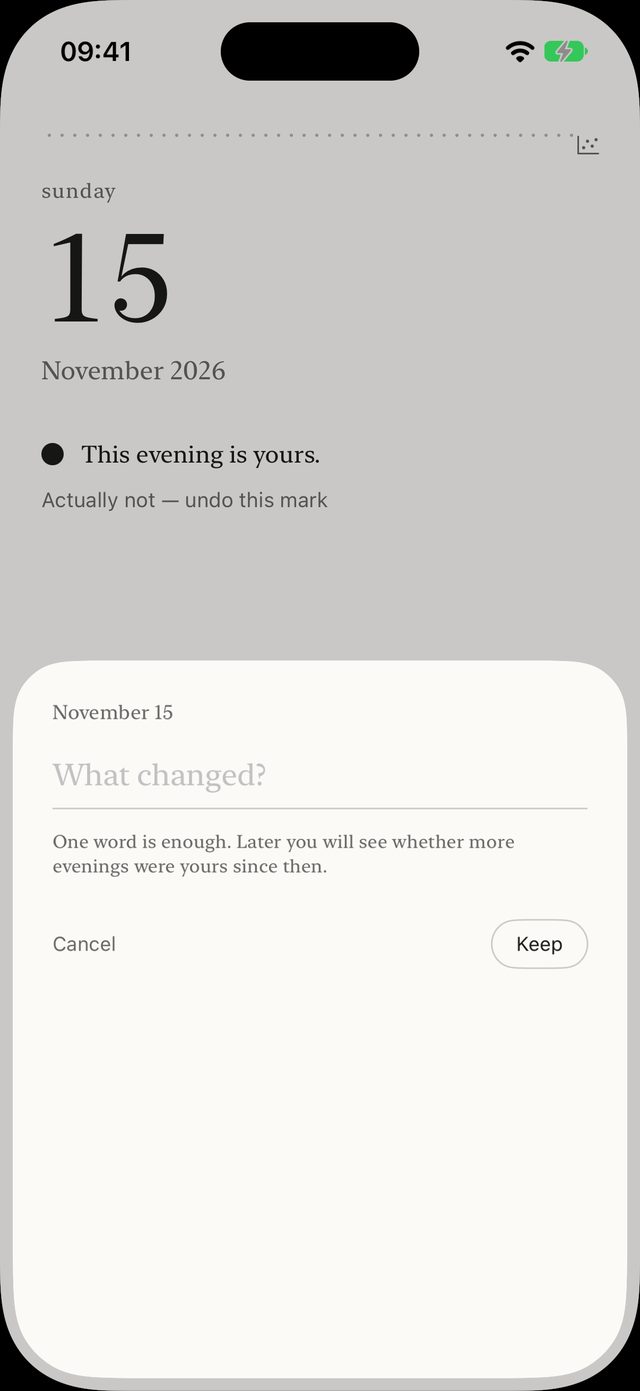
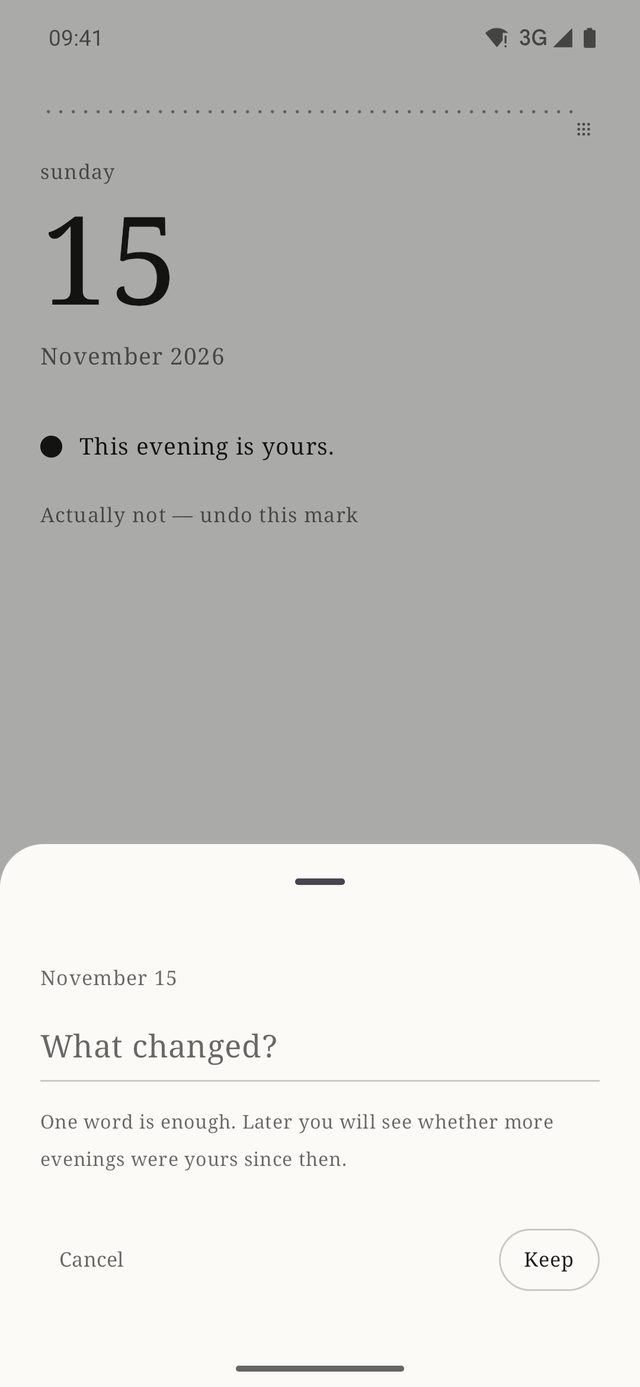
Keep track of changes. A new job, a move: one word on the day of the change is enough. Looking back then shows the evenings before and since.
A summary to share. A short text with period and count, without individual days. You share it from Looking back.
Sleep as a quiet line.
- SourceApple Health, read-only. Sleep, HRV and resting heart rate. Übrig writes nothing there.
- DisplayThree thin lines at the bottom of the day sheet. 30 days, with no axes and no numbers.
- CountThe line feeds into no number. Only what you mark yourself is counted.
Optional and off at first. The values are only drawn, not stored. On iPhone only.
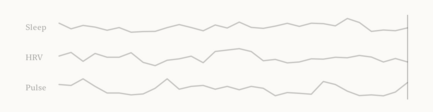 Detail of the day sheet
Unfolded, the sheet stays in the middle.
On the unfolded iPhone Duo, Übrig sits as a quiet column in the middle. Folded, it looks like on any iPhone, with time and battery to the right.
No account. No server of ours.
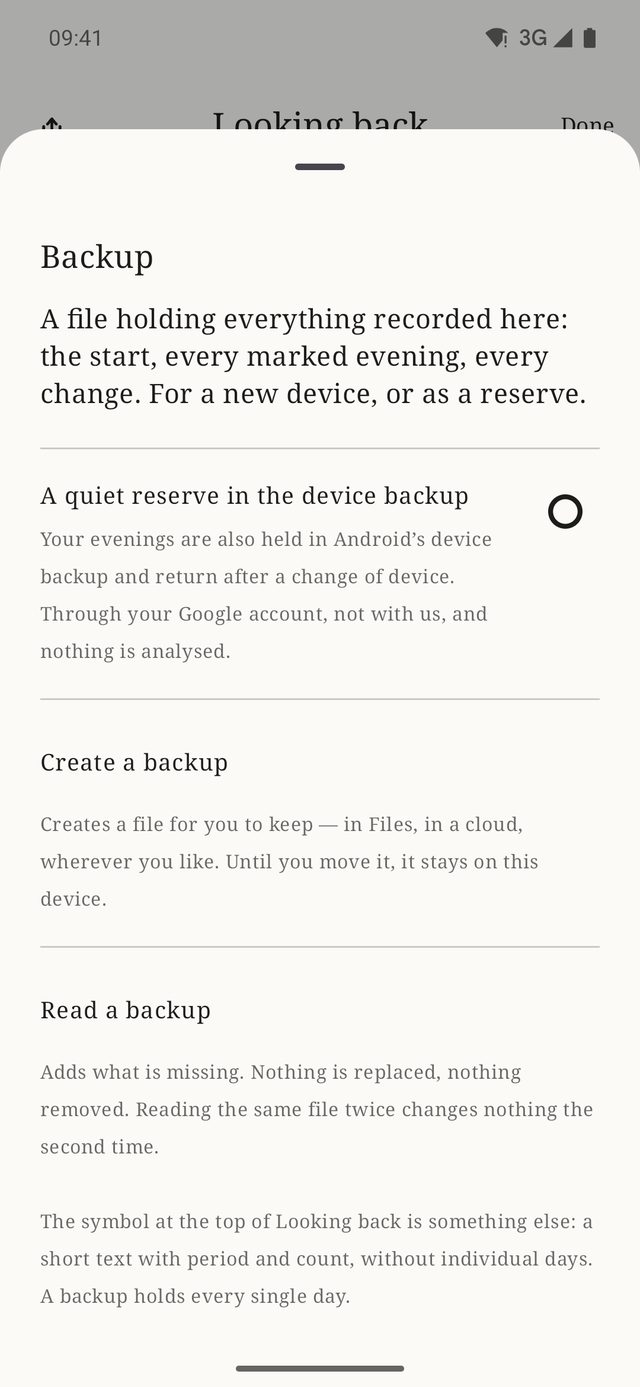
Your evenings are stored on your device. We see none of it. Only if you switch on a reserve are they also kept in your own iCloudin Android’s device backup.
On your device. What is stored: your marked evenings, your changes and the day you started.
A reserve only if you want it. The “A reserve in your iCloud” switch is off at first. Switched on, the evenings are kept in your own iCloud, not with us.
A reserve only if you want it. The “A quiet reserve in the device backup” switch is off at first. Switched on, the evenings travel through your Google account, not to us.
Backup as a file. You create a file with all your evenings and keep it wherever you like.
No ads, no tracking. Übrig contains no analytics library and no advertising library.
Purchase through the store. Price and purchase status come from the App StoreGoogle Play. We never see payment data.
No prompts except Apple Health for the sleep line. Übrig does not ask for notifications, location or camera.
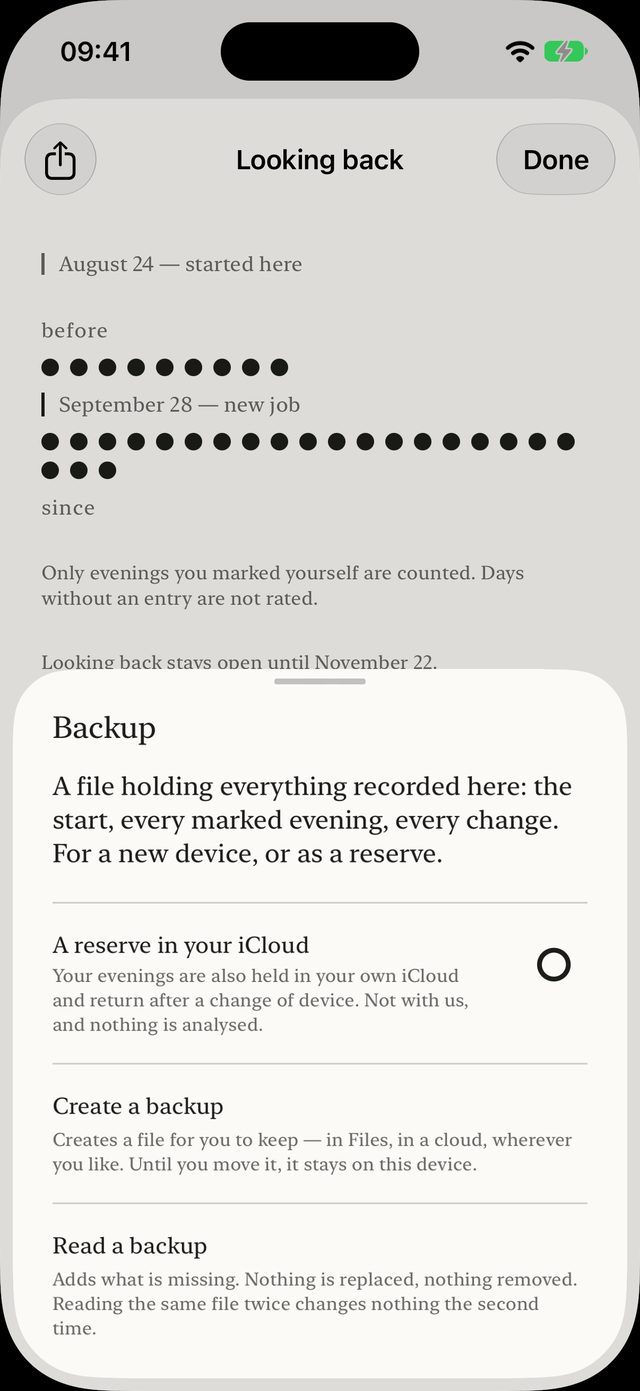
No subscription. Marking, the day sheet, the sleep line, changes, backup and reserve stay free, even without a purchase. You’ll find the price on the App Storeon Google Play.


For full days.
After a full day your head is empty. That’s exactly when most apps want something from you. Here it works the other way round.
For evenings after full days. One tap is enough. On every other evening you do nothing.
For times when something changes. A new job, a move: keep the day and see the evenings before and since.
For anyone who doesn’t want to log things. There are no notes, just the dot and, if you like, one word for a change.
For anyone tired of streaks. No goals, no points, no reminders.
Answered briefly.
Where do I tap?
In the widget on the lock screen or the home screen.On the tile in Quick Settings or on the widget on the home screen. The app itself has no button for marking. How to set up the dot · Guide: Marking evenings instead of a diary · Guide: Spoon theory
Can I add an evening I forgot?
No. Past evenings cannot be entered later. Days without an entry are not rated. Read more
Does Übrig remind me in the evening?
No. Übrig sends no notifications and no reminders. The dot simply waits. Read more
What does Übrig cost?
Looking back is free for 90 days from your first day. After that you unlock it with a one-time purchase. There is no subscription, and everything else stays free. You’ll find the price on the App Storeon Google Play. Read more
Does everything really stay on my device?
Yes, as long as you don’t switch on a reserve. Übrig has no account and no server of its own. With a reserve, your evenings are also kept in your own iCloudin Android’s device backup through your Google account. Read more
What happens when I change phones?
From iPhone to iPhone your evenings come along through the iCloud reserve or a backup file.From Android to Android your evenings come along through the device backup or a backup file. Between iPhone and Android it only works with the file. The purchase does not move between Apple and Google. How it works
Note
Übrig only counts evenings you mark yourself and rates nothing. The app does not replace medical or therapeutic advice.