The sound is made while you listen. Your device creates it, even without a connection.
You choose the foundation. Your piano, a singing bowl, rain, your voice.
One axis from calm to presence. You move it yourself, or your pulse moves it.You move it yourself, at any time.
Galino auf einen Blick
Galino at a glance
- Wofür
- Galino erzeugt ruhige Klanglandschaften live auf dem Gerät, ohne Playlist und ohne Stream, aus einem erzeugten Grundklang und auf Wunsch aus eigenen Tönen. Vier Klangwelten: Fokus, Ruhe, Schlaf, Sport.
- Android
- Läuft auf Telefonen ab Android 8.0 und ist bei Google Play erhältlich.
- iPhone und Apple Watch
- Läuft ab iOS 17 und watchOS 10 und erscheint bald im App Store. Nur hier kann auf Wunsch der Puls die Klänge führen; die Apple-Watch-App gehört zur Vollversion. Eine Fassung für iPad oder Mac gibt es nicht.
- Kaufmodell
- Kostenlos und ohne Zeitlimit nutzbar, mit allen vier Welten und eigenen Tönen. Die Vollversion ist ein Einmalkauf ohne Abo.
- Konto
- Galino braucht kein Konto und keine Anmeldung.
- Internet
- Der Klang entsteht auf dem Gerät und braucht kein Netz.
- Daten
- Kein eigener Server, keine Werbung, keine Analyse. Die Herzfrequenz wird nie gesichert.
- Purpose
- Galino creates calm soundscapes live on the device, without a playlist or stream, from a generated base sound and, if you like, from your own sounds. Four sound worlds: Focus, Calm, Sleep, Sport.
- Android
- Runs on phones with Android 8.0 or later and is available on Google Play.
- iPhone and Apple Watch
- Runs on iOS 17 and later and watchOS 10 and is coming soon to the App Store. Only here can your pulse guide the sound, if you wish; the Apple Watch app is part of the full version. There is no version for iPad or Mac.
- Pricing
- Free to use without a time limit, with all four worlds and your own sounds. The full version is a one-time purchase without a subscription.
- Account
- Galino needs no account and no sign-in.
- Internet
- The sound is created on the device and needs no connection.
- Data
- No server of its own, no ads, no analytics. Your heart rate is never backed up.
Four worlds, one slider.
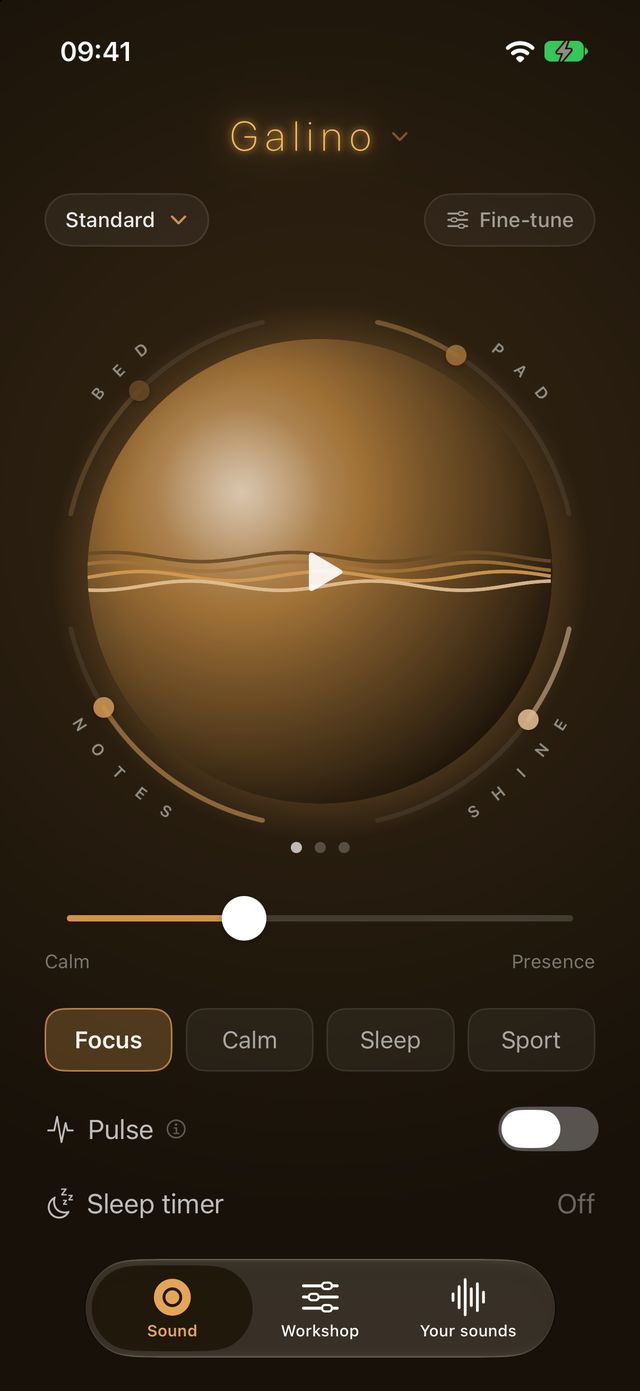
Focus, Calm, Sleep and Sport: each world has its own character and its own colour. The generated sound unfolds without a loop. What you hear won’t come back exactly like that.
The orb, to try out.
- Tap the centre. In the app this starts the sound, and a second tap pauses it. Here it only starts the motion.
- Move the slider. Towards Presence the struck notes come more densely, and bed and pad step forward.
- Swipe or tap the dots. The orb shows the sound as waves, rings or stars.
- Drag the arcs on the rim. Each arc controls one layer: Bed, Pad, Notes, Shine. Pulled all the way back, the layer is off.
Motion is reduced on your device, so the demo stands still.
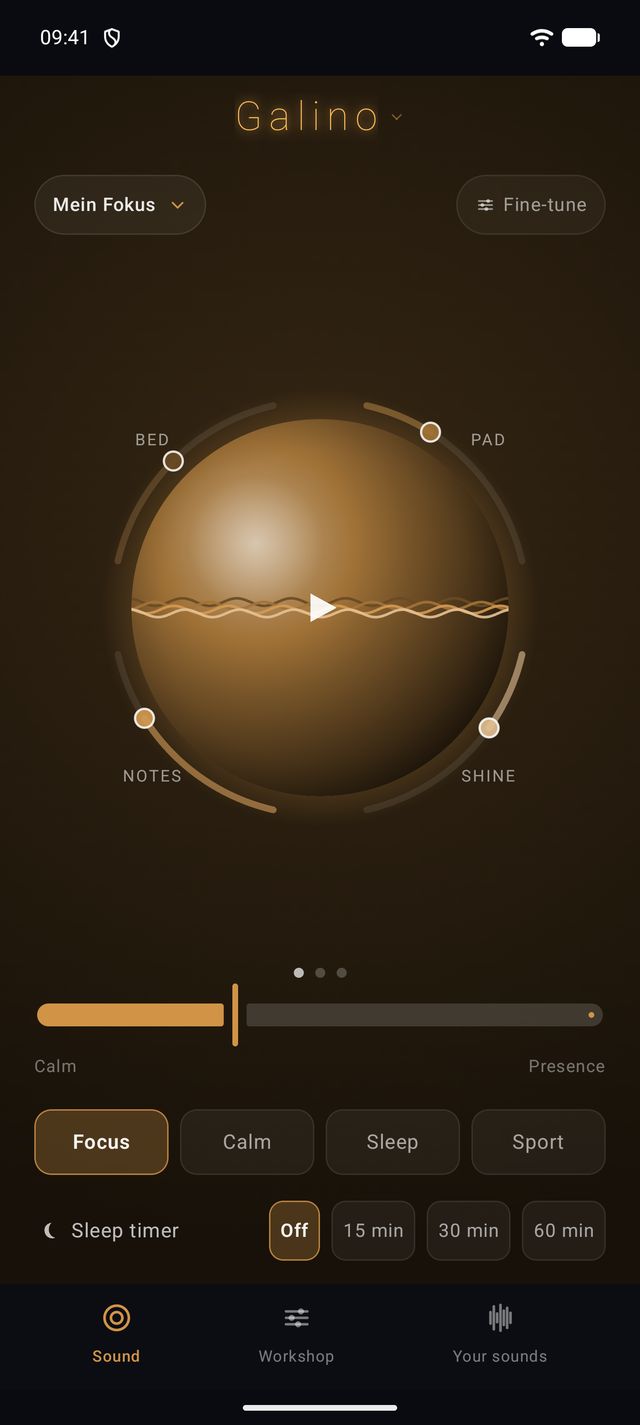
Try it, without sound. Colours, displays and the base values of the four worlds come from the app. The motion is simulated: in the app it follows the sound that is playing. The real screen is shown below.
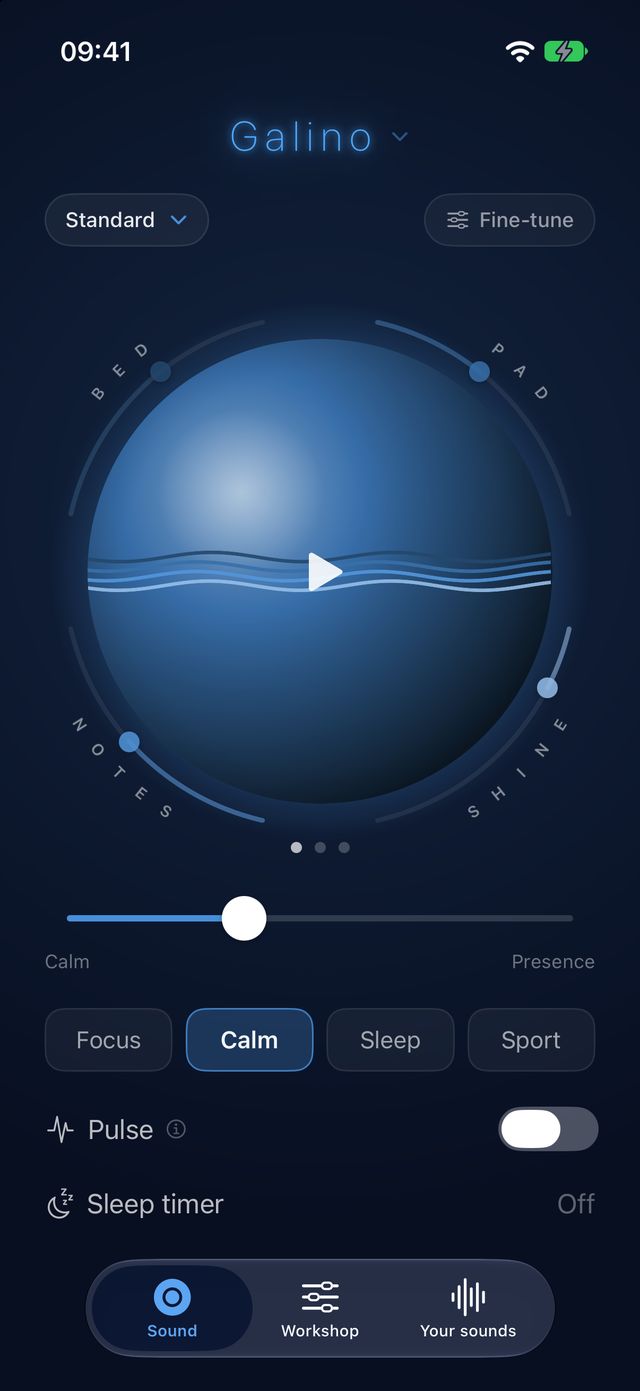
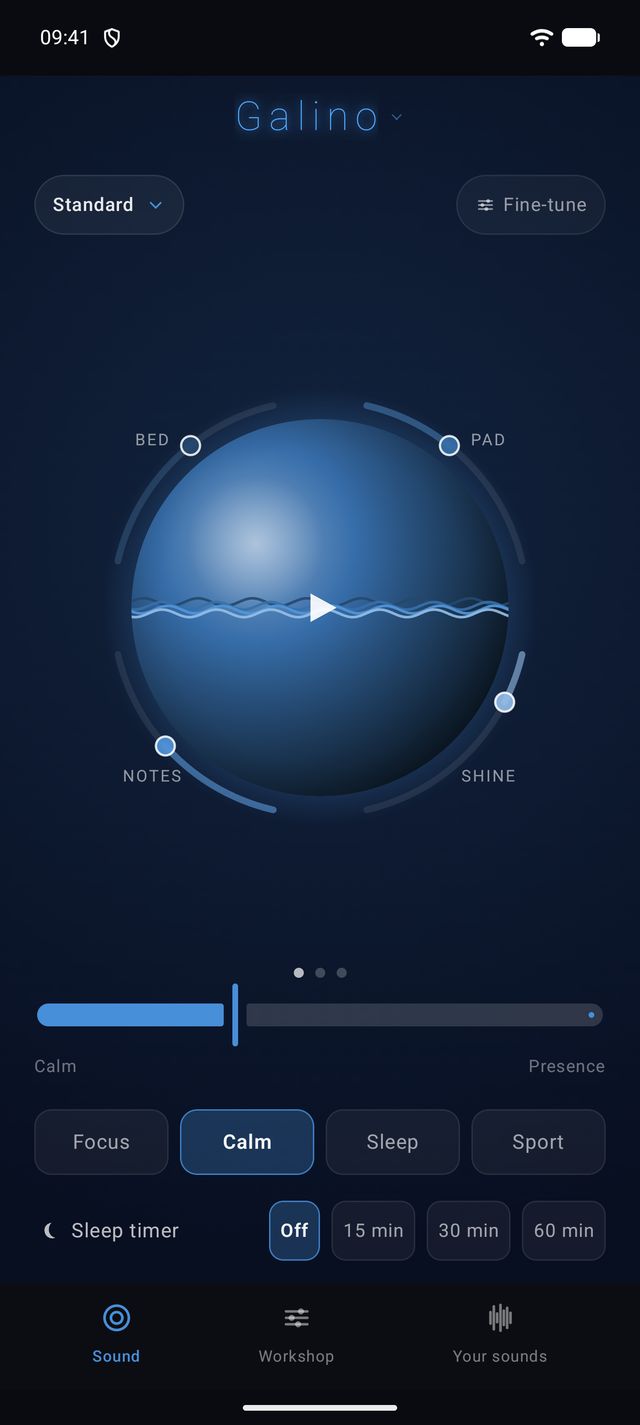
Tap a world, tap the orb. Choosing a world starts nothing yet. The tap on the centre of the orb does.
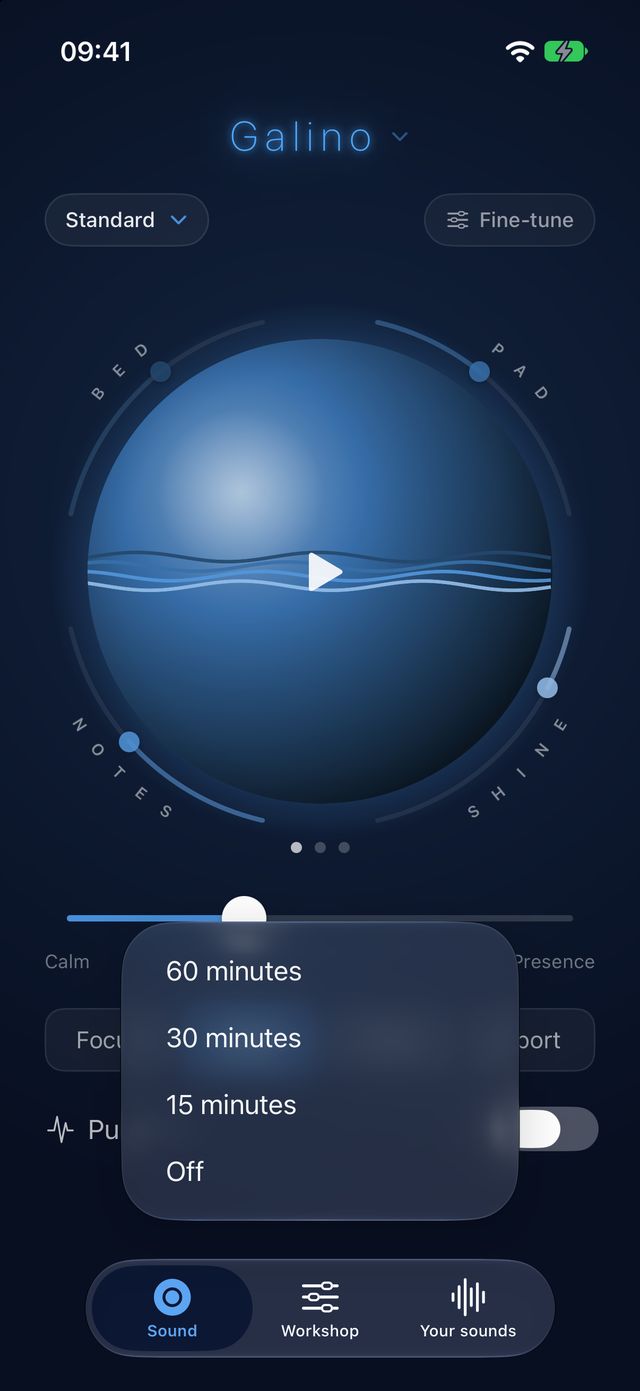
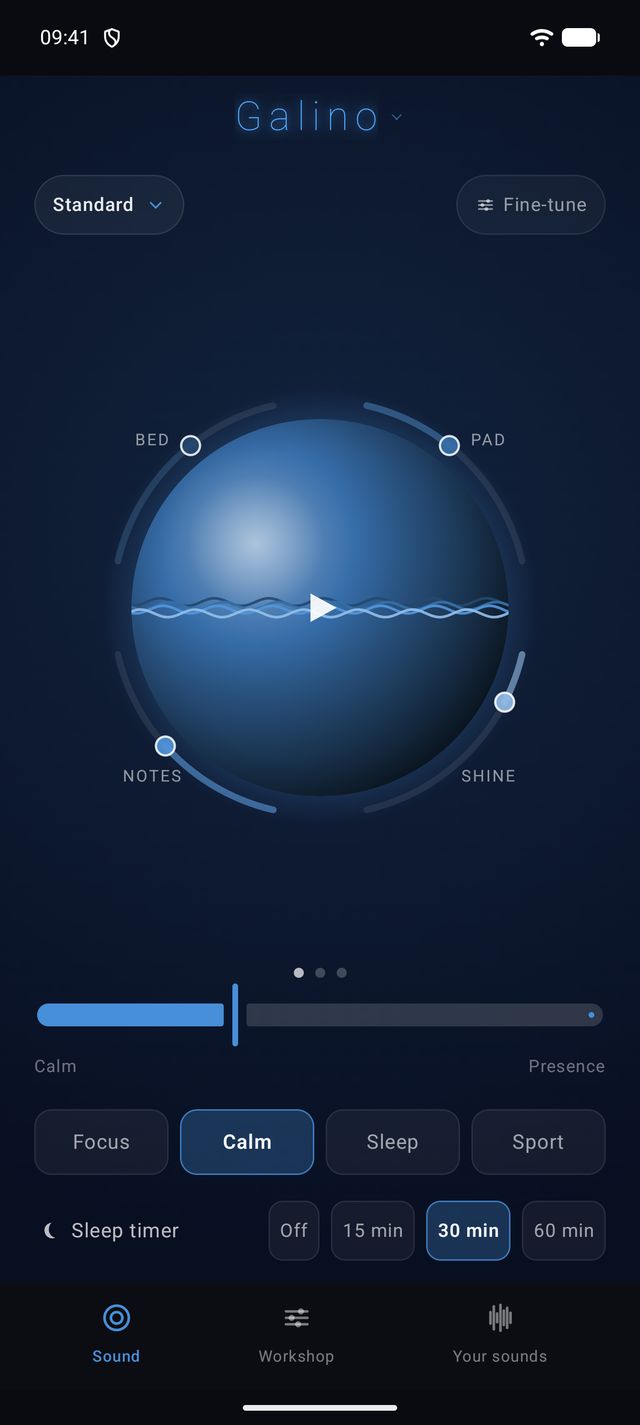
Sleep timer. After 15, 30 or 60 minutes the sound fades out over 20 seconds and pauses. The Sport world has no timer.
Keeps playing in the background. Even with the screen locked and in other apps. You can pause and resume on the Lock Screen and in Control Centre.You control it from the media notification and with headphone buttons.
Your sound becomes a world.
Record a sound that is yours: your piano, a singing bowl, rain, your voice. Galino turns it into a soundscape: held as a pad, softly struck, mixed in layers.
Three ways to a sound of your own.
- RecordUp to 60 seconds. With the microphone of your iPhonephone. The recording stays on the device.
- ImportAudio file or video. From your files. From a video, Galino takes only the audio track.
- VideoFrom your library. A video or a Live Photomotion photo you already have.
Galino cuts imports to 2 minutes.
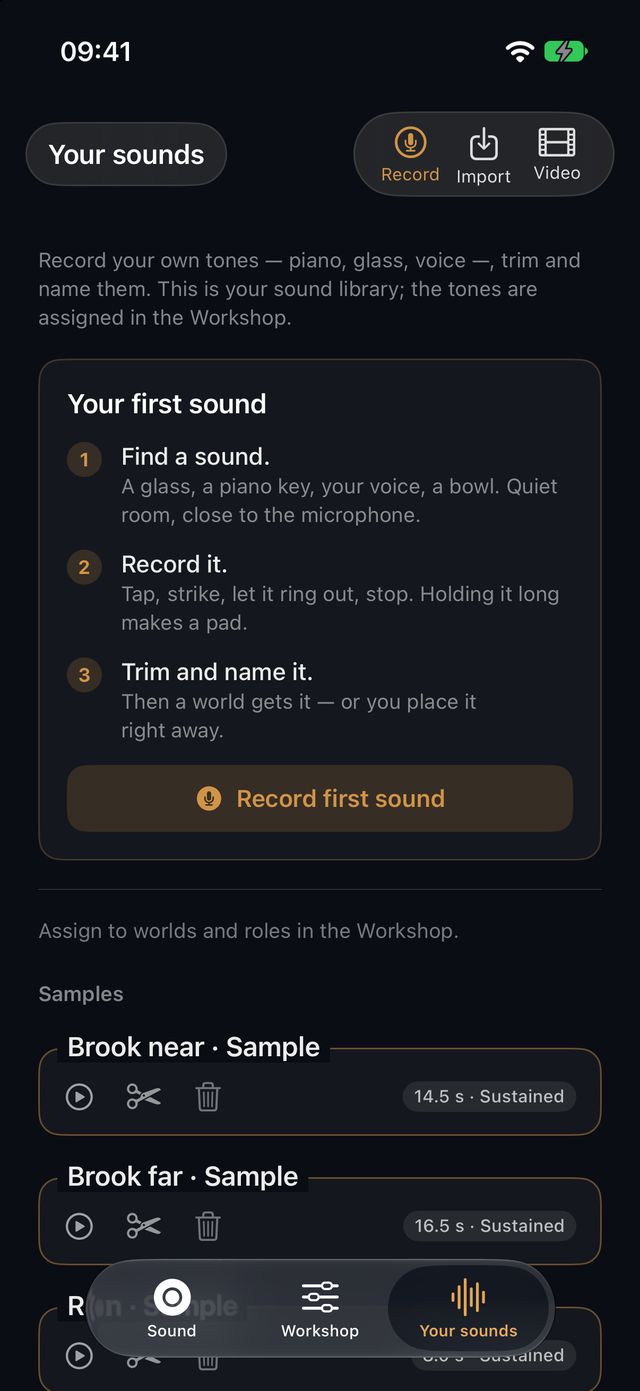
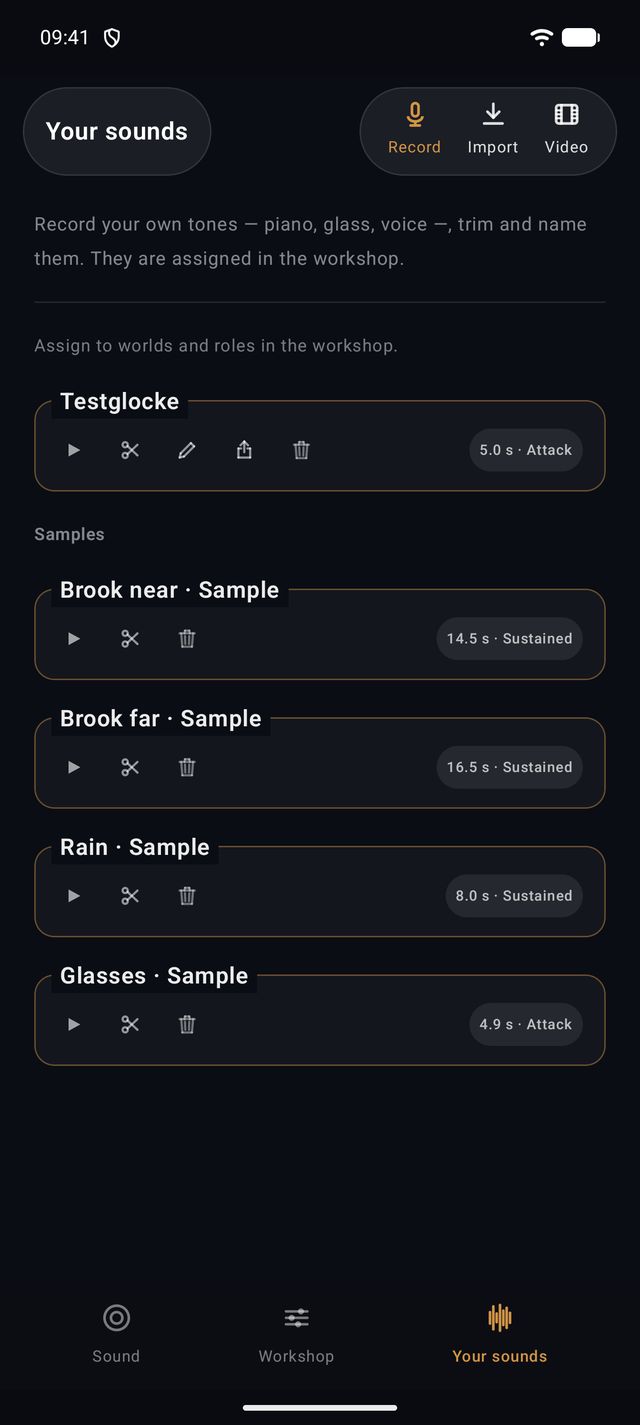
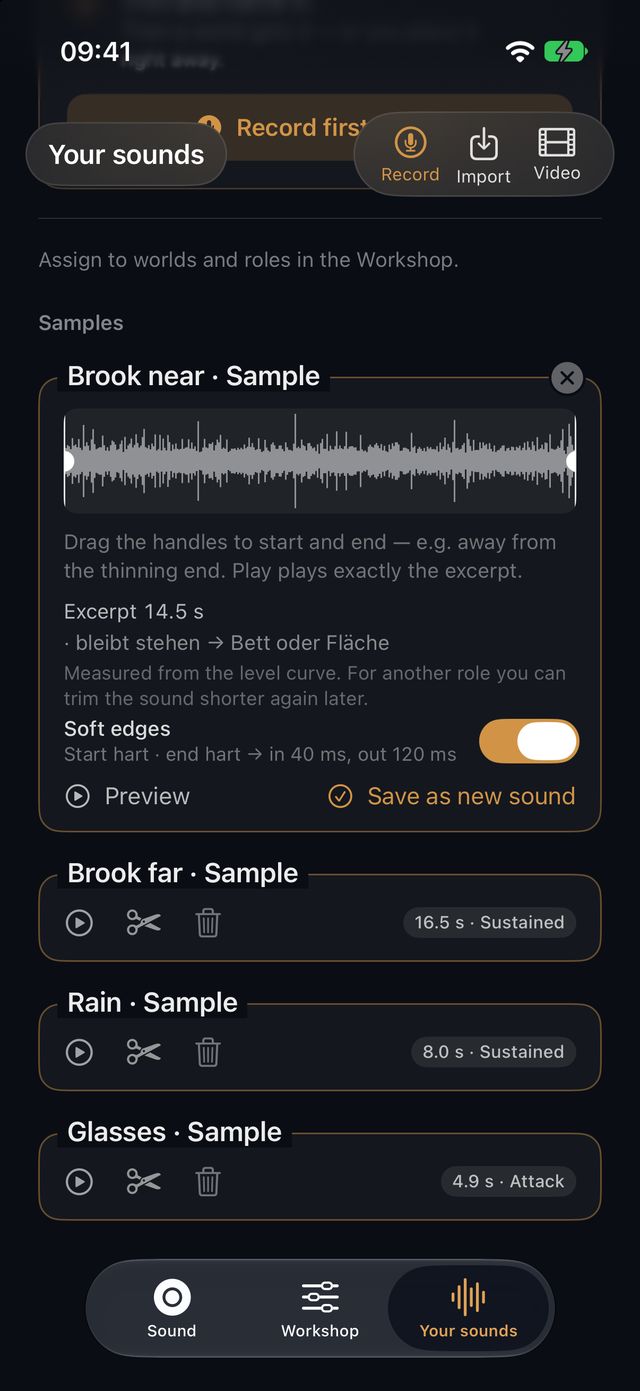
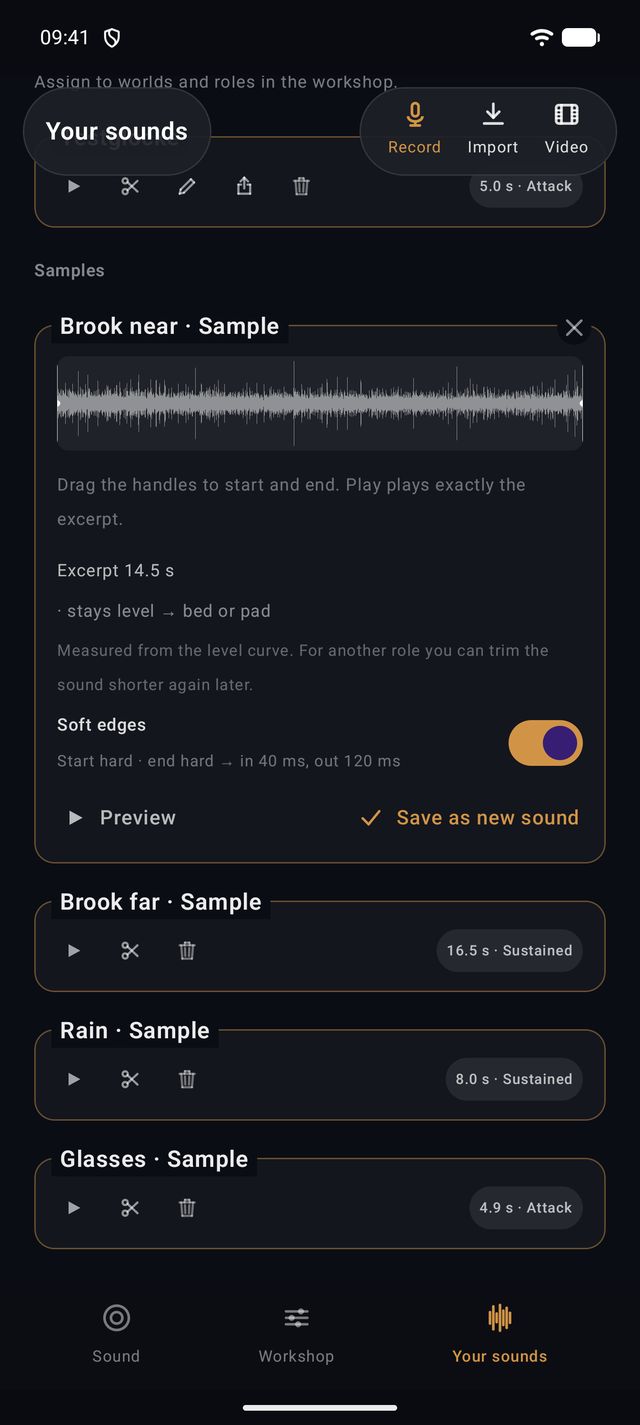
Trim with soft edges. Drag the handles to start and end. Galino fades hard starts and ends softly. Below, it tells you what the excerpt is good for.
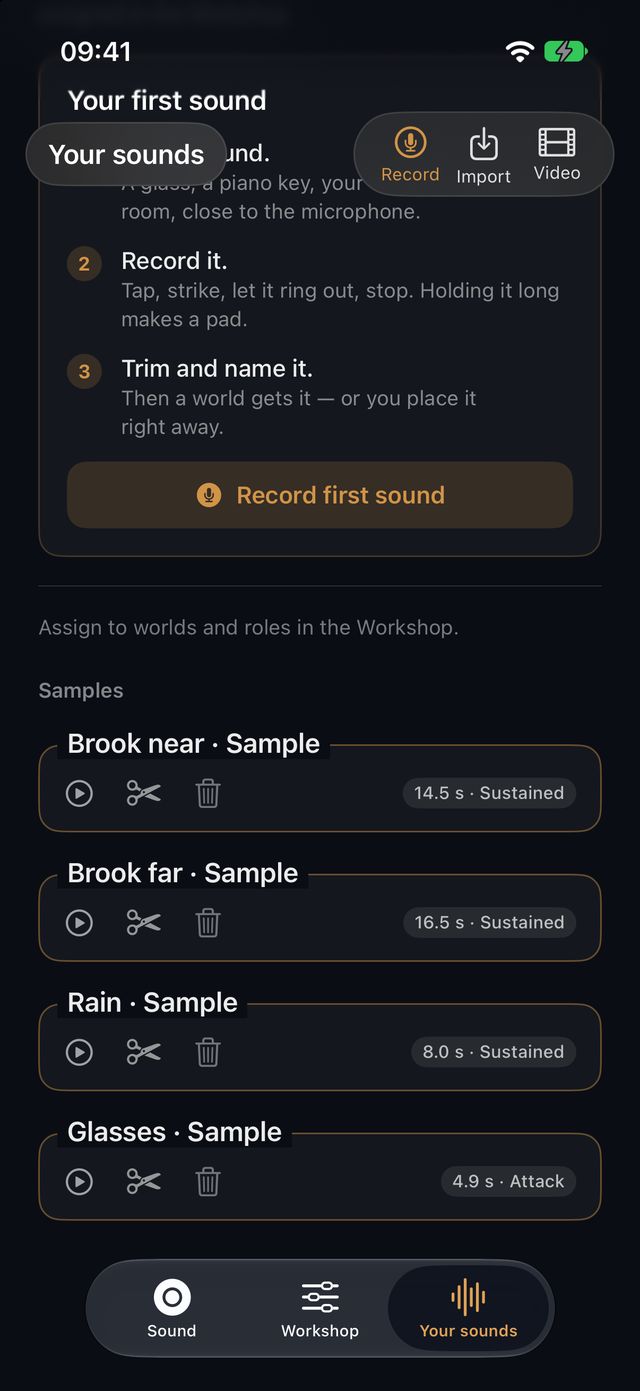
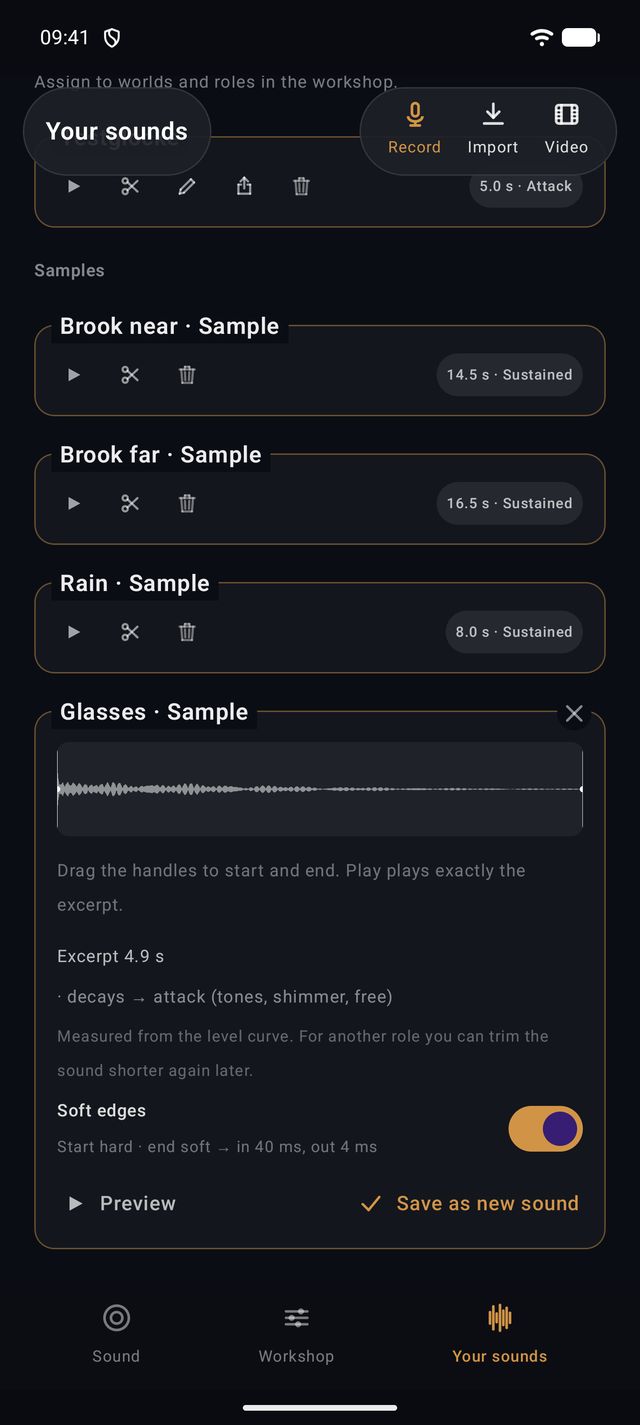
Four sample sounds, already measured. Brook near, Brook far, Rain and Glasses are in your library from the first launch, none of them pre-placed in a world. Galino measures what a sound is good for: if it decays, it works as an attack. If it stays level, it carries bed or pad.
Your own sounds in Bed and Pad run as a loop. With short sounds you can hear the repetition.
Record, import, trim: how it works →As simple or as deep as you like.
Four layers carry the sound: bed and pad sustain, notes and shine are struck. Each layer blends the generated base with your own sounds. Everything affects the running sound at once.
One timbre, six sliders.
- TimbreRich, Soft, Warm or Glassy. The base character of the generated sound.
- SlidersBrightness, Warmth, Root, Reverb, Release, Density. For each one the app explains what it does.
- Fine-tuneRight at the orb, too. “Fine-tune” opens the same sliders without switching to the workshop.
- IsolatedA single synthetic tone. “Listen isolated”“Listen in isolation” rests bed, pad and your own sounds. That way you hear reverb and release clearly.
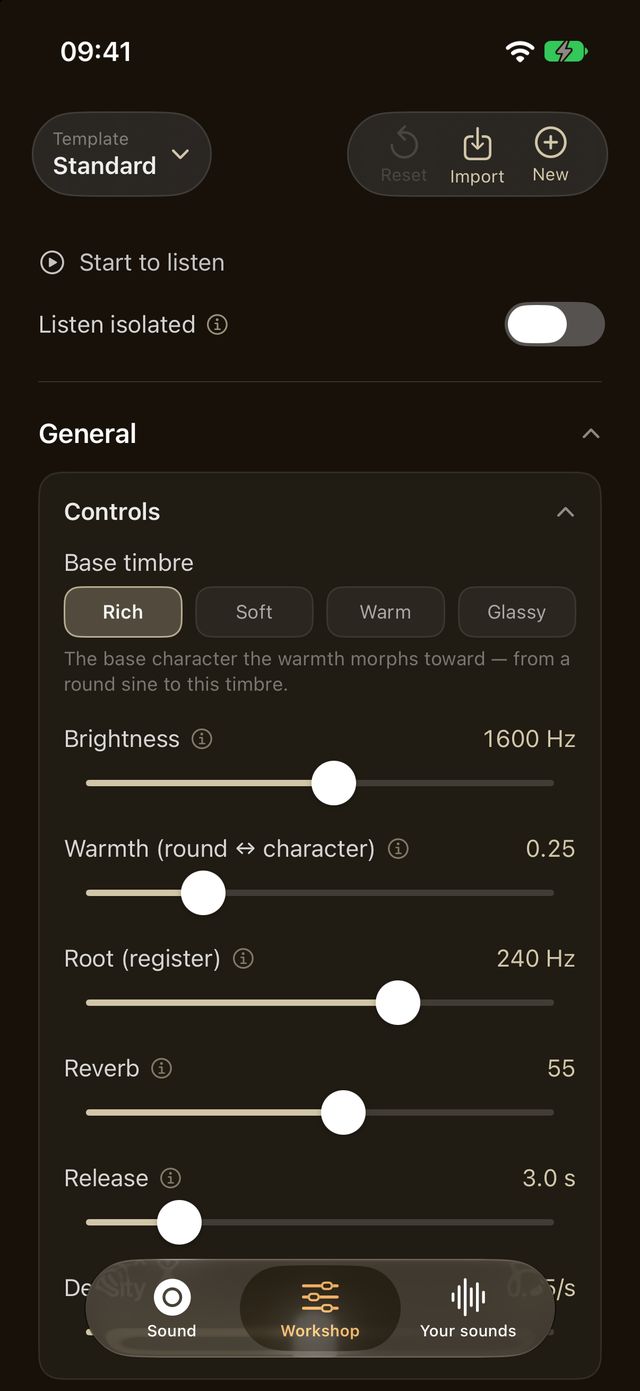
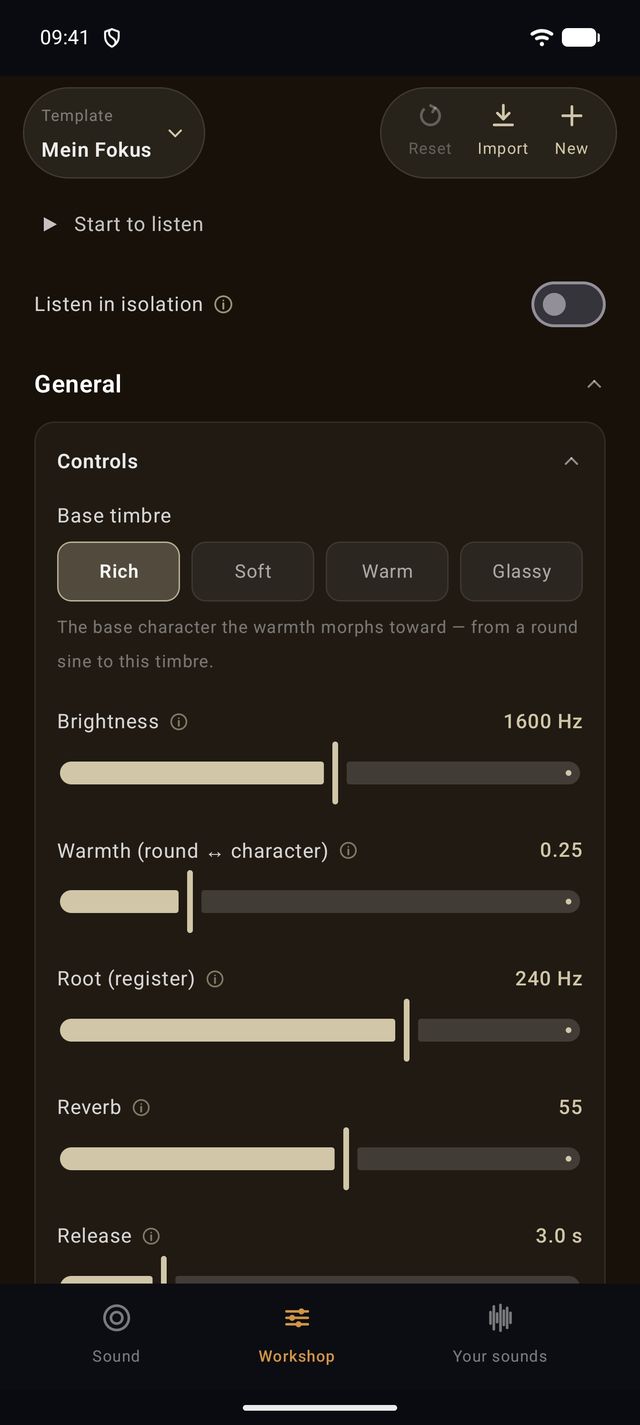
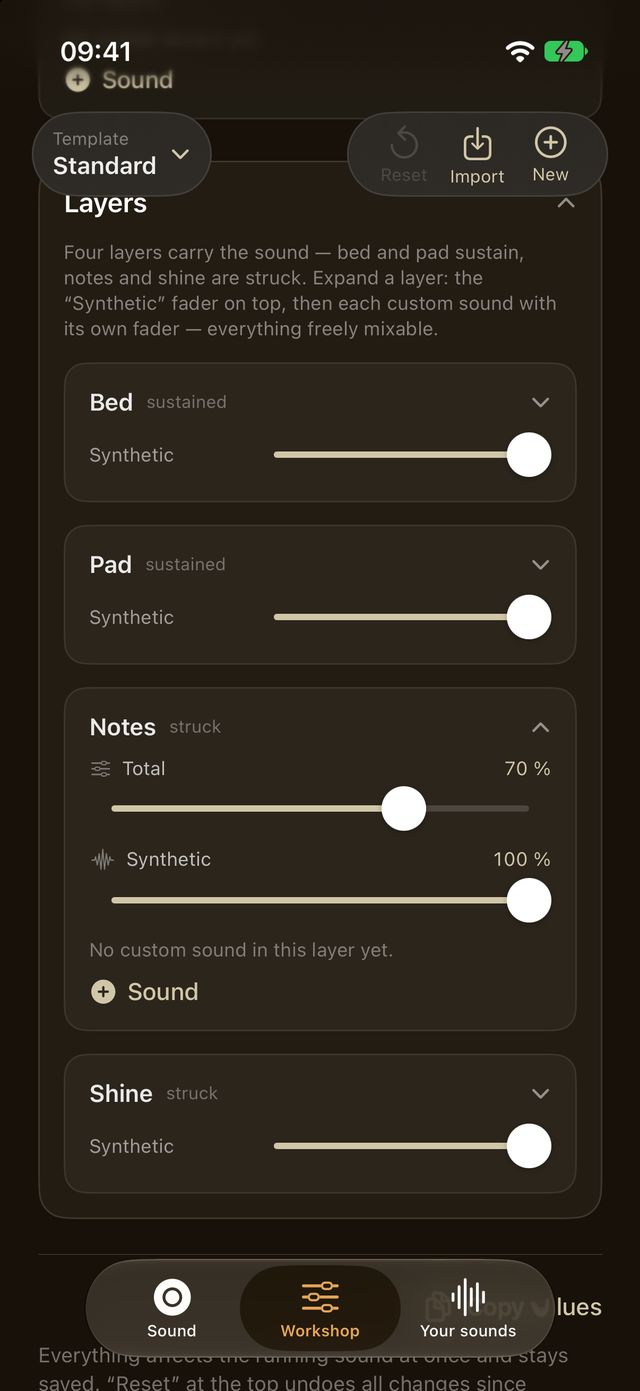
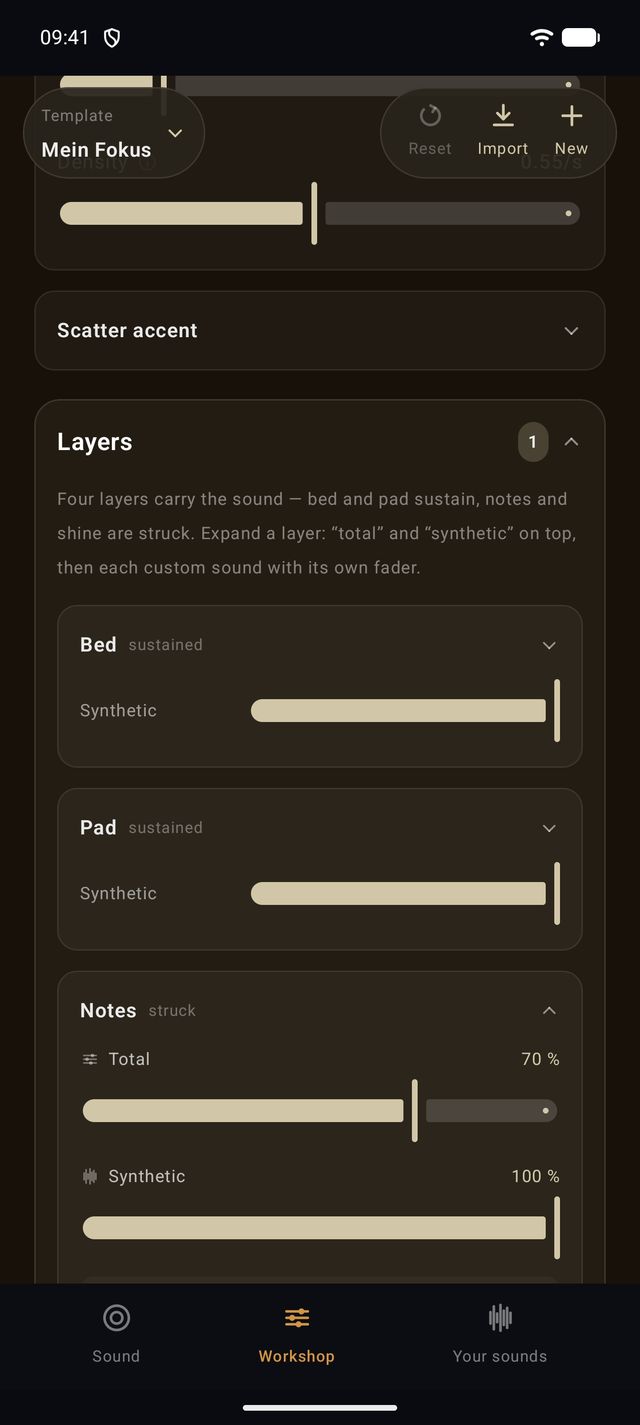
Every layer mixed freely. “Total” controls the layer, “Synthetic” the generated part. Each of your sounds has its own slider.
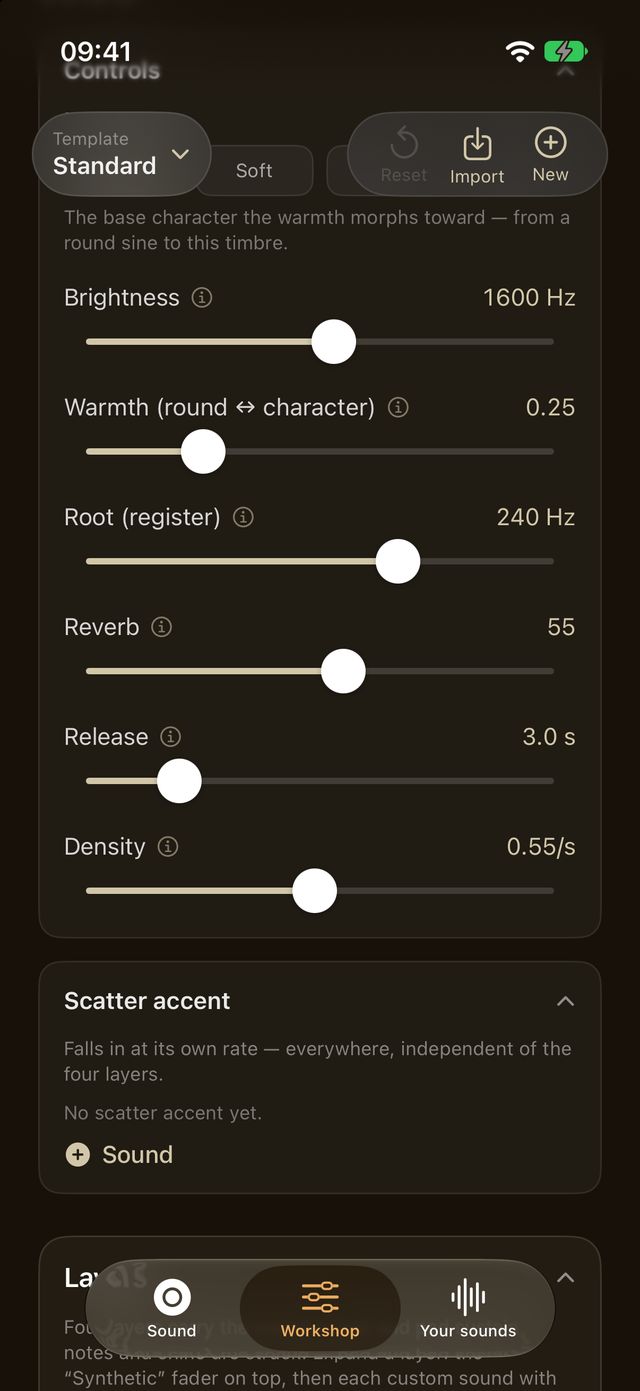
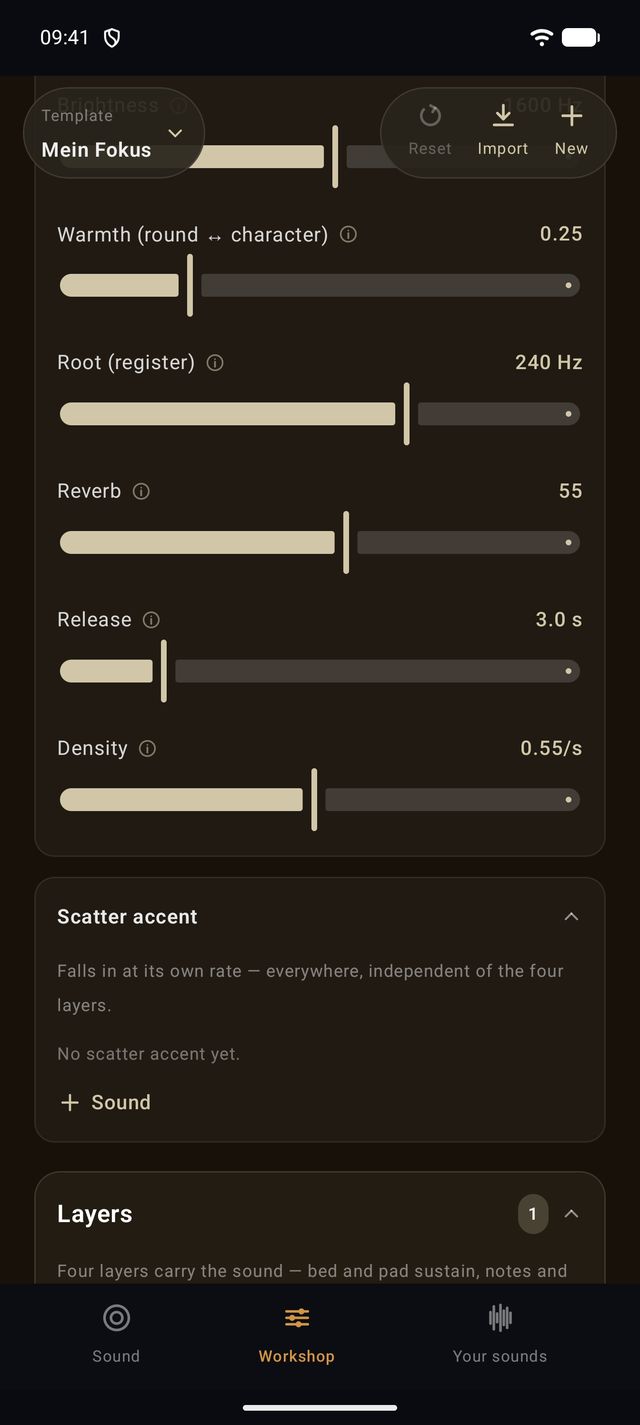
A sound that drops in. The scatter accent comes at its own rate, independent of the four layers. You choose its pitch.
“Reset” undoes everything you changed since entering the workshop. On leaving, the state is fixed.
The workshop step by step →Keep, switch, pass on.
A compilation is a finished sound: the settings and sounds of one world. Whatever you set is saved at once.
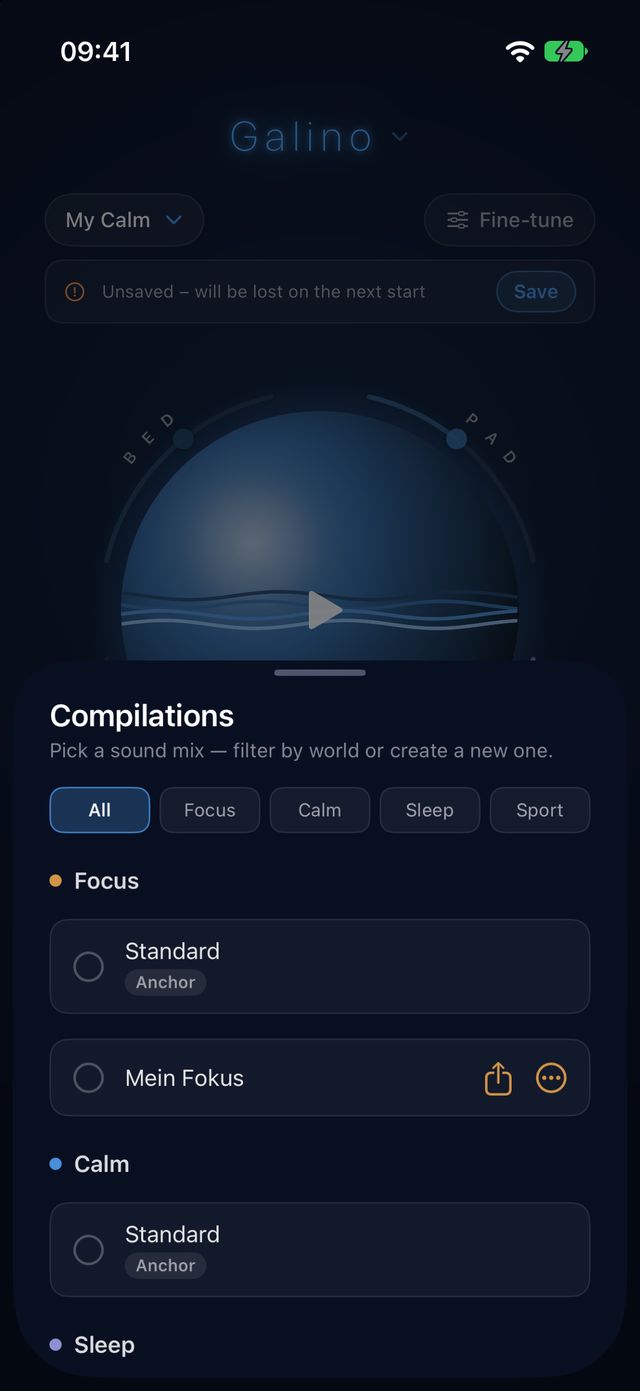
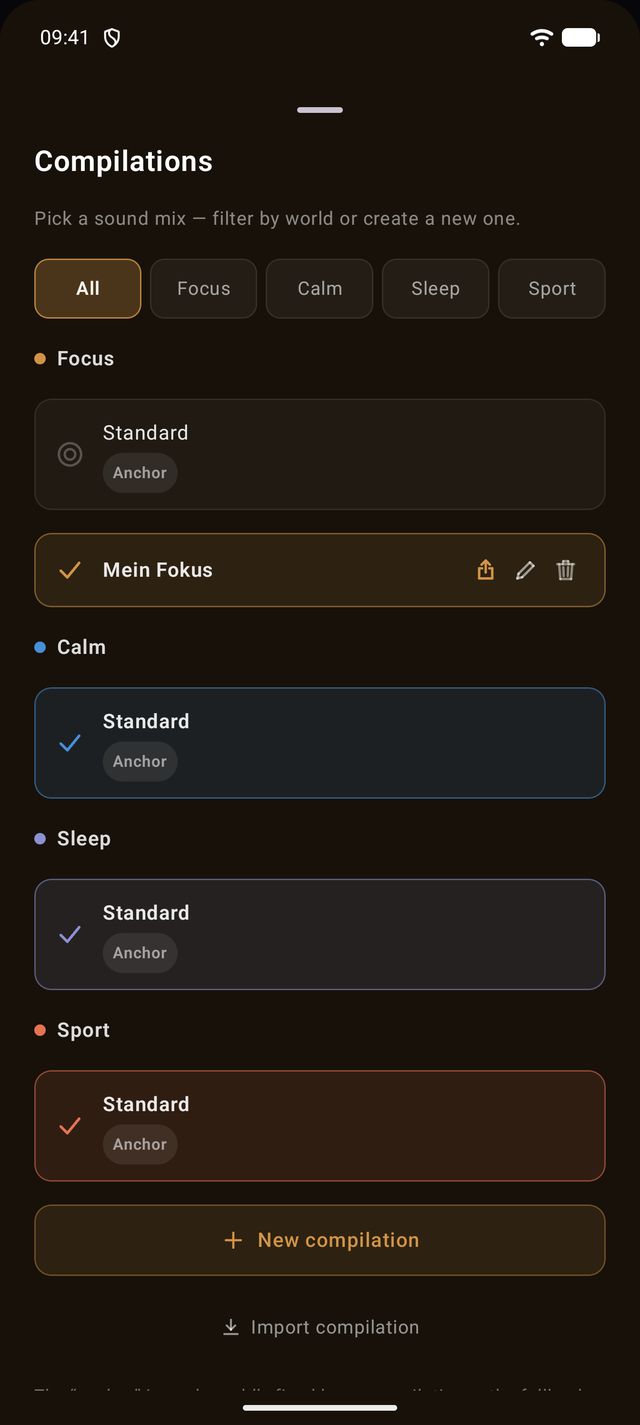
The anchor stays. Each world has its fixed “Standard”. Change it and a copy appears by itself, for example “My Focus”.
Pass it on as a file. A .galino file holds the settings and all sounds. Whoever opens it has your sound. iPhone and Android read the same file.
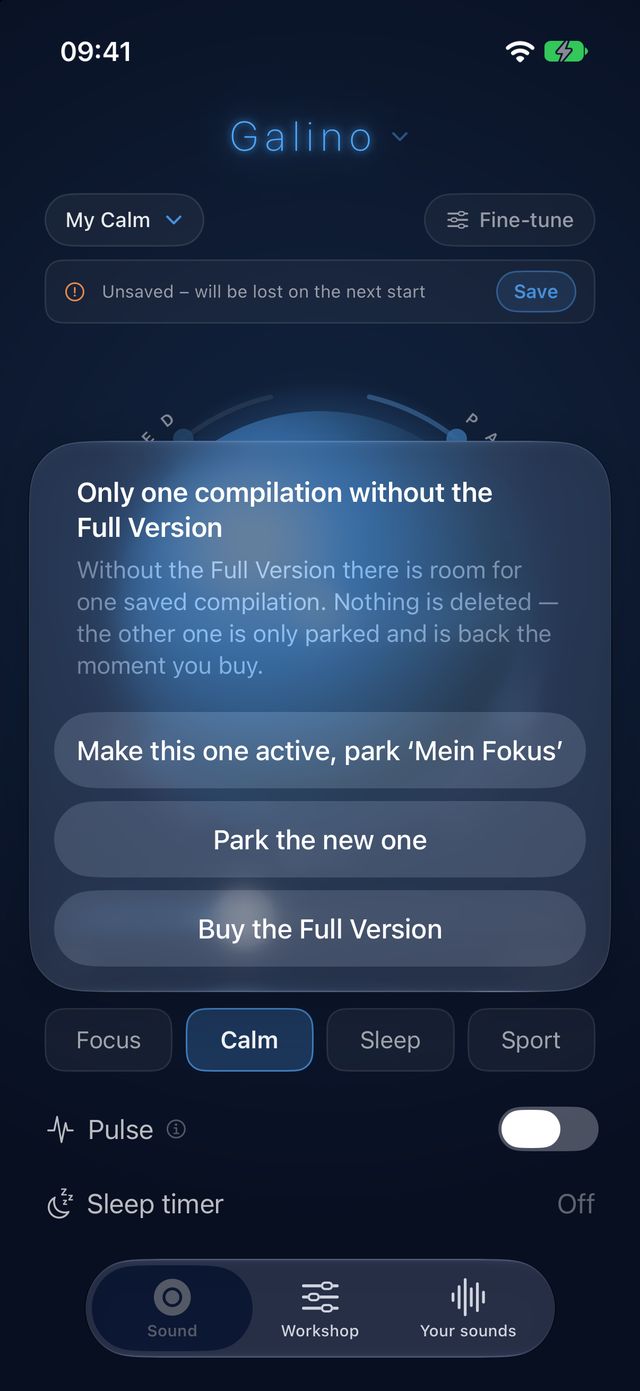
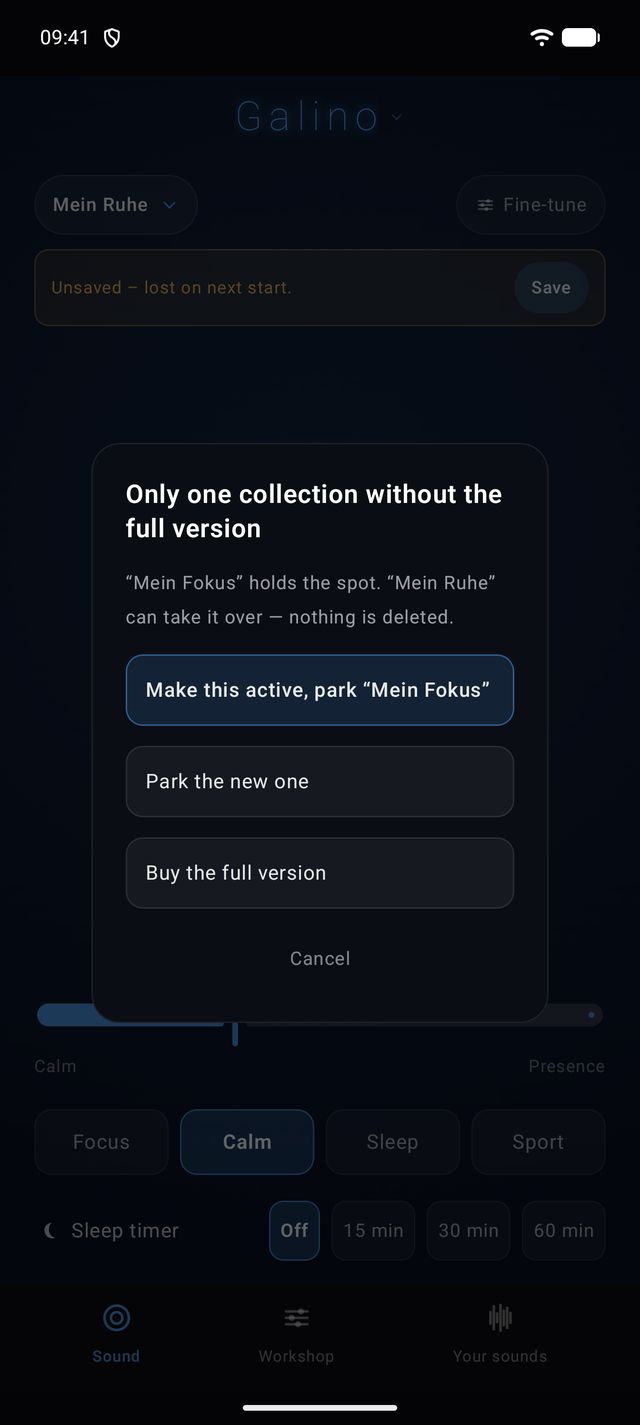
Parked, not deleted. One saved compilation of your own is free. Without the full version, further ones are only parked. With the purchase they are back at once. You decide which one rests.
You or your pulse.
Switch on “Pulse” and your pulse drives the axis from calm to presence while the slider rests. It is optional, and you can turn it off at any time. Galino works fully without pulse.
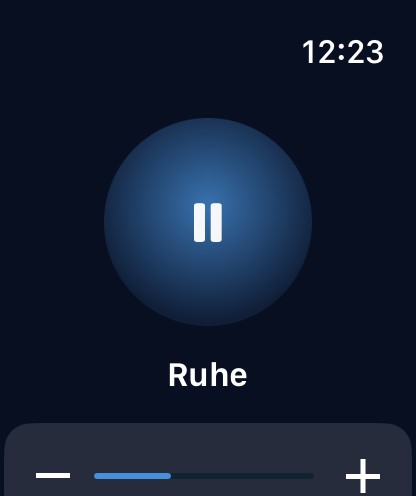
Galino on your wrist. The orb starts and pauses. Plus the Calm ↔ Presence slider, the four worlds and the sleep timer.
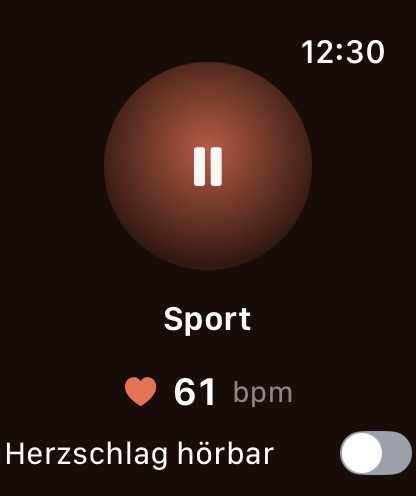
Sport follows your pulse. The watch measures and sends about once a second, and sound and tempo adjust. “Audible heartbeat” adds a tone in time with your heart.
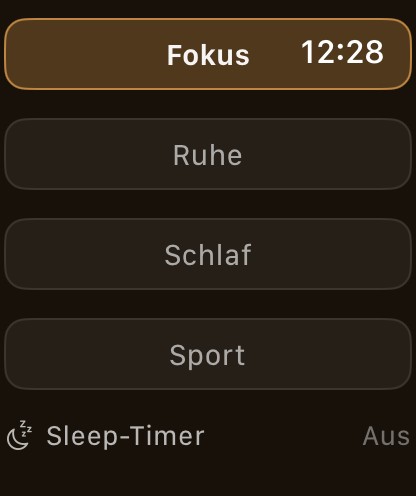
Needs the iPhone. Compilations and sounds come from the iPhone. You cannot edit them on the watch. The Watch app is part of the full version.
With Galino on the watch. The pulse arrives live. The iPhone then shows, for example, “72 bpm ♥”.
Without the watch app. Galino reads your heart rate from Apple Health. It then arrives only sluggishly, about once a minute.
Without pulse. “Breathing” appears next to the switch, and the axis follows a simulated breathing signal.
Cool-down. In Sport a button switches to Calm and starts. The same exists as a shortcut.
The Apple Watch screenshots show the German version.
Pulse and Apple Watch in the help →Unfolded: orb on the left, controls on the right.
On the unfolded iPhone Duo, Galino shows two columns. The orb stays on the left, and you choose world and sliders on the right. Folded, it is a single column.
Your sound stays with you.
No account, no server of ours, no ads, no analytics. Galino only uses services of your system, and most of them only when you switch them on.
On your device. Compilations and sounds are stored on your iPhonephone. The sound is made there.
iCloud only if you want it. The backup to your private iCloud is part of the full version and off at first. Your heart rate is never backed up.
In your device backup. Settings and sounds are part of the Android system backup in your own Google account.
Health only at your request. Galino reads your heart rate only while “Pulse” is on. It logs mindful minutes only if you switch that on.
Backup as a file. With the full version you keep all compilations and sounds as one file, wherever you like.
Health Connect for logging only. With the full version Galino logs mindful minutes if you like. It reads nothing from there.
Files only through you. Sounds and compilations leave the device only when you share them.
Handmade, with AI. Ideas and modern AI tools as leverage, built by hand.
Galino isn’t a trial that runs out. Everything that makes the sound stays free. The full version gives you more room for what you’ve built.
Free
- All sound worlds: Focus, Calm, Sleep, Sport
- Unlimited sounds of your own, recorded or imported
- The whole workshop: every layer, every slider
- Fine-tune and sleep timer
- If you like, the sound follows your pulse
- Share and receive .galino files
- One saved compilation of your own
Full version
- Unlimited compilations, as many per world as you like
- The Apple Watch app
- Backup to your private iCloud
- Mindful minutes in Apple Health
- Mindful minutes in Health Connect
- Backup as a file: all compilations and sounds, kept wherever you like
Exactly one saved compilation of your own is free, in total and not per world. Without the full version, further ones are only parked, never deleted. With the purchase they are back at once. The app shows you the price before you buy. iPhone and Android are separate purchases.

For anyone who wants a sound of their own.
Galino is not a collection of finished music. It is a tool for soundscapes that you use as simply or as deeply as you like.
If you don’t want a stream. The sound is made on the device, with no account and no connection.
If you have sounds of your own. The soundscape grows from your recordings. You only place the four sample sounds if you want to.
If you like to tune things. The workshop shows every layer and every slider. If you don’t need that, stay with the orb and the slider.
If you train with an Apple Watch. In the Sport world, sound and tempo follow your pulse.
If you don’t want to sign up for anything. Galino is free to use. The full version is a one-time purchase with no subscription.
Answered briefly.
Do I need an account or an internet connection?
No. There is no account and no sign-in. The sound is made on your device, without a connection. Read more
What does Galino cost?
Galino is free to use, with no time limit. The full version is a one-time purchase with no subscription. The app shows you the price before you buy. Read more · Guide: Endel alternative without a subscription
Does the sound repeat?
The generated sound unfolds without a loop. Sounds of your own that you place in Bed or Pad run as a loop. Read more
Do I need an Apple Watch?
No. Galino works fully without a watch and without pulse. With Galino on the watch, the pulse arrives live, and the Watch app plays your worlds on your wrist. Read more
Does Galino adapt to my pulse on Android?
No. Adapting to your pulse is available on iPhone with Apple Watch. On Android you steer all four worlds with the slider. Read more
Can I take my sounds between iPhone and Android?
Yes, one compilation at a time. Share it as a .galino file and open it on the other device. There is no way to move all data at once. Read more
Note
Galino is a sound app, not a medical device. It does not replace medical or therapeutic advice. Your pulse is only used to steer the sound.